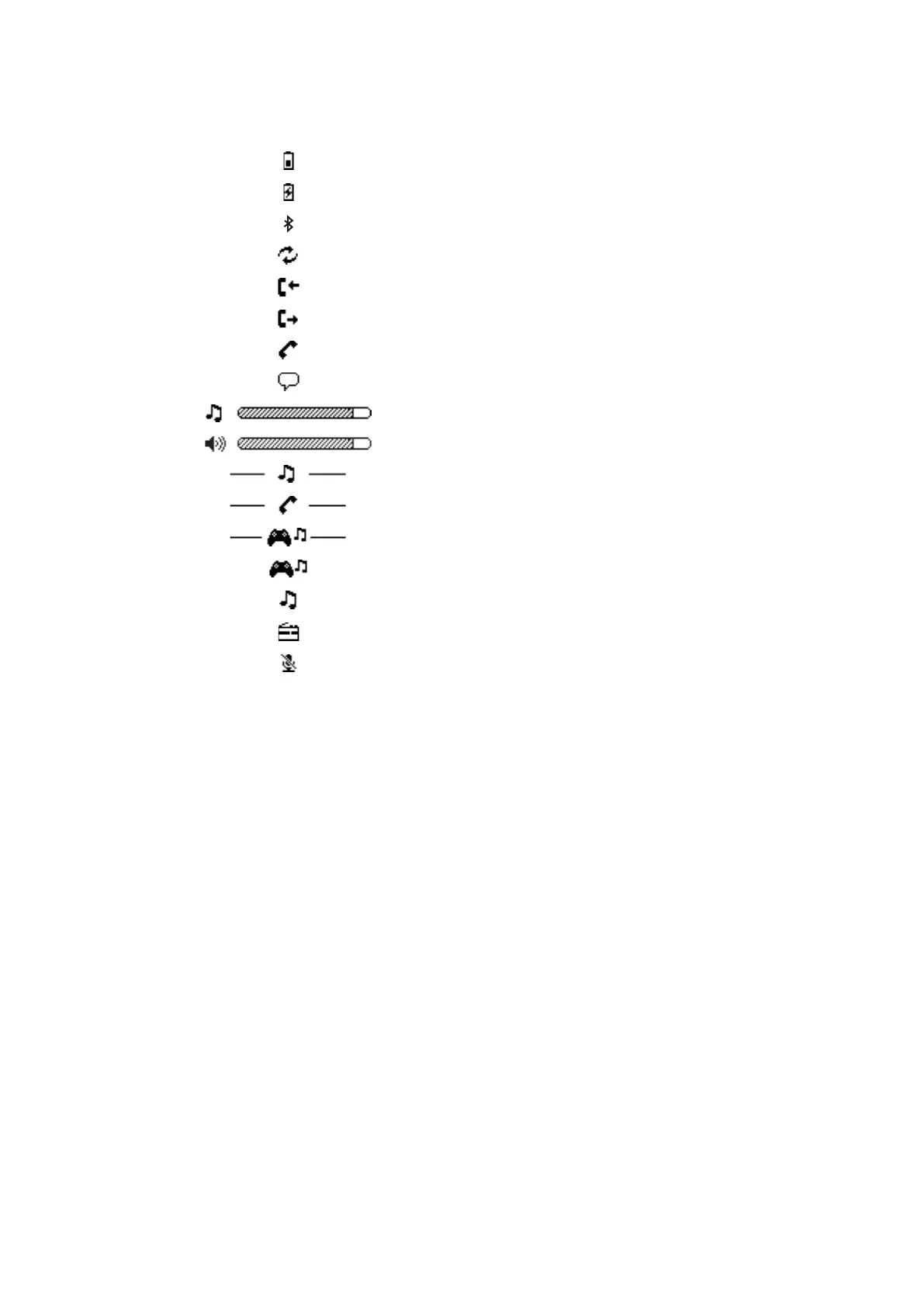
Display icons
Battery status
Battery charging
The headset is on
The headset is ready to be paired with another device
Incoming call
Outgoing call
Ongoing call
Voice activated dialling is on
Adjusting the music volume
Adjusting the voice volume
Music source selection menu
Calling device selection menu
Music mode selection menu
Gaming mode
Music mode
FM radio mode
The microphone is muted
6
This is an Internet version of this publication. © Print only for private use.


 To Next Page