7
Screen icons
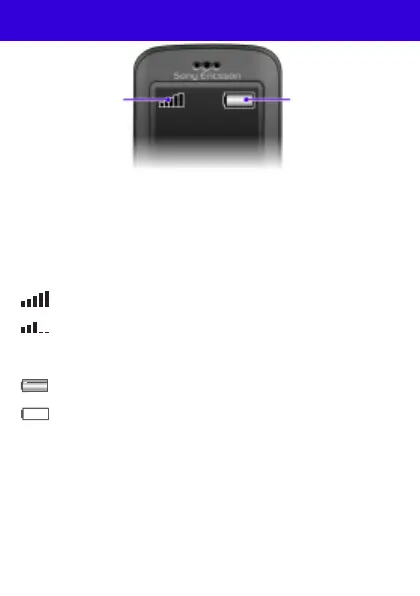
Network coverage
The network bars show the strength of the GSM network in
your area. You should move to another location if you have
problems calling and network coverage is poor. No net.
coverage means you are not in range of a network.
Battery status
= Good network coverage
= Average network coverage
= The phone battery is fully charged
= The phone battery is empty
Battery statusNetwork
coverage
This is the Internet version of the User guide. © Print only for private use.










 To Next Page