This is the Internet version of the user's guide. © Print only for private use.
7
Getting started
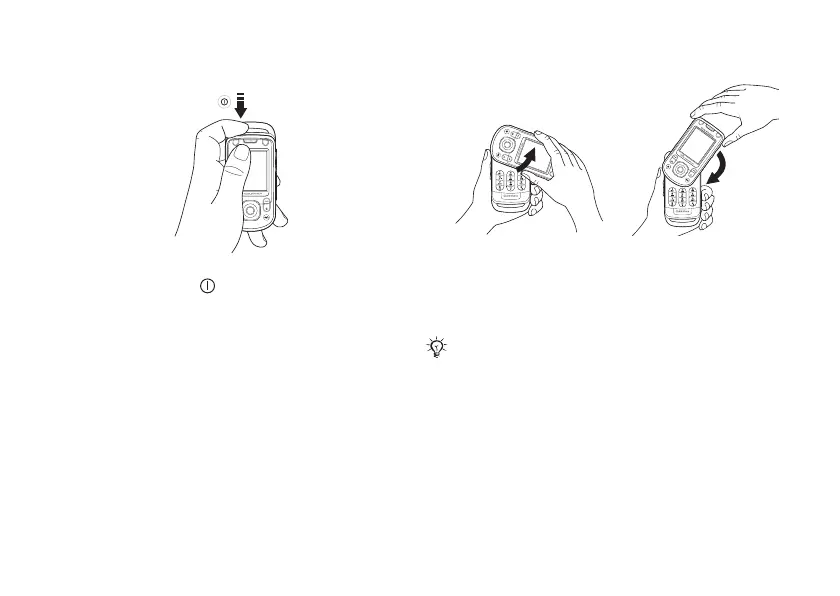
To turn on the phone
1 Press and hold .
2 Select whether you want to use the phone with
all functionality or the WALKMAN™ player
only
% 7 Start-up menu.
3 Enter your SIM card PIN, if requested.
4 At first start-up, select the language you want
for your phone menus.
5 } Yes if you want the setup wizard to help
you get started, and follow the instructions that
appear. You can start the wizard from the menu
system at any time,
} Settings } the General
tab } Setup wizard.
To open and close the phone
Start-up menu
When the start-up menu is activated, each time you
turn on the phone, you can select to listen to music
only, instead of using the phone with full
functionality. This means all transmitters
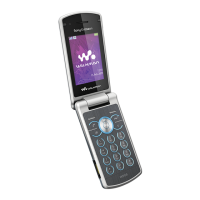
• To open the phone,
rotate the top section
up until it clicks into
place.
• To close the phone,
rotate the top section
down in the opposite
direction.
When you open the phone, rotate the top section
180
degrees to the left or right. Do not rotate the
top
section more than 180 degrees. If you force the
top
section more than 180 degrees in either direction,
the phone will be damaged.





 To Next Page