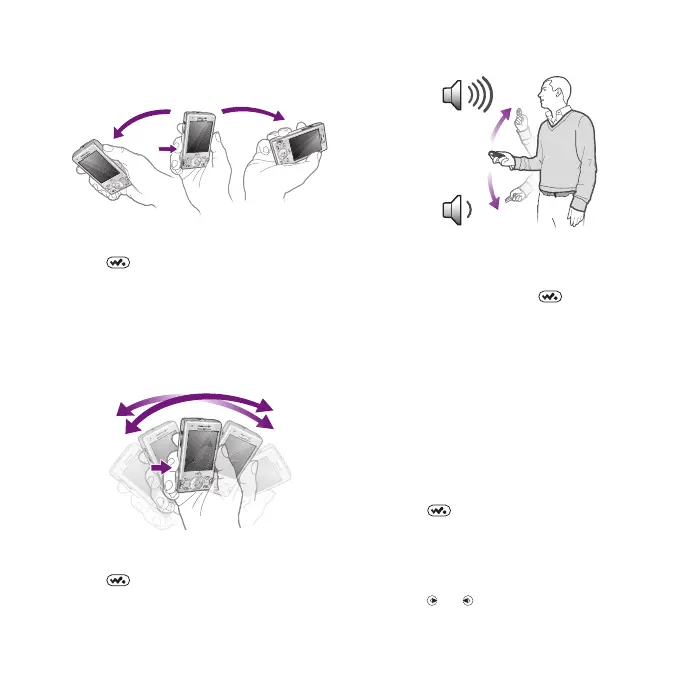
Shake control
To switch tracks
1
When music is playing, press and hold
down and move the phone to the
right with a flick of your wrist to go to
the next track.
2
To go to the previous track, use the
same action to the left.
To shuffle tracks
•
When music is playing, press and hold
down and shake your phone.
To change the volume
1
When music is playing, hold the phone
out in front of you facing upwards.
2
Press and hold down and bend
your arm upwards towards you to
increase the volume. To decrease the
volume, repeat the action in the
opposite direction.
Clear stereo and clear bass
Clear stereo and clear bass are turned
on when you set the equaliser
manually.
To set the equaliser manually
1
Press .
2
Select Options > Settings > Equaliser.
3
Make sure you are in Manual view. If
you are not, select Manual.
4
To scroll between the frequency bands,
press or .
Walkman™ 27
This is an Internet version of this publication. © Print only for private use.












 To Next Page