5
To change the value for a selected
frequency band, press or .
6
To go back to the player view, select
Done.
To turn on clear stereo and clear bass
using equaliser presets
1
Press
.
2
Select Options > Settings > Equaliser.
3
Make sure you are in Preset view. If you
are not, select Preset.
4
To scroll between the presets, press
or .
5
Select any of the presets, except
Normal.
Playlists
You can create playlists to organise
your music. You can add tracks and
folders to a playlist. It may take a few
minutes for the phone to create a
playlist.
To create a playlist
1
Select Menu > Media > Music >
Playlists.
2
Scroll to New playlist and select Add.
3
Enter a name and select OK.
4
For each track you want to add, scroll
to the track and select Mark.
5
Select Add to add the marked tracks to
the playlist.
To add tracks to a playlist
1
Select Menu > Media > Music >
Playlists.
2
Select a playlist.
3
Scroll to Add music and select Add.
4
For each track you want to add, scroll
to the track and select Mark.
5
Select Add to add the marked tracks to
the playlist.
SensMe™
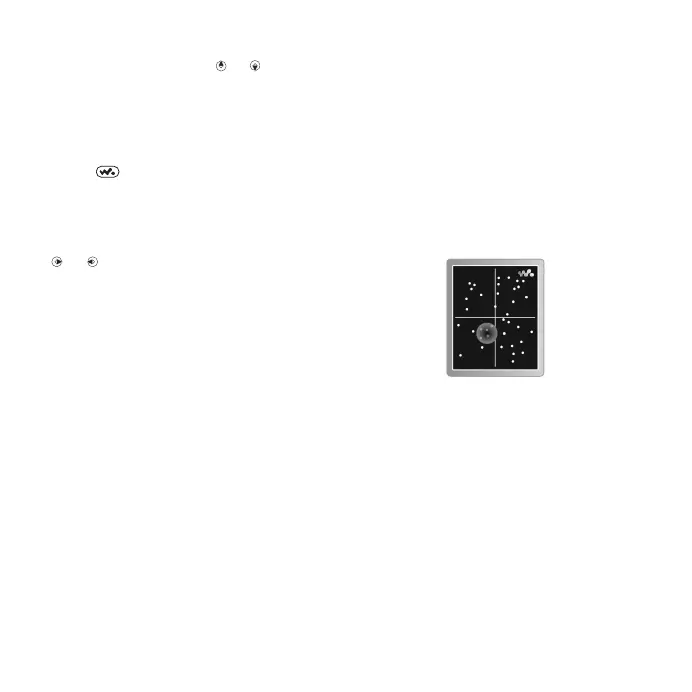
With SensMe™ you can create
playlists in two ways, by mood or from
all the tracks in your phone. By mood,
you first use Media Go™ to transfer
tracks to your phone. Information such
as mood, tempo and chords is then
added. The tracks are displayed as
dots on a map with two axes. In the
All view, all the tracks in your phone are
placed randomly on the map.
To create a playlist by mood
1
Select Menu > Media > Music.
28 Walkman™
This is an Internet version of this publication. © Print only for private use.












 To Next Page