EasyManua.ls Logo

Sony a7 RV - User Manual

Sony a7 RV
2 pages
Print Icon
To Next Page IconTo Next Page
Loading...
ILCE-7RM5
5-043-817-11(1)
\\Win-473\camera\CX89200(GL)_SG\03_Compose\02_EN\5043817111\5043817111ILCE7RM5AF1\EN1AF1.indd
DTP data saved: 2022/06/23 19:51
PDF file created: 2022/06/23 19:52
2 Insert the battery pack into the camera.
Open the battery cover, and then insert the
battery pack while pressing the lock lever.
Lock lever
Inserting a memory card into the camera
You can use CFexpress Type A memory cards and SD memory cards with this
camera.
Slot 1 Slot 2
Open the memory card cover and insert the memory card into Slot 1.
Both Slot 1 and Slot 2 support CFexpress Type A memory cards and SD memory
cards.
Insert a CFexpress Type A memory card with the label facing the monitor, and an
SD memory card with the terminal facing the monitor. Insert the card until it clicks
into place.
You can change which memory card slot to use by selecting MENU
(Shooting) [Media] [ Rec. Media Settings] [ Recording Media] or
[ Recording Media].
The Slot 1 is used in the default settings.
Hint
• When you use a memory card with the camera for the first time, it is recommended that you
format the card on the camera for more stable performance of the memory card.
Attaching a lens
1 Remove the body cap from the camera and
the rear lens cap from the rear of the lens.
2 Mount the lens by aligning the two white
index marks (mounting indexes) on the lens
and camera.
3 While pushing the lens lightly toward the
camera, turn the lens slowly in the direction
of the arrow until it clicks into the locked
position.
Mounting indexes
Turning the power on and setting the language and area
ON/OFF (Power)
switch
Control wheel
Select items : ////
/
Confirm : Center button
1 Set the ON/OFF (Power) switch to “ON” to turn on the camera.
2 Select the desired language and then press the center of the control
wheel.
The privacy notice screen will appear. Read the privacy notice regarding
biometrics by opening the link using your smartphone, etc.
3 Press the center of the control wheel.
4 Press the top/bottom/left/right side of the control wheel to select the
area where the camera will be used, and then press the center.
5 Follow the instructions on the screen to apply the initial settings.
Setting the date and time
1 Press the MENU button to display the menu
screen.
MENU button
Control wheel
2 Press the top/bottom/left/right side of
the control wheel to select
(Setup)
[Area/Date] [Area/Date/Time Setting]
[Date/Time], and then press the center of the
control wheel.
3 Set the date and time, and then press the
center.
Shooting
Shooting still images
1 Turn and set the Still/Movie/S&Q dial to
(Still) while pressing the lock release button
on the front of the Still/Movie/S&Q dial.
2
Turn the mode dial while pressing the mode
dial lock release button in the center of
the mode dial, and then select the desired
shooting mode.
3 Press the shutter button halfway down to
focus.
4 Press the shutter button all the way down.
Shutter button
Still/Movie/S&Q dial
Mode dial
Shooting movies
1 Turn and set the Still/Movie/S&Q dial to
(Movie) while pressing the lock release
button on the front of the Still/Movie/S&Q
dial.
2 Turn the mode dial while pressing the mode
dial lock release button in the center of
the mode dial, and then select the desired
shooting mode.
3 Press the MOVIE (Movie) button to start
recording.
4 Press the MOVIE (Movie) button again to stop
recording.
MOVIE (Movie)
button
Mode dial
Still/Movie/S&Q dial
Hint
The start/stop movie recording function is assigned to the MOVIE (Movie) button
in the default settings. Even without switching shooting modes in Step 1, you
can start movie recording from still image shooting mode by pressing the MOVIE
(Movie) button.
Preparing to use the
smartphone application
By connecting the camera to a smartphone using the smartphone application
Imaging Edge Mobile, you can transfer images to the smartphone and view images
stored on the camera on the smartphone.
Install Imaging Edge Mobile from the following support page.
https://www.sony.net/iem/
Update to the latest version of Imaging Edge Mobile.
Interchangeable Lens Digital Camera
Startup Guide
5-043-817-11(1)
E-mount
ILCE-7RM5
©2022 Sony Corporation Printed in Thailand
Preparations
Checking the supplied items
The number in parentheses indicates the number of pieces.
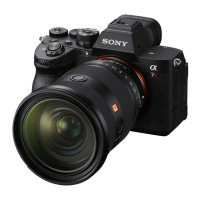
Camera (1)
Battery charger (1)
Power cord (mains lead) (1)*
(supplied in some countries/regions)
* Multiple power cords may be
supplied with this equipment. Use the
appropriate one that matches your
country/region. See “Notes on use.”
Rechargeable battery pack NP-FZ100
(1)
USB Type-C® cable (1)
Shoulder strap (1)
Body cap (1) (attached to the camera)
Cable protector (1)
Shoe cap (1) (attached to the camera)
Eyepiece cup (1) (attached to the
camera)
Startup Guide (this manual) (1)
Reference Guide (1)
Preparing the battery pack
1 Insert the battery pack into the battery
charger, and connect it to a wall outlet (wall
socket) using the power cord (supplied).
Place the battery pack on the battery charger in
the direction of . Slide the battery pack in the
direction of the arrow as far as it will go.
When charging starts, the CHARGE lamp on the
battery charger will light up. When charging is
finished, the CHARGE lamp and all indicators turn
off.
CHARGE lamp
To a wall outlet
(wall socket)
About the manual for this camera
https://rd1.sony.net/help/ilc/2230/h_zz/
“Help Guide” (Web manual)
ILCE-7RM5 Help Guide
This guide describes the necessary preparations to start using the
product, basic operations, etc. For details, refer to the “Help Guide”
(web manual).
We use environmentally conscious packaging materials
Environmentally conscious packaging materials were used for the camera and
supplied accessories.
Note the following due to the characteristics of the packaging materials.
Powder, etc. from the packaging materials may adhere to the camera or
supplied accessories. In this case, remove it with a commercially available
blower or cleaning paper before use.
The packaging materials will deteriorate with continuous use. Be careful when
carrying the product by the packaging.

Question and Answer IconNeed help?

Do you have a question about the Sony a7 RV and is the answer not in the manual?

Summary

Getting Started and Preparations

Checking Supplied Items

Lists the items included with the interchangeable lens digital camera.

Preparing the Battery Pack

Instructions for charging the camera's battery pack using the supplied charger.

Initial Camera Setup and Operation

Inserting a Memory Card

Guide on inserting CFexpress Type A or SD memory cards into the camera.

Setting Date and Time

Steps to configure the camera's date and time settings via the menu.

Attaching a Lens

Procedure for mounting a lens onto the camera body by aligning index marks.

Powering On and Initial Settings

Instructions for turning the camera on and completing initial setup steps.

Connecting to Smartphone App

Guide to pairing the camera with a smartphone using Imaging Edge Mobile.

Shooting Modes and Functions

Shooting Still Images

Steps for shooting still photographs using the camera.

Shooting Movies

Instructions for recording video clips with the camera.

Important Usage Notes and Specifications

Handling and Care Precautions

Covers general product handling, lens exposure, medical device warnings, and volume safety.

Monitor and Viewfinder Notes

Information regarding pixel imperfections and potential eyestrain from viewfinder use.

Recording and Memory Card Notes

Advice on potential heating during long recordings and memory card handling.

Network and Wireless LAN Notes

Guidance on network security, 5 GHz band usage, and temporary disabling of wireless functions.

Camera Specifications

Technical details including sensor size, pixel count, viewfinder, monitor, and dimensions.

Wireless LAN and Bluetooth Specifications

Details on supported wireless LAN standards, frequency bands, and Bluetooth functionality.

Overview

This document serves as a Startup Guide for the Sony α7R V Interchangeable Lens Digital Camera (model ILCE-7RM5), providing essential information for initial setup, basic operations, and maintenance.

Function Description

The Sony α7R V is a high-resolution interchangeable lens digital camera designed for still image and movie shooting. It supports E-mount lenses and utilizes a 35mm full-frame CMOS image sensor. The camera is equipped with a monitor and an electronic viewfinder for composing shots and reviewing images. It features Wi-Fi and Bluetooth connectivity, allowing for integration with a smartphone application, Imaging Edge Mobile, for image transfer and remote control. The camera supports CFexpress Type A and SD memory cards for storage.

Usage Features

Initial Setup:

  1. Battery Installation and Charging: The camera uses a rechargeable battery pack (NP-FZ100). To install, open the battery cover and insert the battery while pressing the lock lever. For charging, insert the battery pack into the supplied battery charger and connect it to a wall outlet using the power cord. The CHARGE lamp on the charger indicates charging status.
  2. Memory Card Installation: The camera has two slots (Slot 1 and Slot 2) that support both CFexpress Type A and SD memory cards. Open the memory card cover and insert the card with the label (for CFexpress Type A) or terminal (for SD card) facing the monitor until it clicks into place. It is recommended to format the memory card on the camera for optimal performance, especially when using it for the first time. The default setting uses Slot 1.
  3. Attaching a Lens: Remove the body cap from the camera and the rear lens cap from the lens. Align the two white index marks (mounting indexes) on both the lens and camera. While gently pushing the lens towards the camera, turn it slowly in the direction of the arrow until it clicks into the locked position.
  4. Power On and Language/Area Settings: Turn the ON/OFF (Power) switch to "ON." Select the desired language and confirm. The privacy notice screen will appear, which can be reviewed via a smartphone link. Select the area where the camera will be used and follow on-screen instructions to apply initial settings.
  5. Date and Time Setting: Access the MENU, navigate to (Setup) → [Area/Date] → [Area/Date/Time Setting] → [Date/Time], and set the correct date and time.

Shooting Still Images:

  1. Mode Selection: Turn the Still/Movie/S&Q dial to (Still) while pressing its lock release button.
  2. Shooting Mode: Turn the mode dial while pressing its lock release button and select the desired shooting mode.
  3. Focusing: Press the shutter button halfway down to focus.
  4. Capture: Press the shutter button all the way down to take a picture.

Shooting Movies:

  1. Mode Selection: Turn the Still/Movie/S&Q dial to ►(Movie) while pressing its lock release button.
  2. Shooting Mode: Turn the mode dial while pressing its lock release button and select the desired shooting mode.
  3. Recording: Press the MOVIE (Movie) button to start recording. Press it again to stop recording. The MOVIE button is assigned to start/stop recording by default, allowing recording even from still image shooting mode.

Smartphone Connectivity:

  1. Pairing: On the camera, go to MENU → (Network) → [Smartphone Connect] → [Smartphone Regist.].
  2. Bluetooth Activation: Set [Bluetooth Function] to [On] on the camera screen.
  3. App Launch: Launch Imaging Edge Mobile on your smartphone and follow the on-screen instructions to complete pairing. This enables image transfer and viewing of camera images on the smartphone.

Maintenance Features

Handling and Care:

  • Dust and Moisture Resistance: The camera is designed to be dust- and moisture-resistant, but it is not waterproof or dust-proof.
  • Lens and Viewfinder Protection: Avoid exposing the lens or viewfinder to strong light sources like direct sunlight, as this can cause smoke, fire, or malfunction due to the lens's condensing function. Always attach the lens cap when storing the camera or when shooting with backlighting, keeping the sun sufficiently far from the angle of view.
  • Laser Beams: Do not expose the lens or viewfinder to laser beams, as this can damage the image sensor or internal components.
  • Eye Safety: Never look at sunlight or strong light through the lens when it is detached, as this can cause irreversible eye damage.
  • Magnetic Interference: The camera contains magnets that may interfere with pacemakers or other medical devices. Keep the camera away from individuals with such devices and consult a doctor if necessary.
  • Volume Control: Increase volume gradually to prevent hearing damage, especially when using headphones.
  • Child Safety: Keep the camera, accessories, and memory cards out of reach of infants to prevent accidental swallowing.
  • Monitor and Viewfinder Care: The monitor and electronic viewfinder are manufactured with high precision, with over 99.99% operational pixels. Small black or bright dots may appear due to manufacturing processes but do not affect recorded images. If the monitor or viewfinder is damaged, discontinue use immediately to prevent injury.
  • Continuous Shooting: During continuous still image shooting, the monitor or viewfinder may flash. If this causes discomfort, stop using the camera and consult a doctor.
  • Long Recording Sessions (4K/8K Movies): The camera body and battery may become warm during extended use, which is normal. If the camera feels hot or if the (overheating warning icon) is displayed, avoid prolonged skin contact to prevent low-temperature burns. Use a tripod in high-temperature environments or if you have impaired skin sensation.
  • Memory Card Handling: Memory cards may become hot after recording. If the (overheating warning icon) is displayed, turn off the camera and wait for a while before removing the card to prevent damage or dropping it.
  • Tripod Use: Use a tripod with a screw less than 5.5 mm (7/32 inches) long to ensure secure attachment and prevent camera damage.
  • Third-Party Products: Using the camera with products from other manufacturers may affect performance or cause malfunctions.

Data Management and Privacy:

  • Location Information: Be aware that uploading images with location information linked to a smartphone app may reveal your location to third parties. Deactivate the [Location Information Linkage] function to protect privacy.
  • Discarding/Transferring Product: Before discarding or transferring the camera to others, perform a [Setting Reset] → [Initialize] operation to protect private information.
  • Discarding/Transferring Memory Card: Executing [Format] or [Delete] on the camera or computer does not completely erase data. Before transferring a memory card, use data deletion software for complete erasure or physically destroy the card when discarding it.

Network Functions:

  • Security: Be cautious when using network functions, as unintended third parties may access the camera depending on the usage environment. Sony is not responsible for losses caused by connecting to insecure network environments.
  • Wireless LAN Band: When using the wireless LAN function outdoors, set the band to 2.4 GHz via MENU (Network) → [Wi-Fi] → [Wi-Fi Frequency Band].
  • Airplane Mode: To temporarily turn off all wireless network functions (Wi-Fi, etc.), use [Airplane Mode].

Power Cord:

  • If multiple power cords are supplied, use the one appropriate for your country/region. Specific instructions are provided for customers in the UK, Ireland, Malta, Cyprus, Saudi Arabia, and other EU countries/regions.

Sony a7 RV Specifications

General IconGeneral
Autofocus SystemFast Hybrid AF (phase-detection AF / contrast-detection AF)
Image Stabilization5-axis in-body image stabilization
Continuous ShootingUp to 10 fps
Shutter Speed1/8000 to 30 sec, Bulb
WeightApprox. 723 g (with battery and memory card)
Dimensions131.3 x 96.9 x 82.4 mm
Sensor TypeFull-frame Exmor R CMOS
Effective Pixels61.0 megapixels
ISO Sensitivity100-32000 (expandable to 50-102400)
Viewfinder TypeElectronic, 9.44 million dots
LCD Screen3.0-inch, 2.1 million dots, tilting touchscreen
Video Recording8K 24p, 4K 60p
Memory Card SlotsDual slots (CFexpress Type A / SD UHS-II compatible)
ConnectivityWi-Fi, Bluetooth, USB Type-C, HDMI
Battery LifeApprox. 530 shots (CIPA)

Related product manuals