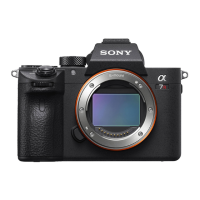
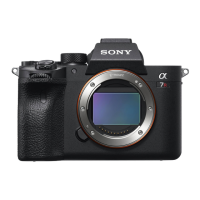
ILCE-7RM5
5-043-817-13(1)
C:\Users\toyoshima.noriko\Desktop\5043817131\5043817131ILCE7RM5AF1\EN1AF1.indd
DTP data saved: 2024/06/12 19:53
PDF file created: 2024/06/12 19:53
Inserting a memory card into the camera
You can use CFexpress Type A memory cards and SD memory cards with this
camera.
Slot 1 Slot 2
Open the memory card cover and insert the memory card into Slot 1.
• Both Slot 1 and Slot 2 support CFexpress Type A memory cards and SD memory
cards.
• Insert a CFexpress Type A memory card with the label facing the monitor, and an
SD memory card with the terminal facing the monitor. Insert the card until it clicks
into place.
• You can change which memory card slot to use by selecting MENU
(Shooting) [Media] [ Rec. Media Settings] [ Recording Media] or
[ Recording Media].
The Slot 1 is used in the default settings.
Hint
• When you use a memory card with the camera for the first time, it is recommended that you
format the card on the camera for more stable performance of the memory card.
Attaching a lens
1 Remove the body cap from the camera and
the rear lens cap from the rear of the lens.
2 Mount the lens by aligning the two white
index marks (mounting indexes) on the lens
and camera.
3 While pushing the lens lightly toward the
camera, turn the lens slowly in the direction
of the arrow until it clicks into the locked
position.
Mounting indexes
Performing initial setup for the camera
By establishing a Bluetooth connection (pairing) between the camera and a
smartphone, you can perform initial camera setup such as date and time settings
from the smartphone. Install the dedicated application on your smartphone in
advance, and then follow steps 1 to 4 under “Procedures for initial camera setup.”
Installing the dedicated smartphone application
Install the application from the following website. Also, update to
the latest version of the dedicated application. The specifications
of the dedicated application may change without notice.
https://www.sony.net/ca/
Procedures for initial camera setup
ON/OFF (Power)
switch
Control wheel
Select items : ////
/
Confirm : Center button
1 Set the ON/OFF (Power) switch to “ON” to turn on the camera.
2 Select the desired language and then press the center of the control
wheel.
• The privacy notice screen will appear. Read the privacy notice regarding
biometrics by opening the link using your smartphone, etc.
3 Press the center of the control wheel.
4 Follow the instructions on the camera screen to connect the camera with
your smartphone and perform the initial setup.
• You can also configure or change the initial settings later from the MENU of the
camera.
Connecting (pairing) the camera with your smartphone later
For details on the connection method, refer to the following
Help Guide URL:
https://rd1.sony.net/help/ilc/2230_pairing/h_zz/
Shooting
Shooting still images
1 Turn and set the Still/Movie/S&Q dial to
(Still) while pressing the lock release button
on the front of the Still/Movie/S&Q dial.
2
Turn the mode dial while pressing the mode
dial lock release button in the center of
the mode dial, and then select the desired
shooting mode.
3 Press the shutter button halfway down to
focus.
4 Press the shutter button all the way down.
Shutter button
Still/Movie/S&Q dial
Mode dial
Shooting movies
1 Turn and set the Still/Movie/S&Q dial to
(Movie) while pressing the lock release
button on the front of the Still/Movie/S&Q
dial.
2 Turn the mode dial while pressing the mode
dial lock release button in the center of
the mode dial, and then select the desired
shooting mode.
3 Press the MOVIE (Movie) button to start
recording.
4 Press the MOVIE (Movie) button again to stop
recording.
MOVIE (Movie)
button
Mode dial
Still/Movie/S&Q dial
Hint
• The start/stop movie recording function is assigned to the MOVIE (Movie) button
in the default settings. Even without switching shooting modes in Step 1, you
can start movie recording from still image shooting mode by pressing the MOVIE
(Movie) button.
Notes on use
Refer to “Precautions” in the “Help Guide” as well.
Notes on handling the product
• This camera is designed to be dust-and moisture-resistant, but is not waterproof or dust-proof.
• Do not leave the lens or the viewfinder exposed to a strong light source such as sunlight.
Because of the lens’s condensing function, doing so may cause smoke, fire, or a malfunction
inside the camera body or the lens. If you have to leave the camera exposed to a light source
such as sunlight, attach the lens cap to the lens.
• If sunlight or other strong light enters the camera through the lens, it may focus inside the
camera and cause smoke or fire. Attach the lens cap when storing the camera. When shooting
with backlighting, keep the sun sufficiently far away from the angle of view. Even if it is slightly
away from the angle of view, smoke or fire may still occur.
• Do not directly expose the lens or the viewfinder to beams such as laser beams. This may
damage the image sensor or the inside of the viewfinder and cause the camera to malfunction.
• Do not look at sunlight or a strong light source through the lens when it is detached. This may
result in unrecoverable damage to the eyes or cause a malfunction.
• This camera (including accessories) has magnet(s) which may interfere with pacemakers,
programmable shunt valves for hydrocephalus treatment, or other medical devices. Do not
place this camera close to persons who use such medical devices. Consult your doctor before
using this camera if you use any such medical device.
• Increase the volume gradually. Sudden loud noises can damage your ears. Be especially careful
when listening to headphones.
• Do not leave the camera, the supplied accessories, or memory cards within the reach of infants.
They may be accidentally swallowed. If this occurs, consult a doctor immediately.
Notes on the monitor and electronic viewfinder
• The monitor and electronic viewfinder are manufactured using extremely high-precision
technology, and over 99.99% of the pixels are operational for effective use. However, there
may be some small black dots and/or bright dots (white, red, blue or green in color) that
constantly appear on the monitor and electronic viewfinder. These are imperfections due to the
manufacturing process and do not affect the recorded images in any way.
• When shooting with the viewfinder, you may experience symptoms such as eyestrain, fatigue,
motion sickness, or nausea. We recommend that you take a break at regular intervals when you
are shooting with the viewfinder.
• If the monitor or electronic viewfinder is damaged, stop using the camera immediately. The
damaged parts may harm your hands, face, etc.
Notes on continuous shooting
When shooting still images continuously, the monitor or viewfinder may flash between the
shooting screen and a black screen. If you keep watching the screen in this situation, you
may experience uncomfortable symptoms such as feeling of unwellness. If you experience
uncomfortable symptoms, stop using the camera, and consult your doctor as necessary.
Interchangeable Lens Digital Camera
Startup Guide
5-043-817-13(1)
E-mount
ILCE-7RM5
©2022 Sony Corporation Printed in Thailand
Preparations
Checking the supplied items
The number in parentheses indicates the number of pieces.
• Camera (1)
• Battery charger (1)
• Power cord (mains lead) (1)*
(supplied in some countries/regions)
* Multiple power cords may be
supplied with this equipment. Use the
appropriate one that matches your
country/region. See “Notes on use.”
• Rechargeable battery pack NP-FZ100
(1)
• USB Type-C® cable (1)
• Shoulder strap (1)
• Body cap (1) (attached to the camera)
• Cable protector (1)
• Shoe cap (1) (attached to the camera)
• Eyepiece cup (1) (attached to the
camera)
• Startup Guide (this manual) (1)
• Reference Guide (1)
Preparing the battery pack
1 Insert the battery pack into the battery
charger, and connect it to a wall outlet (wall
socket) using the power cord (supplied).
• Place the battery pack on the battery charger in
the direction of . Slide the battery pack in the
direction of the arrow as far as it will go.
• When charging starts, the CHARGE lamp on the
battery charger will light up. When charging is
finished, the CHARGE lamp and all indicators turn
off.
CHARGE lamp
To a wall outlet
(wall socket)
2 Insert the battery pack into the camera.
• Open the battery cover, and then insert the
battery pack while pressing the lock lever.
Lock lever
About the manual for this camera
https://rd1.sony.net/help/ilc/2230/h_zz/
“Help Guide” (Web manual)
ILCE-7RM5 Help Guide
This guide describes the necessary preparations to start using the
product, basic operations, etc. For details, refer to the “Help Guide”
(web manual).
We use environmentally conscious packaging materials
Environmentally conscious packaging materials were used for the camera and
supplied accessories.
Note the following due to the characteristics of the packaging materials.
• Powder, etc. from the packaging materials may adhere to the camera or
supplied accessories. In this case, remove it with a commercially available
blower or cleaning paper before use.
• The packaging materials will deteriorate with continuous use. Be careful when
carrying the product by the packaging.


 To Next Page
 Need help?
 General