23
BDP-S6500/BDP-BX650
4-571-032-11(1)
master page=right
E:\SONY
DVD\SD140040\4571032111_US\040PLY.fm
Playback
Playing from a USB
Device
For “Playable types of files”, see
page 43.
1 Connect the USB device to the
USB jack on the player (page 12).
Refer to the instruction manual
supplied with the USB device before
connecting.
2 Select [USB device] using
</M/m/,, and press ENTER.
3 Select [Video], [Music],
or [Photo] category using
M/m, and press ENTER.
Playing via a Network
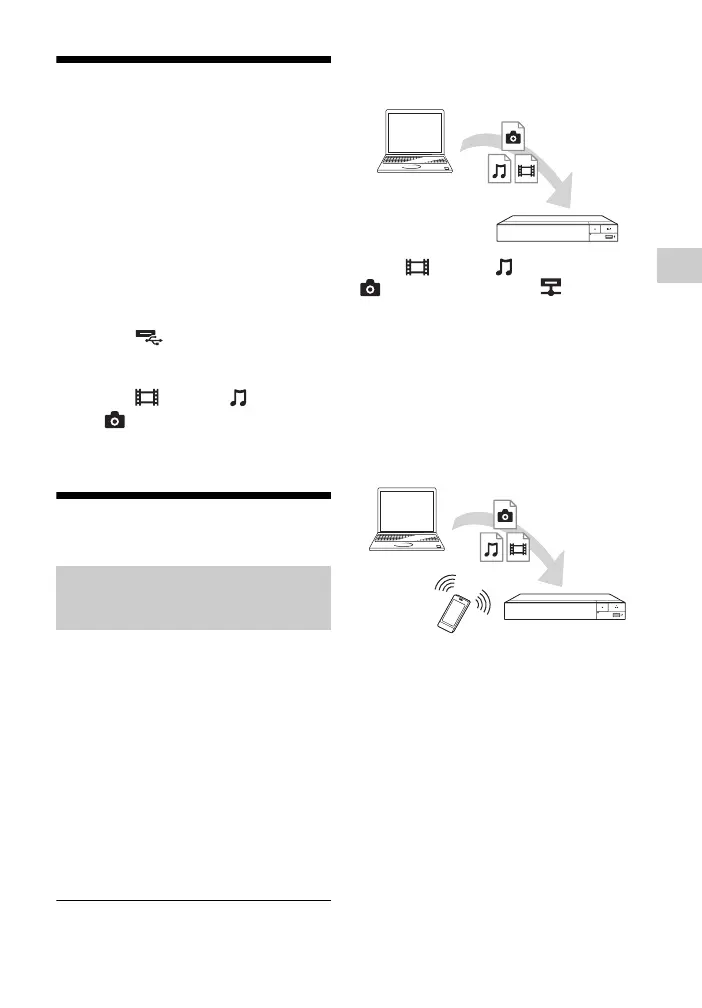
A DLNA-compatible product can play
video/music/photo files stored on
another DLNA-compatible product via a
network.
1 Prepare to use DLNA.
• Connect the player to a network
(page 19).
• Prepare the other necessary
DLNA-compatible products.
Refer to the instruction manual
supplied with the product.
To play a file from a DLNA server via
this unit (DLNA player)
Select [Video], [Music], or
[Photo] category from [Media
Server] in [All Apps], then choose the
file you want to play.
To play a file from a DLNA server via
another product (Renderer)
When you play files from a DLNA
Server on this unit, you can use a DLNA
Controller-compatible product (a phone,
etc.), to control playback.
Control this unit using a DLNA
controller. Refer to the instruction
manual supplied with the DLNA
controller.
Playing files on a Home
Network (DLNA)
Server
Player
Server
Controller
Renderer


 To Next Page