EasyManua.ls Logo

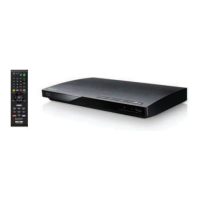
Sony BDP-CX7000ES - User Manual

Sony BDP-CX7000ES
112 pages
Print Icon
To Next Page IconTo Next Page
Loading...
SONY:
#.
- ..........
~TM
S/u·ragD;sc
4-148-374-11 (1)
Blu-ray Disc / DVD Player
Operating
Instructions~
BDP-CX7000ES
© 2009 Sony Corporation
Mode
d'emploi,
__

Other manuals for Sony BDP-CX7000ES

Question and Answer IconNeed help?

Do you have a question about the Sony BDP-CX7000ES and is the answer not in the manual?

Summary

WARNING

Important Safety Instructions

Safety advice to prevent hazards like fire and electric shock.

Owners Record

Section to record product serial number for reference and support.

CAUTION

Warning about potential hazards, such as eye damage from the laser.

Precautions

On Safety

Advice to prevent fire or electric shock hazards from liquids and heat.

On Placement

Guidance on positioning the player for ventilation and stability.

On Power Sources

Instructions for safely disconnecting the AC power cord from the outlet.

On Transporting the Player

Procedure for preparing the player before moving it.

Precautions (continued)

On Adjusting Volume

Caution against turning volume too high with low audio signals.

On Cleaning

Instructions for cleaning the player's cabinet and controls.

To Ensure Stable Operation

Tips for maintaining player performance and preventing malfunction.

IMPORTANT NOTICE

Screen Damage Warning

Warning about permanent screen damage from prolonged display of still images.

About This Manual

Manual Conventions and Icons

Explains manual conventions, icons, and controls.

Getting Started

Hooking Up the Player

Lists necessary items and initial steps for connecting the player.

Settings and Adjustments

Using the Settings Display

Navigating the player's settings menu to adjust various options.

Resetting Player Settings

Restoring player settings to their factory defaults for specific categories.

Additional Information

Troubleshooting Overview

Guide to diagnose and resolve common player problems.

Guide to Parts and Controls

Front Panel Controls

Identifies and explains the player's front panel buttons and functions.

Front Panel Display

Front Panel Indicators

Explains the indicators and information shown on the player's front display.

Rear Panel Connections

Rear Panel Jacks

Identifies and explains the player's rear panel connection jacks.

Remote Control

Remote Operation

Details the buttons and functions of the supplied remote control.

Remote Control (continued)

Playback and Navigation Controls

Explanation of playback, pause, stop, and menu navigation buttons.

Playback Information Display

How to display playback time, disc info, and file info on screen.

Remote Control (continued)

Disc Navigation and Playback Modes

Covers DISC SKIP, SCENE SEARCH, PAUSE, STOP, MUTING, VOLUME.

Playback Direction Controls

Explains fast reverse/forward, slow motion, and freeze frame functions.

Guide to On-screen Menu Display

On-screen Menu Navigation

Describes the home menu structure and playback displays.

Step 1: Connecting to Your TV

Connecting to TV Video Jacks

Guide to connecting the player to a TV via various video jacks.

Connecting to an HDMI Jack

HDMI Connection Procedure

Instructions for connecting via HDMI for high-quality output.

HDMI Connection Precautions

Precautions for handling HDMI connections to prevent damage.

Connecting to Component Video Jacks

Component Video Connection

Guide for connecting via component video for high-quality pictures.

Connecting to Audio;Video or S-Video Jacks

Standard Video;Audio Connection

Instructions for connecting via standard analog video and audio.

Step 2: Connecting to Your AV Amplifier (Receiver)

AV Amplifier Connection Requirements

Requirements for connecting to AV amplifiers for different audio sources.

Connecting to an HDMI Jack (AV Amplifier)

HDMI Connection to AV Receiver

Steps for connecting the player to an AV receiver using HDMI.

Connecting to Digital Jacks (Optical;Coaxial)

Digital Audio Connection

Guide for connecting to AV receivers using digital audio outputs.

Connecting to 7.1 Channel Jacks

7.1 Channel Analog Connection

Instructions for connecting to AV receivers with 7.1 channel analog inputs.

Connecting to Audio L;R Jacks

Stereo Audio Connection

Guide for connecting to AV receivers with basic stereo audio inputs.

Step 3: Inserting an External Memory

External Memory Usage

How to insert and use USB storage for additional content like BonusView.

Step 4: Connecting to the Network

Network Connection Setup

Steps for connecting the player to the internet via LAN or Wi-Fi.

Step 5: Connecting the AC Power Cord

AC Power Cord Connection

Final step for connecting the player to a power outlet.

Step 6: Preparing the Remote

Remote Preparation

Instructions for inserting batteries and handling the remote control.

Step 7: Easy Setup

Initial Player Setup

Initial setup wizard for language, TV type, and network connection.

Step 7: Easy Setup (continued)

Language and TV Connection Setup

Selecting display language and TV connection method (HDMI, Component, etc.).

Video Output Resolution Setup

Configuring the video output resolution for the connected TV.

Step 7: Easy Setup (continued)

Aspect Ratio and Quick Start Mode Setup

Setting aspect ratio, Control for HDMI, and Quick Start Mode.

Step 8: Inserting Discs

Disc Loading Procedure

Step-by-step guide on how to load up to 400 discs into the player.

Disc Insertion and Removal

Inserting a Rental Disc

Specific procedure for inserting and removing rental discs in slot 1.

Removing Discs

Instructions on how to eject discs from the player.

Step 9: Loading Disc Information

Gracenote Disc Information Loading

Process of loading disc titles and data from Gracenote database.

Playback

Playing BDs;DVDs

Basic steps to play Blu-ray Discs and DVDs.

Playback (continued)

Selecting Titles and Options

How to select titles and access playback options during playback.

Video Playback Operations

Details on playback controls like STOP, PAUSE, DISC SKIP, and DISPLAY.

Playback (continued)

Using Disc Menus

How to access and navigate Top Menus and Pop-up Menus.

BonusView;BD-Live Features

Steps for enabling and using BonusView/BD-Live features.

Searching for a Scene Quickly (Scene Search)

Scene Search Function

How to navigate quickly between scenes within a title.

Searching for a Scene Quickly (Scene Search) (continued)

Title and Chapter Search

Methods for searching specific titles or chapters within a disc.

Adjusting Picture and Sound for Videos

Adjusting Picture Settings

Accessing options to adjust picture quality during playback.

Adjusting Picture and Sound for Videos (continued)

Video Settings Adjustments

Detailed video adjustment options like Picture Quality Mode and Video Equalizer.

HD Reality Enhancer Settings

Adjusting settings for enhancing video detail and clarity.

Adjusting Picture and Sound for Videos (continued)

Noise Reduction Settings

Adjusting noise reduction levels for clearer picture quality.

Audio Settings Configuration

Configuring audio preferences, including speaker settings and AV sync.

Playing Music CDs

Music CD Playback Steps

Steps to select and play music tracks from CDs.

Playing Music CDs (continued)

Music Playback Operations

Details on playback controls and options for music playback.

Playing Music Repeatedly

Repeat Play Settings

How to set repeat play for tracks or albums.

Playing Discs in Random Order (Shuffle Play)

Shuffle Play Settings

How to enable random playback of discs or tracks.

Creating Playlists

Playlist Management

Guide to creating, editing, and playing custom music playlists.

Playing Photo Files

Photo File Playback

Steps to select and play photo files from discs.

Playing Photo Files (continued)

Photo Playback Options

Options for slideshow speed, rotation, and HD Reality Enhancer.

To View Best Quality Images

PhotoTV HD Image Optimization

Settings for optimizing image quality with PhotoTV HD compatible TVs.

Playing a Slideshow

Slideshow Playback

How to start and play a slideshow of photo files.

Organizing Discs

Loading Disc Information

Process to load information for all discs from Gracenote.

Organizing Discs (continued)

Loading Individual Disc Information

Procedure to load information for individual discs from Gracenote.

Editing Disc;Title;File Information

Editing Disc and Title Information

How to edit titles, genres, and other details for loaded discs.

Editing Music Information

Specific steps for editing album and genre information for music.

Editing Disc;Title;File Information (continued)

Editing Photo Disc Name

How to rename discs for photo collections.

Entering Characters for Editing

Guide to using the on-screen character input method.

About BRAVIA Sync Features (HDMI Connections Only)

BRAVIA Sync Overview

Explains how BRAVIA Sync simplifies operation with connected Sony devices.

Remote Control Features

Operating Player and Other Components

How to use the remote to control the player, TV, or AV amplifier.

Remote Control Features (continued)

Available Remote Buttons by Mode

Table showing which buttons control BD, TV, and AMP modes.

Changing the Remote Code to Operate Other Components

Setting Remote Control Codes

Instructions to set remote codes for controlling other Sony components.

Changing the Command Mode

Command Mode Configuration

How to switch player and remote command modes for multi-player setups.

Using the Settings Display

Navigating Settings Menu

Navigating the player's settings menu to adjust various options.

Setting List Overview

Available Settings Categories

Lists available settings categories like Network Update, Video, Audio, System.

Network Update

Software Update via Network

How to update player software via network connection.

Network Update (continued)

Software Update via Disc

Alternative method to update player software using a disc.

Video Settings

TV Type and Screen Format

Adjusting TV type, screen format, aspect ratio, and output resolution.

Video Settings (continued)

DVD Aspect Ratio Settings

Settings for aspect ratio conversion for DVD playback.

Output Video Format Settings

Configuring video output jacks (HDMI, Component, S-Video).

Video Settings (continued)

BD-ROM 1080;24 p Output Settings

Settings for outputting 1080p/24Hz signals for film-based BD-ROMs.

HDMI and Component Resolution Settings

Detailed resolution settings for HDMI and Component outputs.

Video Settings (continued)

HDMI Color and xvYCC Settings

Color settings for HDMI output, including Deep Color and xvYCC.

Pause Mode and Component Output Compensation

Adjusting pause mode and signal loss compensation for component cables.

Audio Settings

Audio Output Priority and Speaker Settings

Configuring audio priority and speaker setup for surround sound.

Audio Settings (continued)

Speaker Level and Distance Adjustment

Fine-tuning speaker volume levels and placement distances.

Audio Settings (continued)

Speaker Level Adjustment via Test Tone

Using test tone to adjust speaker volume levels for optimal sound.

HDMI and BD Audio Settings

Configuring HDMI audio signals and mixing interactive/secondary audio.

Audio ATT Setting

Adjusting audio output level to prevent sound distortion.

Audio Settings (continued)

Dolby Digital and DTS Audio Settings

Configuring audio output for Dolby Digital and DTS discs.

PCM Sampling Frequency and DRC Settings

Selecting PCM sampling frequency and adjusting dynamic range compression.

BD;DVD Viewing Settings

Downmix and Menu Language Settings

Setting audio downmix and default menu language for BDs/DVDs.

Track and Subtitle Language Settings

Selecting default audio track and subtitle languages for BDs/DVDs.

BD Parental Control Setup

Setting parental controls for BD-ROM playback based on user age.

BD;DVD Viewing Settings (continued)

DVD Parental Control Setup

Setting parental controls for DVD VIDEO playback based on user age.

Parental Control Region Code Setup

Restricting playback based on geographic region for BD-ROMs/DVD VIDEOs.

BD;DVD Viewing Settings (continued)

Password Management for Parental Control

Setting or changing the password for Parental Control.

BD Internet Connection Settings

Allowing or prohibiting internet connections from BD content.

Hybrid Disc Playback Layer Selection

Selecting playback layer priority for Hybrid Discs.

Photo Settings

Slideshow Speed Adjustment

Adjusting slideshow speed for photo files.

System Settings

Display and Control Settings

Adjusting player display language (OSD) and front panel lighting (Dimmer).

HDMI and RS232 C Control

Enabling or disabling Control for HDMI and RS232C communication.

System Settings (continued)

Quick Start and Auto Power Off Modes

Configuring Quick Start Mode and Auto Power Off functions.

Auto Display and Screen Saver

Enabling Auto Display and Screen Saver features.

Child Lock and Gracenote Access

Locking the front cover and controlling Gracenote database access.

Command Mode Configuration

Changing Player Command Mode

Changing player and remote command modes to avoid interference.

Software Update Notification

Update Notification Settings

Enabling notifications for new software versions.

Network Settings

Internet Connection Setup

Configuring internet connection settings like IP address acquisition.

Network Settings (continued)

Proxy Server Configuration

Configuring proxy server settings if required by ISP.

Easy Setup (Re-run)

Re-running Initial Setup

Re-running the initial setup wizard for basic adjustments.

Resetting Player Settings

Factory Reset Options

Restoring player settings to their factory defaults for specific categories.

Troubleshooting

Power and System Error Troubleshooting

Guide to diagnose and resolve common problems with power and system errors.

Disc Playback Troubleshooting

Guide to diagnose and resolve common problems with disc playback.

Troubleshooting (continued)

Picture Issues Resolution

Solutions for problems like no picture, picture noise, or incorrect aspect ratio.

Sound Issues Resolution

Troubleshooting steps for no sound, incorrect sound, or low volume.

Troubleshooting (continued)

HDMI Connection Troubleshooting

Problems related to HDMI audio/video output and BRAVIA Sync.

External Memory Troubleshooting

Troubleshooting unrecognized external memory or insufficient space.

Troubleshooting (continued)

Disc Playback and File Display Issues

Resolving issues with bonus content, messages, remote function, and file display.

Player Response and Moisture Issues

Solutions for when the player does not respond or has condensed moisture.

Self-Diagnosis Function

Error Code and Self-Diagnosis Explanation

Explains error codes and how the self-diagnosis feature works.

Playable Discs

Supported Disc Formats

Lists supported disc types (Blu-ray, DVD, CD) and their characteristics.

Playable Discs (continued)

Unsupported Disc Types

Lists disc types and formats that are not supported by the player.

Playback Operations Notes

Information on region codes, copyright protection, and double-layer discs.

Video Output Resolution

Video Output Resolution Table

Table showing output resolutions based on format and connection type.

Audio Output Signals

Audio Signal Compatibility Table

Detailed table of audio formats supported by different output jacks and settings.

Specifications

Technical Specifications

Technical details including system, outputs, power, dimensions, and operating conditions.

Language Code List

ISO 639 Language Codes

List of language codes used for setting default languages.

Parental Control;Area Code

Region Code Reference

List of region codes for parental control and geographic restrictions.

Terms and Conditions of Use and End User License Agreement

End User License Agreement Summary

Legal agreement for product usage, software, and services.

Terms and Conditions of Use and End User License Agreement (continued)

Service Modifications and Termination Rights

Sony's rights to modify service features or terminate the agreement.

Disclaimer of Warranties and Limitation of Liability

Disclaimer of warranties and limitation of liability for product usage.

Software License Information

GPL;LGPL Software Licenses

Required statements and licenses for GPL/LGPL software used in the product.

Software License Information (continued)

GNU General Public License Terms

Terms and conditions for copying, distribution, and modification of GPL software.

Software License Information (continued)

GPL No Warranty Clause

Disclaimer of warranty for free software distributed under the GPL.

Software License Information (continued)

GNU Lesser General Public License Terms

Terms for libraries, allowing linking with non-free programs.

Software License Information (continued)

LGPL Work Modification and Distribution

Detailed conditions for modification and distribution of LGPL works.

Software License Information (continued)

LGPL Warranty and Liability Limitations

Warranty disclaimers and liability limitations for LGPL software.

Software License Information (continued)

OpenSSL Project Usage Requirements

Required statements and acknowledgments for OpenSSL software.

Software License Information (continued)

SSLeay Software License Terms

Conditions for using and redistributing the SSLeay cryptographic software.

NetBSD Software License Notice

BSD license terms for software developed by the NetBSD Foundation.

Software License Information (continued)

JPEG Software Usage Terms

Terms and conditions for using the Independent JPEG Group code.

PuTTY Software License Terms

License terms for the PuTTY software components.

fdlibm Software Usage Terms

Permission to use, copy, and modify Sun Microsystems' fdlibm library.

MPEG-4 AVC and VC-1 Licensing

Licensing terms for video encoding standards used in the product.

Gracenote End User License Agreement

Gracenote Software and Data Usage Terms

Terms for using Gracenote software and data for disc/file identification.

Glossary

Glossary of Terms and Features

Definitions of technical terms and features used in the manual.

Glossary (continued)

Blu-ray Disc (BD) Format Explanation

Explanation of the Blu-ray Disc format and its data capacity.

Deep Color Video Signal Explanation

Explanation of Deep Color video signals and their impact on color depth.

Dolby Digital Plus Audio Technology

Description of Dolby Digital Plus audio technology for multi-channel surround.

Dolby TrueHD Lossless Audio Technology

Explanation of Dolby TrueHD lossless audio coding technology.

DTS Digital Audio Compression Technology

Description of DTS digital audio compression technology for surround sound.

DTS-HD High Resolution Audio Features

Explanation of DTS-HD High Resolution Audio for surround sound.

DTS-HD Master Audio Technology

Description of DTS-HD Master Audio lossless audio technology.

HDMI Interface Explanation

Explanation of the HDMI interface for digital video and audio transmission.

HD Reality Enhancer Technology

Sony technology for real-time video processing to improve image quality.

LPCM Digital Audio Format

Explanation of Linear PCM digital audio format without data deterioration.

LTH Recording System for BD-R

Recording system for organic pigment type BD-R.

PhotoTV HD Image Quality Feature

Sony technology for high-quality photo display via HDMI.

Glossary (continued)

Pop-up Menu Functionality

Enhanced menu operation available on BD-ROMs during playback.

Super Bit Mapping Technology

Technology for achieving smoother gradation in video signals.

x.v.Color Standard Explanation

Standard for wider color space in video, proposed by Sony.

24 p True Cinema Feature

Feature for displaying film-shot content at 24 frames per second.

Index

Index of Topics

Alphabetical listing of topics and their corresponding page numbers.

Product Registration

Register Your Product

Encourages product registration for support and updates via website.

Consumer 3 Year Warranty

Warranty Terms and Conditions

Details the warranty terms, conditions, and coverage for the product.

Product Registration and Support Information

Instructions for product registration and contact information for support.

Consumer 3 Year Warranty (continued)

Warranty Conditions and Exclusions

Explains conditions like unauthorized repair, abuse, and proper delivery for warranty.

Warranty Service and Delivery

Details on shipping, returning, and receiving repaired units.

LIMITED WARRANTY (U.S. Only)

U.S. Warranty Terms and Conditions

Details the limited warranty terms, conditions, and remedies for U.S. customers.

Labor and Parts Warranty Duration

Specifies the duration of labor and parts warranty periods.

Obtaining Warranty Service

How to get service, including delivery and contact information.

Limitation on Damages Clause

Disclaimer regarding incidental or consequential damages.

Summary

WARNING

Important Safety Instructions

Safety advice to prevent hazards like fire and electric shock.

Owners Record

Section to record product serial number for reference and support.

CAUTION

Warning about potential hazards, such as eye damage from the laser.

Precautions

On Safety

Advice to prevent fire or electric shock hazards from liquids and heat.

On Placement

Guidance on positioning the player for ventilation and stability.

On Power Sources

Instructions for safely disconnecting the AC power cord from the outlet.

On Transporting the Player

Procedure for preparing the player before moving it.

Precautions (continued)

On Adjusting Volume

Caution against turning volume too high with low audio signals.

On Cleaning

Instructions for cleaning the player's cabinet and controls.

To Ensure Stable Operation

Tips for maintaining player performance and preventing malfunction.

IMPORTANT NOTICE

Screen Damage Warning

Warning about permanent screen damage from prolonged display of still images.

About This Manual

Manual Conventions and Icons

Explains manual conventions, icons, and controls.

Getting Started

Hooking Up the Player

Lists necessary items and initial steps for connecting the player.

Settings and Adjustments

Using the Settings Display

Navigating the player's settings menu to adjust various options.

Resetting Player Settings

Restoring player settings to their factory defaults for specific categories.

Additional Information

Troubleshooting Overview

Guide to diagnose and resolve common player problems.

Guide to Parts and Controls

Front Panel Controls

Identifies and explains the player's front panel buttons and functions.

Front Panel Display

Front Panel Indicators

Explains the indicators and information shown on the player's front display.

Rear Panel Connections

Rear Panel Jacks

Identifies and explains the player's rear panel connection jacks.

Remote Control

Remote Operation

Details the buttons and functions of the supplied remote control.

Remote Control (continued)

Playback and Navigation Controls

Explanation of playback, pause, stop, and menu navigation buttons.

Playback Information Display

How to display playback time, disc info, and file info on screen.

Remote Control (continued)

Disc Navigation and Playback Modes

Covers DISC SKIP, SCENE SEARCH, PAUSE, STOP, MUTING, VOLUME.

Playback Direction Controls

Explains fast reverse/forward, slow motion, and freeze frame functions.

Guide to On-screen Menu Display

On-screen Menu Navigation

Describes the home menu structure and playback displays.

Step 1: Connecting to Your TV

Connecting to TV Video Jacks

Guide to connecting the player to a TV via various video jacks.

Connecting to an HDMI Jack

HDMI Connection Procedure

Instructions for connecting via HDMI for high-quality output.

HDMI Connection Precautions

Precautions for handling HDMI connections to prevent damage.

Connecting to Component Video Jacks

Component Video Connection

Guide for connecting via component video for high-quality pictures.

Connecting to Audio;Video or S-Video Jacks

Standard Video;Audio Connection

Instructions for connecting via standard analog video and audio.

Step 2: Connecting to Your AV Amplifier (Receiver)

AV Amplifier Connection Requirements

Requirements for connecting to AV amplifiers for different audio sources.

Connecting to an HDMI Jack (AV Amplifier)

HDMI Connection to AV Receiver

Steps for connecting the player to an AV receiver using HDMI.

Connecting to Digital Jacks (Optical;Coaxial)

Digital Audio Connection

Guide for connecting to AV receivers using digital audio outputs.

Connecting to 7.1 Channel Jacks

7.1 Channel Analog Connection

Instructions for connecting to AV receivers with 7.1 channel analog inputs.

Connecting to Audio L;R Jacks

Stereo Audio Connection

Guide for connecting to AV receivers with basic stereo audio inputs.

Step 3: Inserting an External Memory

External Memory Usage

How to insert and use USB storage for additional content like BonusView.

Step 4: Connecting to the Network

Network Connection Setup

Steps for connecting the player to the internet via LAN or Wi-Fi.

Step 5: Connecting the AC Power Cord

AC Power Cord Connection

Final step for connecting the player to a power outlet.

Step 6: Preparing the Remote

Remote Preparation

Instructions for inserting batteries and handling the remote control.

Step 7: Easy Setup

Initial Player Setup

Initial setup wizard for language, TV type, and network connection.

Step 7: Easy Setup (continued)

Language and TV Connection Setup

Selecting display language and TV connection method (HDMI, Component, etc.).

Video Output Resolution Setup

Configuring the video output resolution for the connected TV.

Step 7: Easy Setup (continued)

Aspect Ratio and Quick Start Mode Setup

Setting aspect ratio, Control for HDMI, and Quick Start Mode.

Step 8: Inserting Discs

Disc Loading Procedure

Step-by-step guide on how to load up to 400 discs into the player.

Disc Insertion and Removal

Inserting a Rental Disc

Specific procedure for inserting and removing rental discs in slot 1.

Removing Discs

Instructions on how to eject discs from the player.

Step 9: Loading Disc Information

Gracenote Disc Information Loading

Process of loading disc titles and data from Gracenote database.

Playback

Playing BDs;DVDs

Basic steps to play Blu-ray Discs and DVDs.

Playback (continued)

Selecting Titles and Options

How to select titles and access playback options during playback.

Video Playback Operations

Details on playback controls like STOP, PAUSE, DISC SKIP, and DISPLAY.

Playback (continued)

Using Disc Menus

How to access and navigate Top Menus and Pop-up Menus.

BonusView;BD-Live Features

Steps for enabling and using BonusView/BD-Live features.

Searching for a Scene Quickly (Scene Search)

Scene Search Function

How to navigate quickly between scenes within a title.

Searching for a Scene Quickly (Scene Search) (continued)

Title and Chapter Search

Methods for searching specific titles or chapters within a disc.

Adjusting Picture and Sound for Videos

Adjusting Picture Settings

Accessing options to adjust picture quality during playback.

Adjusting Picture and Sound for Videos (continued)

Video Settings Adjustments

Detailed video adjustment options like Picture Quality Mode and Video Equalizer.

HD Reality Enhancer Settings

Adjusting settings for enhancing video detail and clarity.

Adjusting Picture and Sound for Videos (continued)

Noise Reduction Settings

Adjusting noise reduction levels for clearer picture quality.

Audio Settings Configuration

Configuring audio preferences, including speaker settings and AV sync.

Playing Music CDs

Music CD Playback Steps

Steps to select and play music tracks from CDs.

Playing Music CDs (continued)

Music Playback Operations

Details on playback controls and options for music playback.

Playing Music Repeatedly

Repeat Play Settings

How to set repeat play for tracks or albums.

Playing Discs in Random Order (Shuffle Play)

Shuffle Play Settings

How to enable random playback of discs or tracks.

Creating Playlists

Playlist Management

Guide to creating, editing, and playing custom music playlists.

Playing Photo Files

Photo File Playback

Steps to select and play photo files from discs.

Playing Photo Files (continued)

Photo Playback Options

Options for slideshow speed, rotation, and HD Reality Enhancer.

To View Best Quality Images

PhotoTV HD Image Optimization

Settings for optimizing image quality with PhotoTV HD compatible TVs.

Playing a Slideshow

Slideshow Playback

How to start and play a slideshow of photo files.

Organizing Discs

Loading Disc Information

Process to load information for all discs from Gracenote.

Organizing Discs (continued)

Loading Individual Disc Information

Procedure to load information for individual discs from Gracenote.

Editing Disc;Title;File Information

Editing Disc and Title Information

How to edit titles, genres, and other details for loaded discs.

Editing Music Information

Specific steps for editing album and genre information for music.

Editing Disc;Title;File Information (continued)

Editing Photo Disc Name

How to rename discs for photo collections.

Entering Characters for Editing

Guide to using the on-screen character input method.

About BRAVIA Sync Features (HDMI Connections Only)

BRAVIA Sync Overview

Explains how BRAVIA Sync simplifies operation with connected Sony devices.

Remote Control Features

Operating Player and Other Components

How to use the remote to control the player, TV, or AV amplifier.

Remote Control Features (continued)

Available Remote Buttons by Mode

Table showing which buttons control BD, TV, and AMP modes.

Changing the Remote Code to Operate Other Components

Setting Remote Control Codes

Instructions to set remote codes for controlling other Sony components.

Changing the Command Mode

Command Mode Configuration

How to switch player and remote command modes for multi-player setups.

Using the Settings Display

Navigating Settings Menu

Navigating the player's settings menu to adjust various options.

Setting List Overview

Available Settings Categories

Lists available settings categories like Network Update, Video, Audio, System.

Network Update

Software Update via Network

How to update player software via network connection.

Network Update (continued)

Software Update via Disc

Alternative method to update player software using a disc.

Video Settings

TV Type and Screen Format

Adjusting TV type, screen format, aspect ratio, and output resolution.

Video Settings (continued)

DVD Aspect Ratio Settings

Settings for aspect ratio conversion for DVD playback.

Output Video Format Settings

Configuring video output jacks (HDMI, Component, S-Video).

Video Settings (continued)

BD-ROM 1080;24 p Output Settings

Settings for outputting 1080p/24Hz signals for film-based BD-ROMs.

HDMI and Component Resolution Settings

Detailed resolution settings for HDMI and Component outputs.

Video Settings (continued)

HDMI Color and xvYCC Settings

Color settings for HDMI output, including Deep Color and xvYCC.

Pause Mode and Component Output Compensation

Adjusting pause mode and signal loss compensation for component cables.

Audio Settings

Audio Output Priority and Speaker Settings

Configuring audio priority and speaker setup for surround sound.

Audio Settings (continued)

Speaker Level and Distance Adjustment

Fine-tuning speaker volume levels and placement distances.

Audio Settings (continued)

Speaker Level Adjustment via Test Tone

Using test tone to adjust speaker volume levels for optimal sound.

HDMI and BD Audio Settings

Configuring HDMI audio signals and mixing interactive/secondary audio.

Audio ATT Setting

Adjusting audio output level to prevent sound distortion.

Audio Settings (continued)

Dolby Digital and DTS Audio Settings

Configuring audio output for Dolby Digital and DTS discs.

PCM Sampling Frequency and DRC Settings

Selecting PCM sampling frequency and adjusting dynamic range compression.

BD;DVD Viewing Settings

Downmix and Menu Language Settings

Setting audio downmix and default menu language for BDs/DVDs.

Track and Subtitle Language Settings

Selecting default audio track and subtitle languages for BDs/DVDs.

BD Parental Control Setup

Setting parental controls for BD-ROM playback based on user age.

BD;DVD Viewing Settings (continued)

DVD Parental Control Setup

Setting parental controls for DVD VIDEO playback based on user age.

Parental Control Region Code Setup

Restricting playback based on geographic region for BD-ROMs/DVD VIDEOs.

BD;DVD Viewing Settings (continued)

Password Management for Parental Control

Setting or changing the password for Parental Control.

BD Internet Connection Settings

Allowing or prohibiting internet connections from BD content.

Hybrid Disc Playback Layer Selection

Selecting playback layer priority for Hybrid Discs.

Photo Settings

Slideshow Speed Adjustment

Adjusting slideshow speed for photo files.

System Settings

Display and Control Settings

Adjusting player display language (OSD) and front panel lighting (Dimmer).

HDMI and RS232 C Control

Enabling or disabling Control for HDMI and RS232C communication.

System Settings (continued)

Quick Start and Auto Power Off Modes

Configuring Quick Start Mode and Auto Power Off functions.

Auto Display and Screen Saver

Enabling Auto Display and Screen Saver features.

Child Lock and Gracenote Access

Locking the front cover and controlling Gracenote database access.

Command Mode Configuration

Changing Player Command Mode

Changing player and remote command modes to avoid interference.

Software Update Notification

Update Notification Settings

Enabling notifications for new software versions.

Network Settings

Internet Connection Setup

Configuring internet connection settings like IP address acquisition.

Network Settings (continued)

Proxy Server Configuration

Configuring proxy server settings if required by ISP.

Easy Setup (Re-run)

Re-running Initial Setup

Re-running the initial setup wizard for basic adjustments.

Resetting Player Settings

Factory Reset Options

Restoring player settings to their factory defaults for specific categories.

Troubleshooting

Power and System Error Troubleshooting

Guide to diagnose and resolve common problems with power and system errors.

Disc Playback Troubleshooting

Guide to diagnose and resolve common problems with disc playback.

Troubleshooting (continued)

Picture Issues Resolution

Solutions for problems like no picture, picture noise, or incorrect aspect ratio.

Sound Issues Resolution

Troubleshooting steps for no sound, incorrect sound, or low volume.

Troubleshooting (continued)

HDMI Connection Troubleshooting

Problems related to HDMI audio/video output and BRAVIA Sync.

External Memory Troubleshooting

Troubleshooting unrecognized external memory or insufficient space.

Troubleshooting (continued)

Disc Playback and File Display Issues

Resolving issues with bonus content, messages, remote function, and file display.

Player Response and Moisture Issues

Solutions for when the player does not respond or has condensed moisture.

Self-Diagnosis Function

Error Code and Self-Diagnosis Explanation

Explains error codes and how the self-diagnosis feature works.

Playable Discs

Supported Disc Formats

Lists supported disc types (Blu-ray, DVD, CD) and their characteristics.

Playable Discs (continued)

Unsupported Disc Types

Lists disc types and formats that are not supported by the player.

Playback Operations Notes

Information on region codes, copyright protection, and double-layer discs.

Video Output Resolution

Video Output Resolution Table

Table showing output resolutions based on format and connection type.

Audio Output Signals

Audio Signal Compatibility Table

Detailed table of audio formats supported by different output jacks and settings.

Specifications

Technical Specifications

Technical details including system, outputs, power, dimensions, and operating conditions.

Language Code List

ISO 639 Language Codes

List of language codes used for setting default languages.

Parental Control;Area Code

Region Code Reference

List of region codes for parental control and geographic restrictions.

Terms and Conditions of Use and End User License Agreement

End User License Agreement Summary

Legal agreement for product usage, software, and services.

Terms and Conditions of Use and End User License Agreement (continued)

Service Modifications and Termination Rights

Sony's rights to modify service features or terminate the agreement.

Disclaimer of Warranties and Limitation of Liability

Disclaimer of warranties and limitation of liability for product usage.

Software License Information

GPL;LGPL Software Licenses

Required statements and licenses for GPL/LGPL software used in the product.

Software License Information (continued)

GNU General Public License Terms

Terms and conditions for copying, distribution, and modification of GPL software.

Software License Information (continued)

GPL No Warranty Clause

Disclaimer of warranty for free software distributed under the GPL.

Software License Information (continued)

GNU Lesser General Public License Terms

Terms for libraries, allowing linking with non-free programs.

Software License Information (continued)

LGPL Work Modification and Distribution

Detailed conditions for modification and distribution of LGPL works.

Software License Information (continued)

LGPL Warranty and Liability Limitations

Warranty disclaimers and liability limitations for LGPL software.

Software License Information (continued)

OpenSSL Project Usage Requirements

Required statements and acknowledgments for OpenSSL software.

Software License Information (continued)

SSLeay Software License Terms

Conditions for using and redistributing the SSLeay cryptographic software.

NetBSD Software License Notice

BSD license terms for software developed by the NetBSD Foundation.

Software License Information (continued)

JPEG Software Usage Terms

Terms and conditions for using the Independent JPEG Group code.

PuTTY Software License Terms

License terms for the PuTTY software components.

fdlibm Software Usage Terms

Permission to use, copy, and modify Sun Microsystems' fdlibm library.

MPEG-4 AVC and VC-1 Licensing

Licensing terms for video encoding standards used in the product.

Gracenote End User License Agreement

Gracenote Software and Data Usage Terms

Terms for using Gracenote software and data for disc/file identification.

Glossary

Glossary of Terms and Features

Definitions of technical terms and features used in the manual.

Glossary (continued)

Blu-ray Disc (BD) Format Explanation

Explanation of the Blu-ray Disc format and its data capacity.

Deep Color Video Signal Explanation

Explanation of Deep Color video signals and their impact on color depth.

Dolby Digital Plus Audio Technology

Description of Dolby Digital Plus audio technology for multi-channel surround.

Dolby TrueHD Lossless Audio Technology

Explanation of Dolby TrueHD lossless audio coding technology.

DTS Digital Audio Compression Technology

Description of DTS digital audio compression technology for surround sound.

DTS-HD High Resolution Audio Features

Explanation of DTS-HD High Resolution Audio for surround sound.

DTS-HD Master Audio Technology

Description of DTS-HD Master Audio lossless audio technology.

HDMI Interface Explanation

Explanation of the HDMI interface for digital video and audio transmission.

HD Reality Enhancer Technology

Sony technology for real-time video processing to improve image quality.

LPCM Digital Audio Format

Explanation of Linear PCM digital audio format without data deterioration.

LTH Recording System for BD-R

Recording system for organic pigment type BD-R.

PhotoTV HD Image Quality Feature

Sony technology for high-quality photo display via HDMI.

Glossary (continued)

Pop-up Menu Functionality

Enhanced menu operation available on BD-ROMs during playback.

Super Bit Mapping Technology

Technology for achieving smoother gradation in video signals.

x.v.Color Standard Explanation

Standard for wider color space in video, proposed by Sony.

24 p True Cinema Feature

Feature for displaying film-shot content at 24 frames per second.

Index

Index of Topics

Alphabetical listing of topics and their corresponding page numbers.

Product Registration

Register Your Product

Encourages product registration for support and updates via website.

Consumer 3 Year Warranty

Warranty Terms and Conditions

Details the warranty terms, conditions, and coverage for the product.

Product Registration and Support Information

Instructions for product registration and contact information for support.

Consumer 3 Year Warranty (continued)

Warranty Conditions and Exclusions

Explains conditions like unauthorized repair, abuse, and proper delivery for warranty.

Warranty Service and Delivery

Details on shipping, returning, and receiving repaired units.

LIMITED WARRANTY (U.S. Only)

U.S. Warranty Terms and Conditions

Details the limited warranty terms, conditions, and remedies for U.S. customers.

Labor and Parts Warranty Duration

Specifies the duration of labor and parts warranty periods.

Obtaining Warranty Service

How to get service, including delivery and contact information.

Limitation on Damages Clause

Disclaimer regarding incidental or consequential damages.

Sony BDP-CX7000ES Specifications

General IconGeneral
TypeBlu-ray Disc Player
Disc Capacity400 Discs
BD ProfileProfile 2.0
Ethernet PortYes
USB PortYes
Supported Disc FormatsBD, DVD, CD
Video OutputHDMI, Component, Composite
HDMI OutputYes
ConnectionsHDMI, Ethernet, USB

Related product manuals