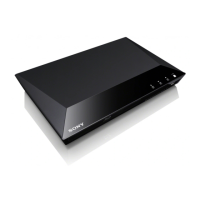
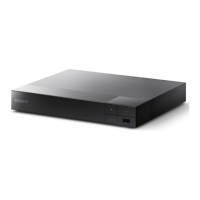
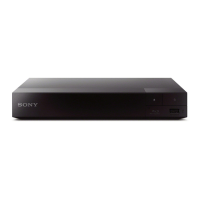
Need help?
Do you have a question about the Sony BDP-S1200 and is the answer not in the manual?
Identifies and explains the front and rear panel controls and connections of the player.
Guides on connecting the player to a TV or AV amplifier using HDMI or coaxial cables.
Steps to connect the player to a network via wired or wireless setup.
Guides through the initial setup process, including remote battery installation and AC adapter connection.
Instructions for inserting and playing discs, including troubleshooting if playback doesn't start.
Instructions for connecting a USB device and selecting media files for playback.
Steps to prepare and use the internet browser to access websites.
Instructions for updating the player's software via internet or USB memory.
Solutions for common issues related to picture, sound, disc playback, USB devices, and network connection.
 General
| Depth | 199 mm |
|---|---|
| Wi-Fi | No |
| Width | 265 mm |
| Height | 43 mm |
| Weight | 900 g |
| Full HD | Yes |
| Device type | Blu-Ray player |
| Product color | Black |
| Audio decoders | Dolby TrueHD, DTS-HD Master Audio |
| DVD region code | 1 |
| AC input voltage | 220-240 V |
| AC input frequency | 50 - 60 Hz |
| Blu-ray region code | A |
| Disc types supported | BD-R, BD-RE, BD-ROM, CD, CD-R, CD-RW, DVD, DVD+R, DVD+RW, DVD-R, DVD-RW |
| Supported video modes | 1080i, 1080p, 480i, 480p, 720p |
| Card reader integrated | - |
| USB 2.0 ports quantity | USB 2.0 ports have a data transmission speed of 480 Mbps, and are backwards compatible with USB 1.1 ports. You can connect all kinds of peripheral devices to them. |
| Audio formats supported | AAC, AC3, FLAC, M4A, MKA, MP3, WAV, WMA |
| Image formats supported | GIF, JPEG XR, JPG, PNG |
| Video formats supported | 3G2, 3GP, ASF, AVI, FLV, M2TS, M4V, MKV, MOV, MP4, MPEG, MPG, MTS, WMV |
| Analog signal format system | NTSC, PAL |
| Operating temperature (T-T) | 5 - 35 °C |
| Power consumption (standby) | 0.2 W |
| Power consumption (typical) | 8.8 W |
| On Screen Display (OSD) languages | ENG, ESP, FRE, POR |
| Operating relative humidity (H-H) | 25 - 80 % |
| Audio output channels | 7.1 channels |
| Supported file systems | FAT32, NTFS |

 To Next Page