EasyManua.ls Logo

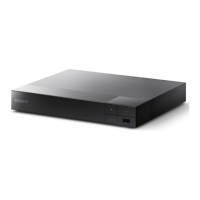
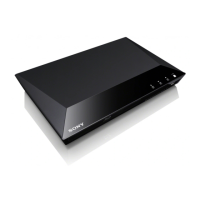
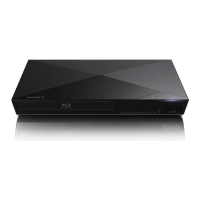
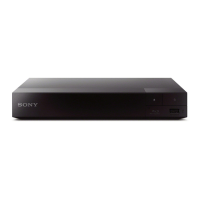
Sony BDP-S1500 - User Manual

Sony BDP-S1500
48 pages
Print Icon
To Next Page IconTo Next Page
Loading...
masterpage:Right
BDP-S5500/BDP-S4500/BDP-S1500
4-549-800-11(2)
Getting Started
Playback
Internet
Settings and Adjustments
Additional Information
BDP-S5500/BDP-S4500/BDP-S1500
4-549-800-11(2)
Blu-ray Discâ„¢ /
DVD Player
Operating Instructions
Thank you for your purchase. Before using this
player, please read these instruction carefully.

Other manuals for Sony BDP-S1500

Question and Answer IconNeed help?

Do you have a question about the Sony BDP-S1500 and is the answer not in the manual?

Summary

Safety and Legal Information

Important Safety Warnings

Essential safety warnings to reduce fire or electric shock risk.

Environmental Disposal Guidelines

Proper disposal methods for old electrical and electronic equipment.

Customer Notices

Information for customers in the UK/Ireland and battery disposal.

Getting Started

Player Components and Controls

Identifies player's front panel, rear panel, and remote control parts.

Connecting the Player

Guides for connecting the player to a TV or AV amplifier.

Network and Initial Setup

Steps for preparing network connections and performing initial player setup.

Playback and Media Features

Playing Discs

Instructions on how to play Blu-ray, DVD, and CD discs.

Advanced Playback Features

Details on 3D playback, BD-LIVE, TV SideView, and Screen Mirroring.

Media Playback from USB and Network

How to play video, music, and photo files from USB devices and DLNA servers.

Internet and System Settings

Browsing Websites

How to connect to the internet and browse websites using the player.

System Configuration

Guides on adjusting screen, audio, system, and network settings.

Software Updates

Procedures for updating player software via internet or USB.

Troubleshooting and Specifications

Troubleshooting Guide

Solutions for common picture, sound, and connection issues.

Specifications

Player's technical details, dimensions, and power consumption.

Summary

Safety and Legal Information

Important Safety Warnings

Essential safety warnings to reduce fire or electric shock risk.

Environmental Disposal Guidelines

Proper disposal methods for old electrical and electronic equipment.

Customer Notices

Information for customers in the UK/Ireland and battery disposal.

Getting Started

Player Components and Controls

Identifies player's front panel, rear panel, and remote control parts.

Connecting the Player

Guides for connecting the player to a TV or AV amplifier.

Network and Initial Setup

Steps for preparing network connections and performing initial player setup.

Playback and Media Features

Playing Discs

Instructions on how to play Blu-ray, DVD, and CD discs.

Advanced Playback Features

Details on 3D playback, BD-LIVE, TV SideView, and Screen Mirroring.

Media Playback from USB and Network

How to play video, music, and photo files from USB devices and DLNA servers.

Internet and System Settings

Browsing Websites

How to connect to the internet and browse websites using the player.

System Configuration

Guides on adjusting screen, audio, system, and network settings.

Software Updates

Procedures for updating player software via internet or USB.

Troubleshooting and Specifications

Troubleshooting Guide

Solutions for common picture, sound, and connection issues.

Specifications

Player's technical details, dimensions, and power consumption.

Sony BDP-S1500 Specifications

General IconGeneral
3D-
Depth194 mm
Width230 mm
Height39 mm
Weight800 g
Full HDYes
Device typeBlu-Ray player
Product colorBlack
Audio decodersDolby TrueHD, DTS-HD
Disc types supportedBD, CD, DVD
Supported video modes1080p
Card reader integratedNo
USB 2.0 ports quantityUSB 2.0 ports have a data transmission speed of 480 Mbps, and are backwards compatible with USB 1.1 ports. You can connect all kinds of peripheral devices to them.
Analog signal format systemNTSC, PAL
Power consumption (standby)0.2 W
Power consumption (typical)8.8 W
Audio output channels- channels

Related product manuals