EasyManua.ls Logo

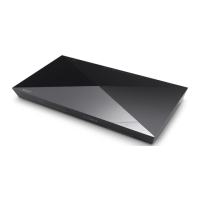
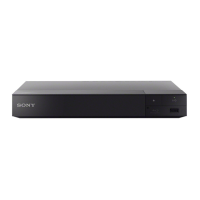
Sony BDP-S6700 - User Manual

Sony BDP-S6700
52 pages
Print Icon
To Next Page IconTo Next Page
Loading...
Getting Started
Playback
Settings and Adjustments
Additional Information
BDP-S6700
4-579-668-E1(1)
Blu-ray Disc™ /
DVD Player
Operating Instructions
IMPORTANTE
POR FAVOR LEA DETALLADAMENTE ESTE MANUAL
DE INSTRUCCIONES ANTES DE CONECTAR Y
OPERAR ESTE EQUIPO.

Other manuals for Sony BDP-S6700

Question and Answer IconNeed help?

Do you have a question about the Sony BDP-S6700 and is the answer not in the manual?

Summary

Getting Started

Hardware Overview

Identifies front panel, rear panel, and remote control components for user reference.

Initial Setup and Connection

Guides player connection to TV/amplifier and initial network/easy setup procedures.

Playback Operations

Playing Discs and Media

Instructions for playing Blu-ray, DVD, CD discs and media from USB devices.

Advanced Playback Features

Details on enjoying 3D, BONUSVIEW, BD-LIVE, and displaying playback information.

Network and Wireless Playback

Covers DLNA file playback, Screen Mirroring, and Bluetooth audio streaming.

Settings and Adjustments

Software Updates and Display Settings

Procedures for updating player software and configuring display options.

Audio, Bluetooth, and Network Settings

Configuration for audio output, Bluetooth connectivity, and network settings.

Video, System, and Parental Controls

Adjustments for video output, system language, parental controls, and music settings.

Reset and Initialization Options

Options for resetting player settings to factory defaults and initializing personal data.

Additional Information

Troubleshooting Common Issues

Solutions for common issues with picture, sound, disc, USB, network, and Bluetooth connectivity.

Media Compatibility and Notes

Lists playable discs and file formats, with playback notes and region code information.

Wireless Network Security

Explains security features like WEP, WPA/WPA2 for wireless LAN connections.

Reference Information

Language Code List

Provides a comprehensive list of language codes for disc menu and audio selection.

Parental Control and Area Codes

Lists codes for regional restrictions and parental control settings.

Summary

Getting Started

Hardware Overview

Identifies front panel, rear panel, and remote control components for user reference.

Initial Setup and Connection

Guides player connection to TV/amplifier and initial network/easy setup procedures.

Playback Operations

Playing Discs and Media

Instructions for playing Blu-ray, DVD, CD discs and media from USB devices.

Advanced Playback Features

Details on enjoying 3D, BONUSVIEW, BD-LIVE, and displaying playback information.

Network and Wireless Playback

Covers DLNA file playback, Screen Mirroring, and Bluetooth audio streaming.

Settings and Adjustments

Software Updates and Display Settings

Procedures for updating player software and configuring display options.

Audio, Bluetooth, and Network Settings

Configuration for audio output, Bluetooth connectivity, and network settings.

Video, System, and Parental Controls

Adjustments for video output, system language, parental controls, and music settings.

Reset and Initialization Options

Options for resetting player settings to factory defaults and initializing personal data.

Additional Information

Troubleshooting Common Issues

Solutions for common issues with picture, sound, disc, USB, network, and Bluetooth connectivity.

Media Compatibility and Notes

Lists playable discs and file formats, with playback notes and region code information.

Wireless Network Security

Explains security features like WEP, WPA/WPA2 for wireless LAN connections.

Reference Information

Language Code List

Provides a comprehensive list of language codes for disc menu and audio selection.

Parental Control and Area Codes

Lists codes for regional restrictions and parental control settings.

Sony BDP-S6700 Specifications

General IconGeneral
Depth192 mm
Width255 mm
Height39 mm
Weight900 g
Device typeBlu-Ray player
Product colorBlack
Audio decodersDTS-HD, Dolby TrueHD
Playback modesFast backward, Fast forward, Next, Pause, Previous, Shuffle, Slow
Browser supportedGracenote
Disc types supportedBD, CD, DVD
Firmware upgradeableYes
Supported video modes-
Card reader integratedNo
USB 2.0 ports quantityUSB 2.0 ports have a data transmission speed of 480 Mbps, and are backwards compatible with USB 1.1 ports. You can connect all kinds of peripheral devices to them.
Power consumption (standby)0.25 W
Power consumption (typical)12 W
Audio output channels- channels

Related product manuals