Sony BDV-E690/E490/E290/E190 [GB] 4-418-867-11 (1)
07
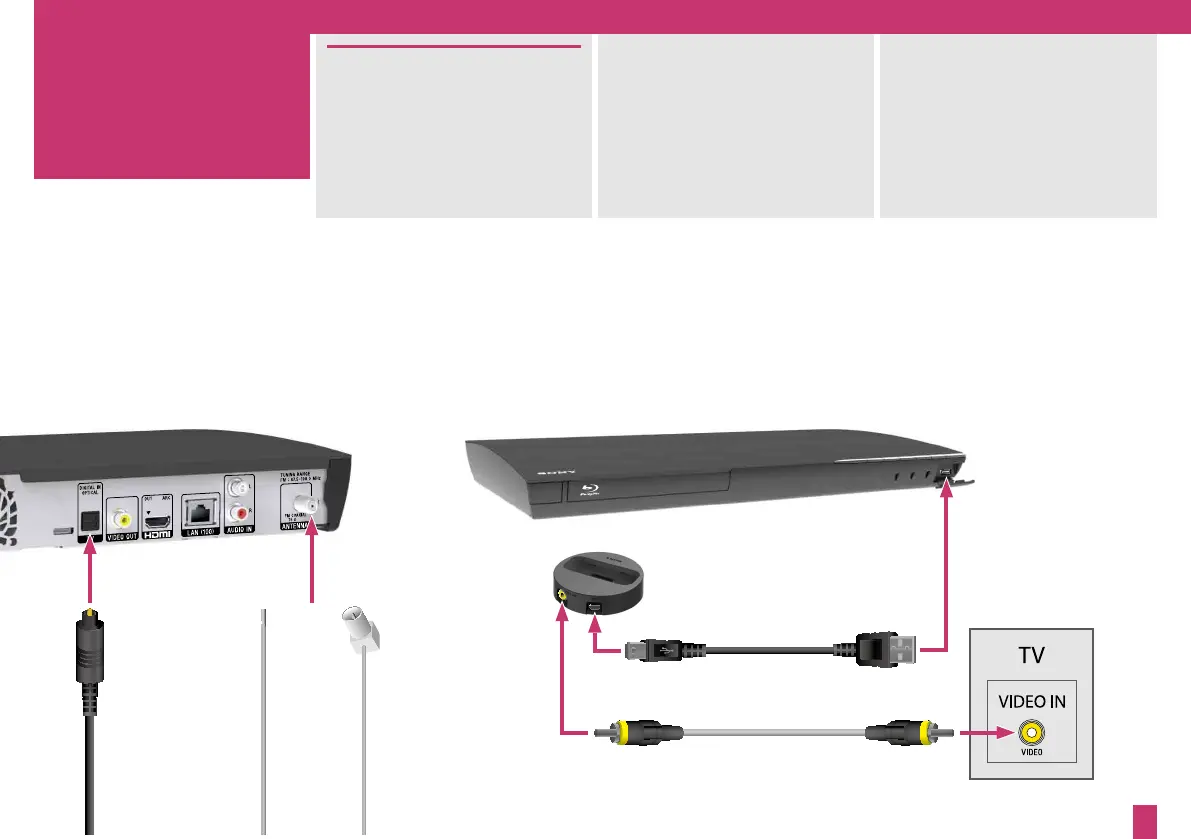
You can also connect your iPod
or iPhone to the system and your
TV via the supplied dock.
(BDV-E690/BDV-E490/BDV-E290
only)
For FM radio, connect the supplied
wire antenna (aerial) and extend it
for the best reception.
To connect your set-top box, game
console, or digital satellite receiver,
make an audio connection to the
main unit with a digital optical
cord (not supplied). Separately,
make a video connection to the
TV.
or
3


 To Next Page