Sony BDV-E690/E490/E290/E190 [GB] 4-418-867-11 (1)
08
Network settings can be found in
the home menu (page 12).
For further details, visit:
http://support.sony-europe.com/
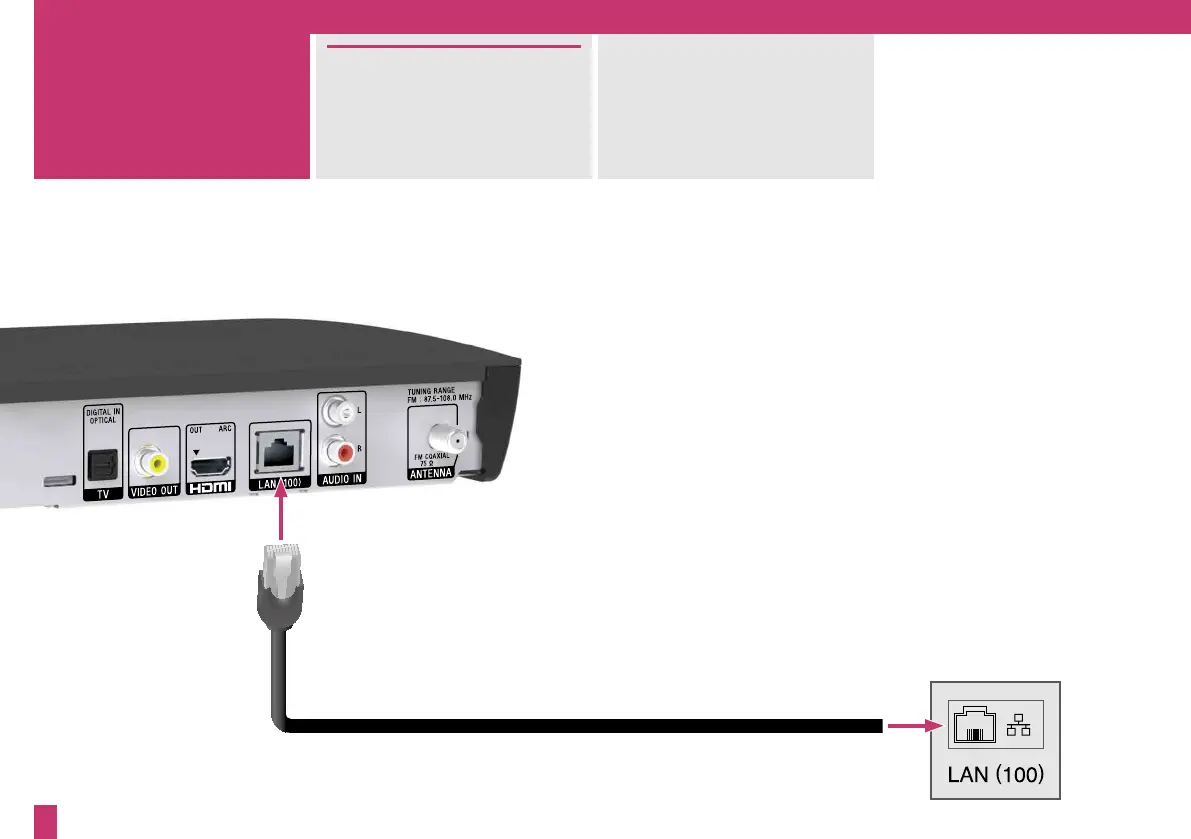
You can connect to the Internet
and home network via a LAN
cable (not supplied). If you use
the optional USB Wireless LAN
Adapter, Wi-Fi is available.
To a broadband router
3


 To Next Page