16
GB
Getting Started
Step 1: Installing the
System
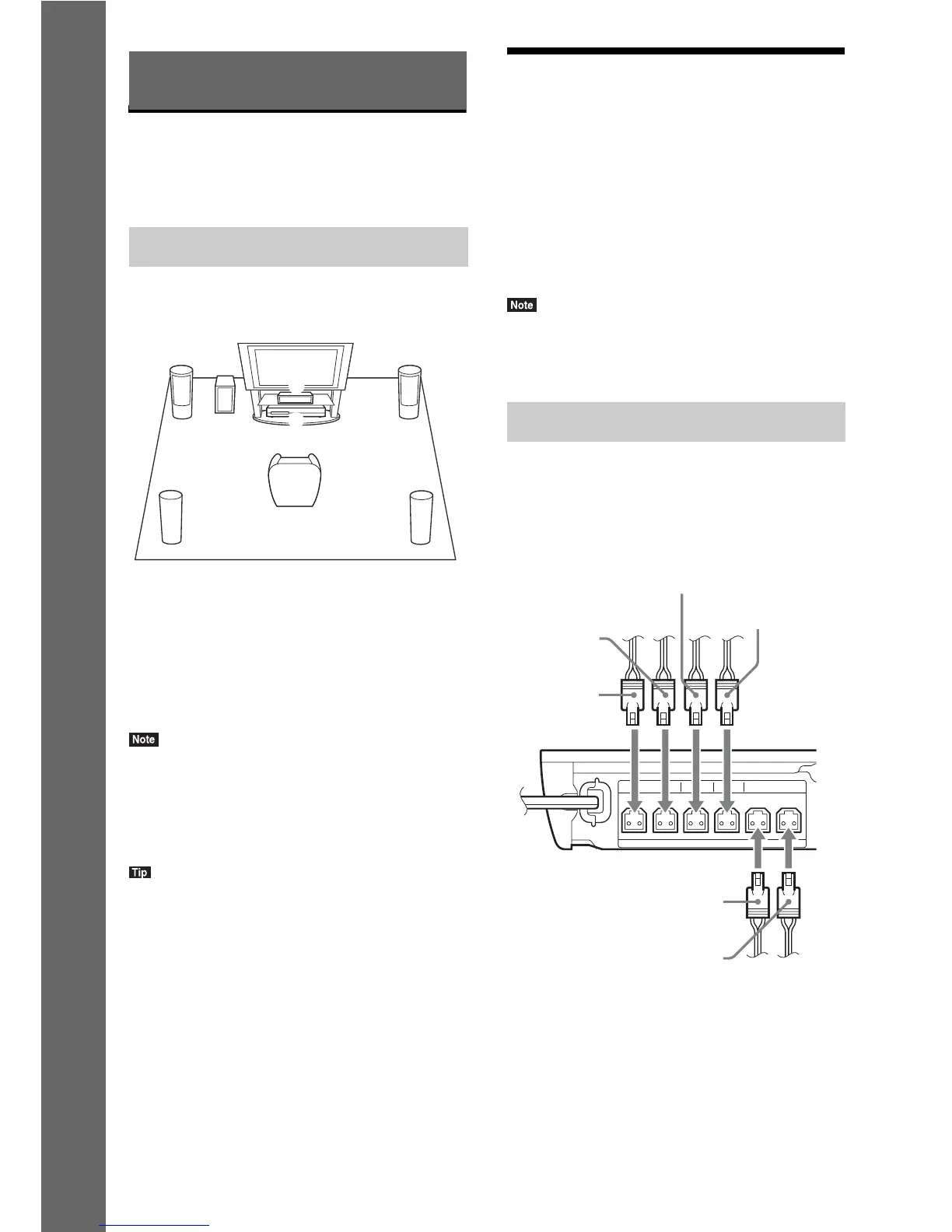
Install the system by referring to the illustration
below.
A Front speaker (L (left))
B Front speaker (R (right))
C Center speaker
D Surround speaker (L (left))
E Surround speaker (R (right))
F Subwoofer
G Unit
• Use caution when placing the speakers and/or
speaker stands attached to the speakers on a specially
treated (waxed, oiled, polished, etc.) floor, as staining
or discoloration may result.
• Do not lean or hang on a speaker, as it may fall down.
• You can install the speakers on a wall. For details,
refer to the supplied “Speaker Installation Guide.”
Step 2: Connecting the
System
Do not connect the AC power cord (mains lead)
of the unit to a wall outlet (mains) until all the
other connections are made.
To assemble the speakers, refer to the supplied
“Speaker Installation Guide.” (BDV-E690/
BDV-E490 only)
• When you connect another component with a volume
control, turn down the volume of the other
components to a level where sound is not distorted.
Connect the speaker cords to match the color of
the SPEAKERS jacks of the unit.
When connecting to the unit, insert the
connector until it clicks.
Getting Started
How to position the system
AB
DE
C
G
F
Connecting the speakers
FRONT R FRONT L SUBWOOFER CENTER SUR R SUR L
SPEAKERS
Green
(Center speaker)
Purple
(Subwoofer)
White
(Front left
speaker (L))
Red
(Front right
speaker (R))
Gray
(Surround right
speaker (R))
Blue
(Surround left
speaker (L))



 To Next Page