External Audio Device
43
US
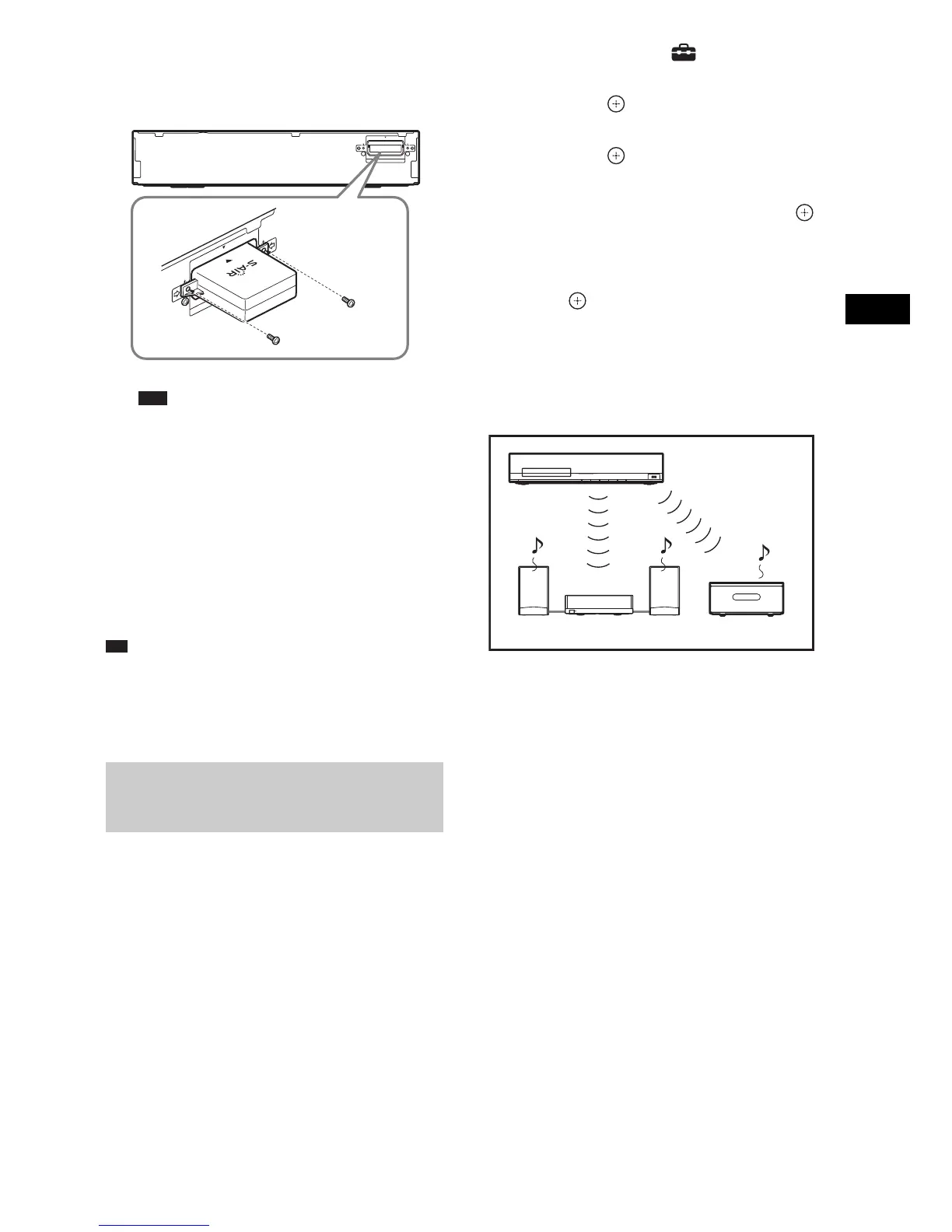
3 Make sure to use the same screws to
secure the wireless transmitter.
Note
• Do not use other screws to fasten the wireless
transmitter.
To insert the wireless
transceiver into the S-AIR sub
unit
For details on installing the wireless transceiver
into the S-AIR sub unit, such as a surround
amplifier or S-AIR receiver, see the operating
instructions of the S-AIR sub unit.
Ti
• When you change the S-AIR configuration, Sony
recommends that you perform [Auto Calibration].
For details, see “Calibrating the Appropriate Settings
Automatically” (page 49).
Simply by matching the ID of the unit and the
S-AIR sub unit, you can activate wireless
transmission.
To set the ID of the unit
1 Press "/1 on the unit.
The system turns on.
2 Press HOME.
The home menu appears on the TV screen.
3 Press C/c to select [Setup].
4 Press X/x to select [System Settings],
then press .
5 Press X/x to select [S-AIR Settings],
then press .
The [S-AIR Settings] display appears.
6 Press X/x to select [ID], then press .
7 Press X/x to select the desired ID.
You can select any ID (A, B, or C).
8 Press .
The setting is made.
9 Set the S-AIR sub unit to the same ID.
Wireless transmission is activated as
follows (example):
To set the ID of the surround
amplifier
Refer to the operating instructions of the
surround amplifier.
To set the ID of the S-AIR
receiver
Refer to the operating instructions of the S-AIR
receiver.
To enjoy a 7.1 channel system
You can enjoy the more realistic surround sound
effect of 7.1 channels when you use the Wireless
Surround Speaker Kit (WAHT-SBP2, optional).
For details, refer to the operating instructions of
the Wireless Surround Speaker Kit.
In this case, set [Surround Back] in [Speaker
Settings] to [Yes] (page 50).
Setting the S-AIR ID to activate
wireless transmission
For the surround amplifier
For the S-AIR receiver
EWT00
Rear of the unit
ID A
ID A ID A



 To Next Page