EasyManua.ls Logo

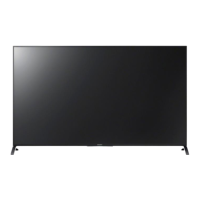
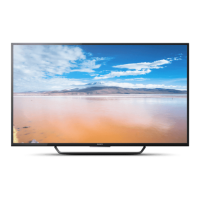
Sony Bravia KD-55X8000C - User Manual

Sony Bravia KD-55X8000C
36 pages
Print Icon
To Next Page IconTo Next Page
Loading...
KD-55X8000C / 49X8000C
D:\SONY TV\SY150079_4K XFLL HK5 RG\4576469111\00COV-KD55X8000C\010COV.fm masterpage: Cover
KD-55X8000C / 49X8000C
4-576-469-11(1)
Television
Reference Guide
GB
CT

Other manuals for Sony Bravia KD-55X8000C

Questions and Answers

  • S
    Sharon CarpenterJul 30, 2025
    What to do if my Sony Bravia KD-55X8000C TV has frozen audio or video, a blank screen, or doesn't respond to the remote?
    • H
      Heather KaiserJul 30, 2025
      If your Sony TV exhibits frozen audio or video, shows a blank screen, or doesn't respond to button presses on the TV or remote control, try performing a simple reset. Unplug the TV's AC power cord (mains lead) for two minutes, then plug it back in.
  • D
    Dustin KelleyAug 4, 2025
    What to do if my Sony TV screen is blank or frozen?
    • D
      Dawn LongAug 4, 2025
      If your Sony TV has a frozen picture, no audio, a blank screen, or is unresponsive to the remote, perform a simple reset. Unplug the TV's AC power cord (mains lead) for two minutes, and then plug it back in.
  • C
    Christine ChavezAug 7, 2025
    How to fix Sony TV when there is no picture and no sound?
    • R
      rodriguezmartinAug 8, 2025
      If your Sony TV screen is dark and there is no sound, check the antenna or cable connection. Also, ensure the TV is connected to AC power (mains) and press the power button on the TV or remote control.
  • K
    Kimberly GarnerAug 12, 2025
    What to do if I cannot find the required network name in network setup on Sony Bravia KD-55X8000C?
    • K
      Kerri CochranAug 12, 2025
      If you cannot find the required network name in the network setup of your Sony TV, select [[Manual entry]] and press to enter the network name.
  • C
    Chad Smith PhDAug 16, 2025
    What if I cannot find my Wi-Fi network name on my Sony Bravia KD-55X8000C TV?
    • J
      Jacob DennisAug 16, 2025
      If you cannot find the required network name during network setup on your Sony TV, select [[Manual entry]] and press to enter the network name.
  • T
    taylorbeckyAug 21, 2025
    What to do if my Sony Bravia KD-55X8000C won't turn on after unplugging it?
    • J
      James AcevedoAug 21, 2025
      If your Sony TV doesn't turn on after unplugging and plugging it back in, wait for about 10 to 20 seconds, and then try turning it on again.
  • D
    Dawn RobertsAug 25, 2025
    What to do if I forgot the parental lock password on my Sony TV?
    • C
      Christopher BrownAug 26, 2025
      If you've forgotten the Parental Lock password on your Sony TV, enter 9999 for the PIN code. This PIN code is always accepted.

Summary

Safety Information

WARNING

Batteries must not be exposed to excessive heat such as sunshine, fire or the like.

Installation and Setup

Install and use the TV set in accordance with the instructions below in order to avoid any risk of fire, electrical shock or damage and/or injuries.

Precautions

Prohibited Usage

Troubleshooting and Safety

Remote Control Handling

Observe the correct polarity when inserting batteries. Do not use different types of batteries together or mix old and new batteries.

Using Remote Control

Connecting the TV

Installing the TV to the Wall

SU-WL450 Wall Mount

Make sure that the wall has enough space for the TV and is capable of supporting a weight of at least four times that of the TV.

Standard Mounting

Slim Mounting

Install TV to Base

Troubleshooting

Troubles and Solutions

Check the antenna (aerial)/cable connection. Connect the TV to the AC power (mains), and press on the TV or remote control.

Illumination LED Issues

Covers issues related to the illumination LED flashing red, not flashing, or being turned on.

Sony Bravia KD-55X8000C Specifications

General IconGeneral
Screen Size55 inches
Display TechnologyLED
HDR SupportYes
Smart TVYes
Operating SystemAndroid TV
Wi-FiYes
HDMI Ports4
USB Ports3
Ethernet PortYes
BluetoothYes
Resolution3840 x 2160 (4K)
Audio Output20W

Related product manuals