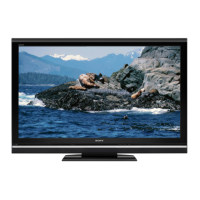
EasyManua.ls Logo

Sony BRAVIA KDL-46V25L1 - User Manual

Sony BRAVIA KDL-46V25L1
48 pages
Print Icon
To Next Page IconTo Next Page
Loading...
© 2006 Sony Corporation
2-894-183-11(1)
LCD Digital Color TV
Operating Instructions
KDL-46V25L1

Other manuals for Sony BRAVIA KDL-46V25L1

Questions and Answers

  • S
    Sharon DominguezSep 3, 2025
    How to reset lost password on Sony BRAVIA KDL-46V25L1 LCD TV?
    • D
      dorothyknightSep 4, 2025
      If you've lost your password for your Sony LCD TV, go to the Parental Lock settings in the Setup menu. Enter the master password: 4357. This will clear your previous password, allowing you to enter a new one.
  • S
    Shelly TurnerSep 18, 2025
    Why do certain programs on DVD or other digital sources display a loss of detail on my Sony BRAVIA KDL-46V25L1?
    • C
      Christopher BoydSep 18, 2025
      The compression used by certain digital broadcasts and DVDs may cause your Sony LCD TV’s screen to display less detail than usual, or cause artifacts (small blocks or dots, pixelations) to appear on your screen. This is normal for certain digitally recorded programs due to your TV’s large screen and ability to show very fine detail.
  • A
    Anthony ThompsonSep 16, 2025
    Why are some digital cable channels not being displayed on my Sony BRAVIA KDL-46V25L1?
    • P
      philip38Sep 16, 2025
      If some digital cable channels are not being displayed on your Sony LCD TV, it may be due to limitations on the broadcast of digital cable channels by certain cable companies. Check with your cable company for more information. Also, the digital cable channel may be set to Hidden in the Show/Hide Channels setting.
  • D
    Daniel WaltersSep 14, 2025
    Why does my Sony BRAVIA KDL-46V25L1 show black bands at the top and bottom of the screen?
    • L
      Laura SawyerSep 14, 2025
      If you are seeing black bands at the top and bottom of the screen on your Sony LCD TV, it's because some wide-screen programs are filmed in aspect ratios greater than 16:9, which is common with theatrical releases. Your TV will display these programs with black bands. Refer to the documentation that came with your DVD or contact your program provider for more details.
  • D
    David TuckerSep 12, 2025
    Why does Wide Mode change automatically on my Sony BRAVIA KDL-46V25L1?
    • T
      Thomas DavisSep 12, 2025
      If the Wide Mode on your Sony LCD TV changes automatically, it is because the current Wide Mode setting is automatically replaced with the 4:3 Default setting when you change the channel or video input, if 4:3 Default in the Screen settings is set to other than Off. To lock in the Wide Mode selected with the WIDE button, set 4:3 Default to Off in the Screen settings. Also, check the Auto Wide option in the Screen settings.
  • J
    John IrwinSep 12, 2025
    What to do if there is no picture from some video sources on my Sony LCD TV?
    • C
      Christopher ClarkSep 12, 2025
      If you are not getting a picture from some video sources on your Sony LCD TV, check the connection between the optional video equipment and the TV. Press TV/VIDEO on the remote control. If you connect video equipment to the S VIDEO input of the TV, set Auto YC to On in the Setup settings. You can also press MENU on the remote control and select your desired input from the External Inputs list.
  • E
    Elizabeth OlsenSep 9, 2025
    Why does my Sony BRAVIA KDL-46V25L1 only show snow and noise?
    • R
      Ralph CruzSep 9, 2025
      If you see only snow and noise on the screen of your Sony LCD TV, check if the antenna is broken or bent. Also, check if the antenna has reached the end of its serviceable life (3-5 years in normal use, 1-2 years at the seaside).
  • M
    Martin GreenSep 7, 2025
    Why are there dotted lines or stripes on my Sony LCD TV screen?
    • D
      David TorresSep 7, 2025
      If you are seeing dotted lines or stripes on your Sony LCD TV, keep the TV away from noise sources such as cars, motorcycles, or hair-dryers. If you are using 300 ohm twin lead, move the excess lead away from the TV or try using 75 ohm coaxial cable instead.
  • R
    Ronald BradfordSep 5, 2025
    Why is there no color on my Sony BRAVIA KDL-46V25L1 LCD TV?
    • B
      Benjamin HahnSep 5, 2025
      If your Sony LCD TV displays no color, a dark picture, incorrect color, or a picture that is too bright, try the following: * Press PICTURE to select the desired picture mode. * Adjust the Picture Mode options in the Picture settings. * If the Power Saving mode is set to Low or High, it will enhance the black level.
  • L
    lphillipsAug 20, 2025
    Why does my Sony BRAVIA KDL-46V25L1 turn off automatically?
    • J
      Jennifer WaltersAug 21, 2025
      If your Sony LCD TV turns off automatically, it might be due to the Sleep Timer or Timer settings. Check if the Sleep Timer is activated or confirm the Duration setting of the Timer. Also, check the Power Management settings in the PC Settings.

Summary

Safety and Compliance Information

General Safety Warnings

Covers risks of electric shock, fire, and moisture.

Important Safety Instructions

Instruction Adherence

Emphasizes reading, keeping, heeding, and following all instructions.

Servicing and Unplugging Advice

Addresses lightning storms, long periods of disuse, and qualified servicing.

Using the TV - Operational Guidelines

AC Power Cord and Wall Outlet Safety

Safety guidelines for power cord and outlet usage to prevent fire and shock.

Electrical Safety and Lightning Protection

Precautions against electric shock and lightning surges.

Antenna Grounding and Battery Handling

Guidance on antenna grounding, battery disposal, and handling.

Ventilation, Moisture, and Handling

Ventilation Requirements

Ensures proper airflow to prevent overheating and dust accumulation.

Object and Moisture Hazards

Warns against inserting objects and exposure to liquids.

Installation and Placement Guidelines

Wall Mounting and Viewing Position

Instructions for wall mounting and optimal viewing distance.

Stability and Toppling Prevention

Measures to prevent the TV from falling and causing injury.

Screen Handling and Damage Prevention

Precautions for the LCD screen and handling broken parts.

Servicing and Maintenance

Damage Requiring Professional Service

Advises when to seek professional help for TV damage.

Servicing, Parts, and Safety Checks

Guidelines for servicing, replacement parts, and safety checks.

Connecting High-Definition Sources

HD Cable Box Connection

How to connect HD cable or satellite boxes via HDMI or component video.

Specific Connection Types

HDMI and Component Video Connections

Explains HDMI, component video, and audio connections for high-quality output.

Installing the TV

Preventing TV Toppling

Instructions for attaching a support belt to prevent the TV from toppling.

Wall Mounting Instructions

Wall Mounting Procedures

Steps for removing the stand and mounting the TV on a wall.

Initial Channel Setup

Initial Setup Process

Guide to setting up the channel list for analog and digital channels.

Basic Operations - Remote Control

Remote Control Button Functions

Explains the functions of key remote control buttons.

Additional Remote Control Functions

Picture Settings

Display Mode and Basic Adjustments

Adjusting display mode and core picture quality settings.

Advanced Picture Settings

Sound Settings

Basic Sound Adjustments

Adjusting volume levels, balance, and treble/bass.

Screen Settings

Setup Settings

Parental Lock Configuration

Parental Lock Ratings (US Models)

Movie and TV Rating Categories

Explains movie and TV rating systems for US content.

Parental Lock Ratings (Canadian Models)

Canadian Rating Systems

Details Canadian rating systems for English and French content.

PC Settings

Analog Setup Settings

Digital Setup Settings

Other Information - Troubleshooting

Troubleshooting Picture Problems

Solutions for common picture quality issues.

Troubleshooting Sound and Connectivity

Addressing sound issues and automatic mode changes.

Resetting TV to Factory Settings

PC Input Signal Compatibility

Product Specifications

Sony BRAVIA KDL-46V25L1 Specifications

General IconGeneral
BrandSony
ModelBRAVIA KDL-46V25L1
CategoryLCD TV
LanguageEnglish

Related product manuals