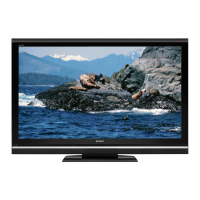
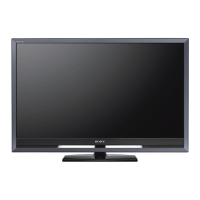
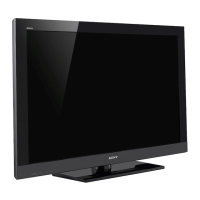
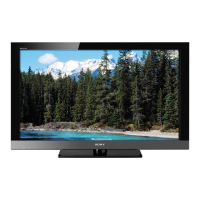
This document is an operating manual for a Sony BRAVIA LCD Digital Color TV, covering models KDL-52V5100, KDL-46V5100, KDL-40V5100, KDL-40SL150, and KDL-32XBR9. It provides instructions for setup, operation, and maintenance, aiming to help users get the most out of their high-definition television.
Function Description
The Sony BRAVIA LCD Digital Color TV is a high-definition television designed to deliver stunning 1080p image quality. It can receive and display HD programming from various sources, including over-the-air broadcasting via an HD-quality antenna, HD cable subscriptions, HD satellite subscriptions, and Blu-ray Disc™ players or other HD-compatible external equipment. The TV includes a QAM demodulator, allowing it to receive unscrambled digital cable television programming via subscription service from a cable service provider.
The TV features a range of inputs and outputs to connect various audio/video equipment. These include multiple HDMI inputs for uncompressed, all-digital audio/video interfaces, component video inputs for better picture quality than S-Video or composite video, composite video inputs, and a PC input for connecting a personal computer. For audio, it offers digital audio out (optical) for connecting to digital audio equipment and analog audio out (fixed) for connecting to a stereo system. A USB port is also available for accessing photo and music files from USB storage devices.
Usage Features
The BRAVIA TV offers several features to enhance the viewing experience and simplify operation:
- BRAVIA Sync with Control for HDMI: This function allows the TV to communicate with other Sony equipment that supports the Control for HDMI feature. When connected via an HDMI cable, it enables operations such as automatically turning off connected equipment when the TV is turned off, turning on the TV and selecting the respective HDMI input when connected equipment is activated, and One-Touch-Play. It also allows the TV's remote control to adjust the volume and mute an A/V receiver, and pressing the "THEATER" button can activate a cinema-like experience by adjusting picture settings and switching audio to an external BRAVIA Sync audio system.
- Motionflow: This feature enhances the smoothness of picture movement to reduce blur, providing a clearer image (not available on model KDL-40SL150).
- Favorites: Users can manage their preferred TV channels, external inputs, and photo/music content from a USB storage device. Items can be added to Favorites using the "TOOLS" button and displayed by pressing the "FAVORITES" button on the remote control.
- Auto Wide Mode: This setting allows the TV to automatically adjust the screen display based on the signal resolution, ensuring an optimal viewing experience. Users can manually cycle through various Wide Mode settings (Wide Zoom, Normal, Full, Zoom, Full Pixel) using the "WIDE" button on the remote.
- USB Digital Photo and Music Player: Connect a USB storage device to the TV's USB input to view digital photos on the big screen and listen to favorite music. The TV supports JPEG photo files and MP3 audio files. Photo options include adding pictures to a slideshow, selecting photo files, starting a slideshow, rotating pictures, and viewing information. Music options include registering music for slideshows, selecting music files, viewing information, and adding/removing songs from the Favorites list.
- ECO Settings: The TV includes features designed to reduce power consumption. The Light Sensor detects ambient room light and automatically adjusts screen brightness for comfortable viewing. The Backlight feature can be turned off to further reduce power consumption.
- On-Screen Menus: The "MENU" button provides access to various TV settings, including Picture, Sound, Screen, Channels & Inputs, USB, Parental Lock, and Setup. These menus allow for customization of picture and sound preferences, screen proportions, channel management, USB content access, parental controls, and system settings like language and power management.
- Closed Captions (CC): Users can turn closed captions on or off and customize their display through the menu.
- Info Banner: Pressing "DISPLAY" shows information about the current channel/program or input. This banner can be enabled or disabled in the Setup Menu.
Maintenance Features
The manual provides guidelines for caring for the BRAVIA TV to ensure its longevity and optimal performance:
- Cleaning: Before cleaning, unplug the TV and all connected equipment from the power source. Gently dust the TV with a soft cloth. For stubborn stains, use a soft cloth moistened with warm water. Avoid using chemicals or hard materials, as these can cause discoloration and scratches. Ensure the TV is completely dry before plugging it back in.
- Securing the TV: Sony strongly recommends securing the TV to prevent it from toppling over, which could result in property damage or injury. Detailed instructions for securing the TV to a stable surface or mounting it to a wall using a Sony-designed wall-mount bracket are available in the online Reference Book. Optional Support Belt Kits can be purchased for additional security.
- Cable Management: Use the supplied cable band to bundle connecting cables, but avoid bundling the AC power cord with other cables.
- Remote Control: Ensure batteries are inserted correctly (matching + and - terminals). If the remote control does not operate, check the batteries or replace them if low. Point the remote directly at the IR sensor on the TV and ensure no objects are blocking the path. Fluorescent lamps can interfere with remote control operation, so turning them off may help.
- Troubleshooting: The manual offers basic troubleshooting tips for common issues such as no picture, no sound, or remote control malfunction. It advises checking input selections, muting status, and remote control batteries. For more complex issues or to reset the TV to factory default settings, instructions are provided, including a master password for Parental Lock if forgotten. The online Reference Book is recommended for additional problem-solving information.
- Environmental Considerations: The lamp in the product contains mercury, and its disposal may be regulated. Users are advised to contact local authorities or the Electronic Industries Alliance (www.eiae.org) for disposal or recycling information.

 Need help?
 General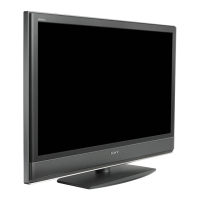





 To Next Page