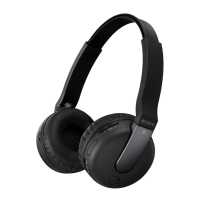
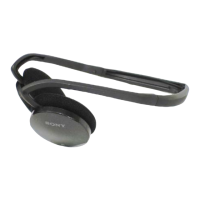
DR-BTN200 4-446-293-22(1)
DR-BTN200
4-446-293-22(1)
© 2013
索尼公司 Sony Corporation
中国印刷 Printed in China
快速入门指南
无线立体声耳机
给本装置充电
当本装置与电脑连接后立即开始充电。最多约4.5小时后完
成充电,指示灯(红色)随后自动熄灭。
进行配对并与
Bluetooth
设备连接
进行配对前,请给本装置充电。
1 将
Bluetooth
设备放在本装置1m的范围内。
2 在本装置上确认配对模式。
蓝色
红色
在本装置关闭的情况下,按住
POWER按钮7秒钟以上。
确认在释放按钮后指示灯交替闪烁蓝
色和红色。
3
在
Bluetooth
设备上执行配对步骤以检测本装置。
当
Bluetooth
设备的显示屏上出现检测到的设备列表后,选
择“DR-BTN200”。
如果需要在
Bluetooth
设备的显示屏上输入密钥,请输入
“0000”。
4
与
Bluetooth
设备建立
Bluetooth
连接。
与已配对的设备进行连接
1 打开本装置的电源。
蓝色
在本装置关闭的情况下,按住POWER按
钮约2秒钟。
2 与
Bluetooth
设备建立
Bluetooth
连接。
听音乐和打电话
在与
Bluetooth
设备建立
Bluetooth
连接后操作本装置。
听音乐
配置协议:A2DP、AVRCP
在
Bluetooth
设备上开始播放。
VOL+
VOL−
拨打电话/接听电话
配置协议:HSP、HFP
使用移动电话拨打电话。
若要结束通话,可按本装置上的 按钮。
当有来电呼入时,可按 按钮。
如果您正在听音乐时有来电呼入,可使用相同的方式进行操作。
一触即连智能手机(NFC)
NFC(近场通信)是一种可在各种设备(如移动电话和IC标签等)
之间进行短程无线通信的技术。有了NFC功能,只需在NFC兼容设
备上触碰相关标记或指定位置,便可轻松进行数据通信。
使用NFC功能,可以自动打开本装置,随后与
Bluetooth
设备进行
配对和连接。
兼容智能手机
内置NFC功能的智能手机
(操作系统:Android2.3.3或更高版本,
不包括Android3.x
)
智能手机准备工作
需要在智能手机上安装NFC功能的应用程序。
从GooglePlay上下载应用程序“NFC轻松连接”并进行安装。
1下载并安装应用程序“NFC轻松连接”。
请访问以下网站:
http://www.sonystyle.com.cn/app/download/
NFC/index.htm
通过二维码:
使用二维码读取应用程序。
2设置智能手机以便可以使用NFC功能。
详情请参阅智能手机的使用说明书。
关于“NFC轻松连接”应用程序
“NFC轻松连接”是Sony独创的Android手机应用程序,可在
GooglePlayStore上获取。
如欲详细了解其功能,请搜索“NFC轻松连接”并下载该免费
应用程序。
在某些国家或地区,可能没有提供该应用程序的下载。
提示
根据智能手机的情况,您可能无需下载“NFC轻松连接”就可通
过轻触将本机与您的智能手机相连。在该情况下,操作和说明书
可能与此处所述会有不同。更多详情,请参考智能手机附带的手
册。
一触即可连接智能手机
将本装置与智能手机接触,本装置便会自动打开,随后进行
配对和
Bluetooth
连接。
1 在本装置上将NFC开关设为ON。
2 在智能手机上启动应用程序“NFC轻松连接”。
确认已显示应用程序的画面。
3 用智能手机接触本装置。
用智能手机接触本装置上的N标记部分。
保持将本装置与智能手机相接触,
直至智能手机震动。
请按照画面上的说明完成连接。
若要断开连接,可再次接触智能手机。
可以选择其他NFC兼容
Bluetooth
设备的声音。有关详情,请
参阅帮助指南。
关于如何操作本装置的详细说明,请参阅电
脑或智能手机上的帮助指南。
http://rd1.sony.net/help/mdr/
dr-btn200/cn/
Bluetooth
文字标记和标志归BluetoothSIG,Inc.所有,Sony
Corporation对此标记的使用是经过许可的。
N标记是NFCForum,Inc.在美国和其他国家/地区的商标或注册
商标。
Android是GoogleInc.的商标。
其他商标和品牌名称均属于其各自所有者。
CS
GB
Quick Start Guide
Wireless Stereo Headset

 Need help?

 To Next Page
 General