DR-BTN200 4-446-293-32(1)
DR-BTN200
4-446-293-32(1)
Quick Start Guide
Wireless Stereo Headset
On how to operate the unit in detail, please read the
Help Guide on your computer or smart phone.
http://rd1.sony.net/help/mdr/
dr-btn200/u/
The
Bluetooth
word mark and logos are owned by the Bluetooth SIG, Inc.
and any use of such marks by Sony Corporation is under license.
The N Mark is a trademark or registered trademark of NFC Forum, Inc. in
the United States and in other countries.
Android is a trademark of Google Inc.
Other trademarks and trade names are those of their respective owners.
Charging the unit
Charging starts when the unit and the computer are connected.
Charging is completed in about 4.5 hours at most and the indicator
(red) goes off automatically.
Pairing and connecting with the
Bluetooth
device
Before pairing, charge this unit.
1
Place the
Bluetooth
device within 1 meter (3 feet) of this
unit.
2 Enter pairing mode on this unit.
Blue
Red
Press and hold the POWER button
for more than 7 seconds while this
unit is turned off.
Make sure that the indicator flashes
blue and red alternately after you
release the button.
3
Perform the pairing procedure on the
Bluetooth
device to
detect this unit.
When the list of detected devices appears on the display of the
Bluetooth
device, select “DR-BTN200.”
If passkey input is required on the display of a
Bluetooth
device, input
“0000.”
4
Make the
Bluetooth
connection from the
Bluetooth
device.
Connecting with the paired device
1
Turn on the unit.
Blue
Press and hold the POWER button for
about 2 seconds while this unit is turned
off.
2
Make the
Bluetooth
connection from the
Bluetooth
device.
Listening and Calling
Operate the unit after making
Bluetooth
connection with your
Bluetooth
device.
Listening to music
Profile: A2DP, AVRCP
Start playback on the
Bluetooth
device.
VOL+
VOL−
Making a call/Receiving a call
Profile: HSP, HFP
Operate your mobile phone to make a call.
To terminate a call, press the button on the unit.
Press the button on the unit when an incoming call arrives.
Operate in the same way when an incoming call arrives while you are listening to the
music.
One touch connection with a smartphone (NFC)
NFC (Near Field Communication) is a technology enabling short-range
wireless communication between various devices, such as mobile phones
and IC tags. Thanks to the NFC function, data communication can be
achieved easily just by touching the relevant symbol or designated location
on NFC compatible devices.
By using the NFC function, the unit is turned on automatically and then
paired and connected with a
Bluetooth
device.
Compatible smartphones
Smartphones with the NFC function built-in
(OS: Android 2.3.3 or later, excluding Android 3.x)
Preparation on the smartphone
An app for the NFC function needs to be installed on the smartphone.
Download the app “NFC Easy Connect” from the Google Play, and install it
1 Download and install the app “NFC Easy Connect.”
Access the following Web site:
https://play.google.com/store/apps/
details?id=com.sony.easyconnect
By the two-dimensional code:
Use a two-dimensional code reader app.
2 Set the smartphone so that the NFC function can be used.
For details, refer to the instructions of the smartphone.
About “NFC Easy Connect” App
“NFC Easy Connect” is Sony’s original app for Android Phone available at
Google Play Store.
To find out more about the functions, search for “NFC Easy Connect” and
download the free app.
The App may not be available in some countries and/or regions.
Tip
Depending on your smartphone, you may not need to download “NFC Easy
Connect” to connect the unit with your smartphone by one touch. In that
case, the operation and specifications may be different from the description
here. For details, refer to the manual supplied with your smartphone.
Connecting with the smartphone by One touch
By touching the unit with the smartphone, the unit is turned on automatically and
then proceeds to pairing and
Bluetooth
connection.
1
Set the NFC switch to ON on this unit.
2 Start the app “NFC Easy Connect” on the smartphone.
Make sure that the application screen is displayed.
3 Touch this unit with the smartphone.
Touch the smartphone on the N marked part of this unit.
Keep touching the unit with the smartphone
until the smartphone vibrates.
Follow the on-screen instructions to complete the connection.
To disconnect, touch the smartphone again.
You can select the sound from other NFC compatible
Bluetooth
devices. For details, refer to the Help Guide.
US
ES
Guía de inicio rápido
Auriculares estéreo inalámbricos
© 2013 Sony Corporation
Printed in China

 Need help?
 General
 Weight and Dimensions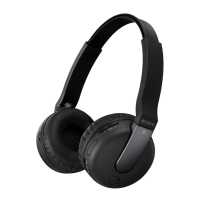

 To Next Page