EasyManua.ls Logo

Sony BVU-950 - Page 63

Sony BVU-950
92 pages
Print Icon
To Next Page IconTo Next Page
To Previous Page IconTo Previous Page
Loading...
FOR
TRAINING
PURPOSES
ONLY
5-10.
Pinch
Lever
Aximuth
Adjustment
Tools
Pinch
lever
adjustment
jig
Modes
EJECT
completion
mode
Cheek
procudures
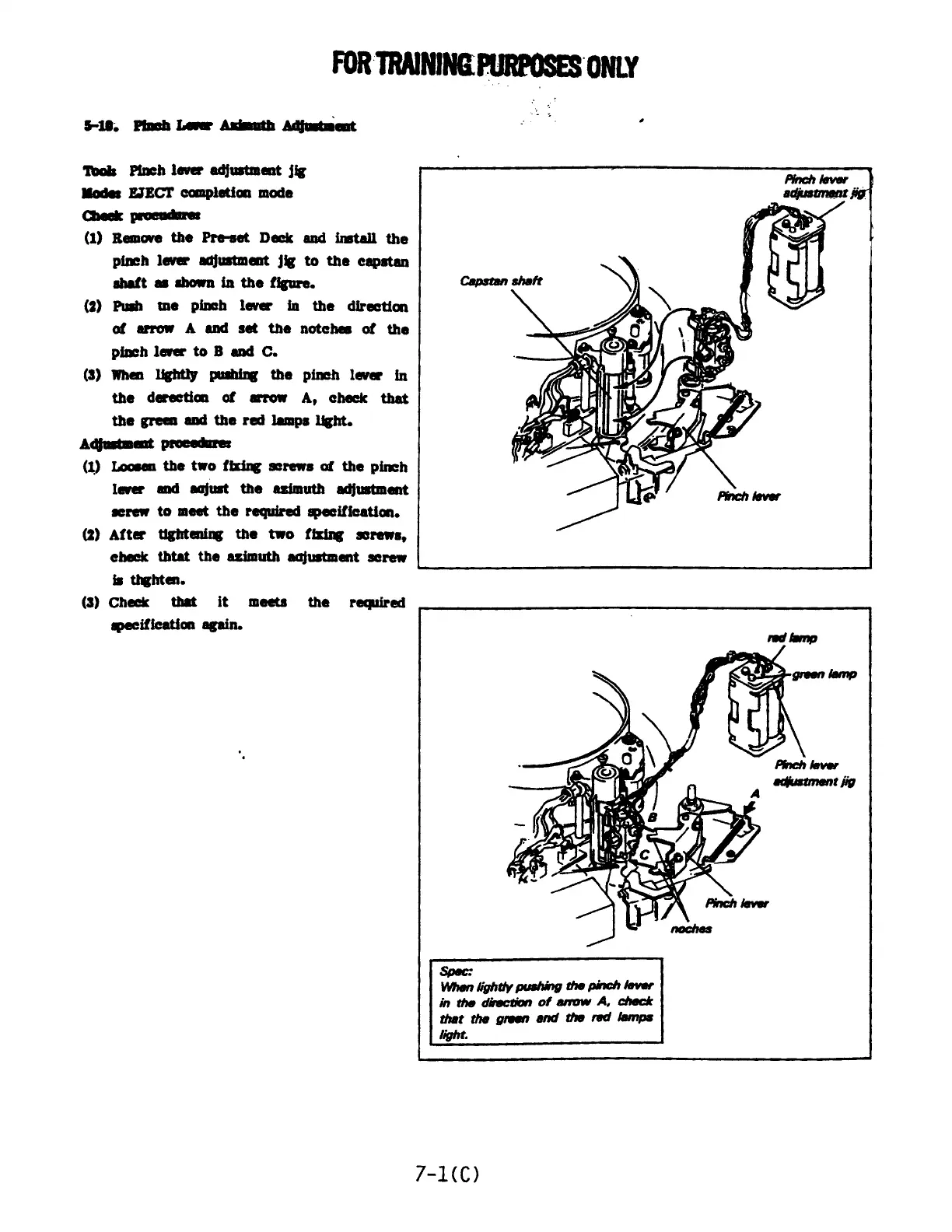
(1)
Remove
the
Pre-set
Deck
and
install
the
pinch
lever
adjustment
jig
to
the
capstan
shaft
as
shown
in
the
figure.
(2)
Push
tme
pinch
lever
in
the
direction
of
arrow
A
and
set
the
notches
of
the
pinch
lever
to
B
and
C.
(3)
When
lightly pushing
the
pinch
lever
in
the
derection
of
arrow
A,
check
that
the
green
and
the
red
lamps
light.
Adjustment
procedure:
(1)
Loosen
the
two
fixing
screws
of
the
pinch
lever
and
aajust
the
azimuth
adjustment
screw
to
meet
the
required
specification.
(2)
After
tightening
the
two
fixing
screws,
check
thtat
the
azimuth
aajustment
screw
is
thghten.
(3)
Check
that
it
meets
the
required
specification
again.
@
i
a
~~
Od
aan
V
7
apy
\
an
Spec:
When
lightly
pushing
the
pinch
lever
in
the
direction
of
arrow
A,
check
that
the
green
and
the
red
lamps
light.
7-1(C)

Related product manuals