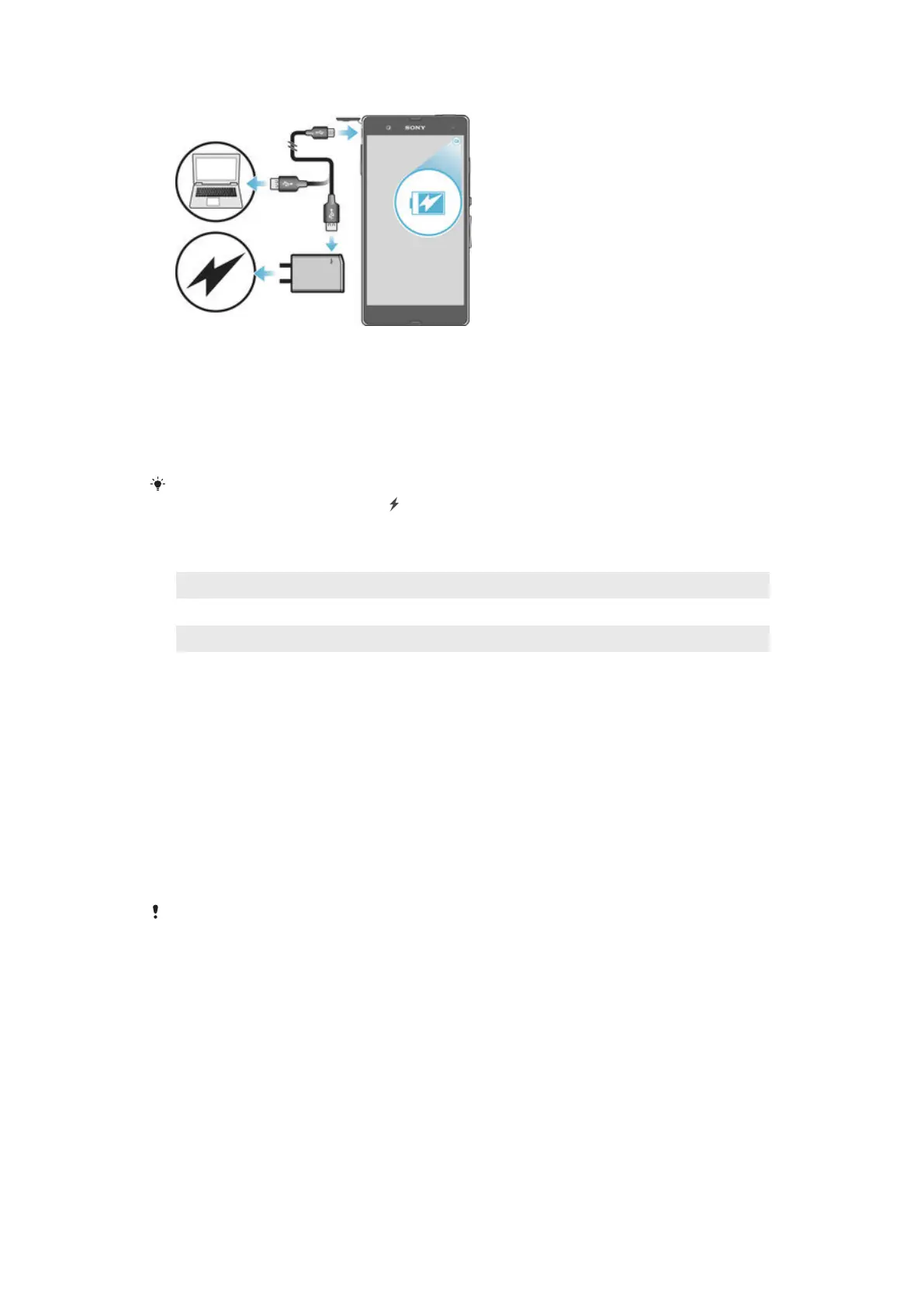
To charge your device
1
Plug the charger into a power outlet.
2
Plug one end of the USB cable into the charger (or into the USB port of a
computer).
3
Plug the other end of the cable into the micro USB port on your device, with
the USB symbol facing up. The notification light illuminates when charging
begins.
4
When the device is fully charged, disconnect the cable from your device by
pulling it straight outwards. Make sure not to bend the connector.
If the battery is completely discharged, it may take a few minutes before the notification light
illuminates and the charging icon appears.
Battery notification light status
Green The battery is charging and the battery charge level is greater than 90%
Red The battery is charging and the battery charge level is less than 15%
Orange The battery is charging and the battery charge level is less than 90%
Multiple user accounts
Your device supports multiple user accounts so that different users can log in
separately to the device and use it. Multiple user accounts work well in situations
where you share the same device with other people or lend your device to someone
to use for a while. The user who sets up the device for the first time becomes the
owner of the device. Only the owner can manage the accounts of other users. Apart
from the owner account, there are two different types of accounts:
•
Regular User: This account type is suitable for someone who regularly uses your
device.
•
Guest User: Enable the guest account option for someone who just wants to use your
device temporarily.
Some features are only available to the owner. For example, only the owner can allow
downloads from sources other than Google Play™.
About the Regular User account
By adding Regular User accounts, you can allow different users to have different
home screens, wallpapers and general settings. They also get separate access to
applications and memory storage for files such as music and photos. You can add up
to three regular user accounts on your device.
12
This is an Internet version of this publication. © Print only for private use.


 To Next Page