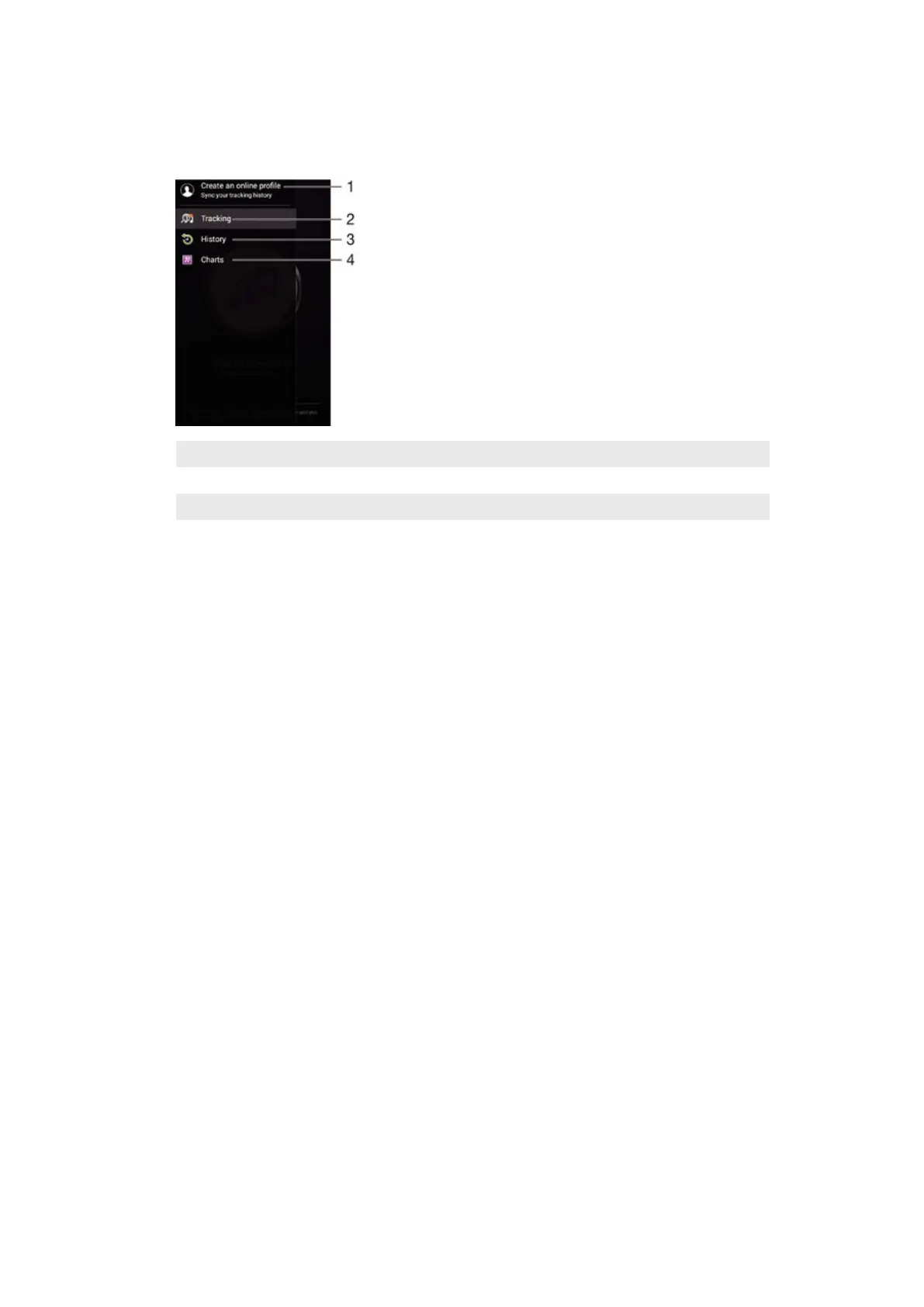
TrackID™ home screen menu
The TrackID™ home screen menu gives you an overview of all the songs that you
have recorded and identified using the TrackID™ service. From here you can also
view your songs based on current music charts and search history.
1 Create an online TrackID™ profile
2 Open the TrackID™ application
3 View the search result history
4 View current music charts
To delete song from the track history
1
Open the TrackID™ application, then tap History.
2
Touch and hold the name of the song that you want to delete, then tap Delete.
86
This is an Internet version of this publication. © Print only for private use.


 To Next Page