1
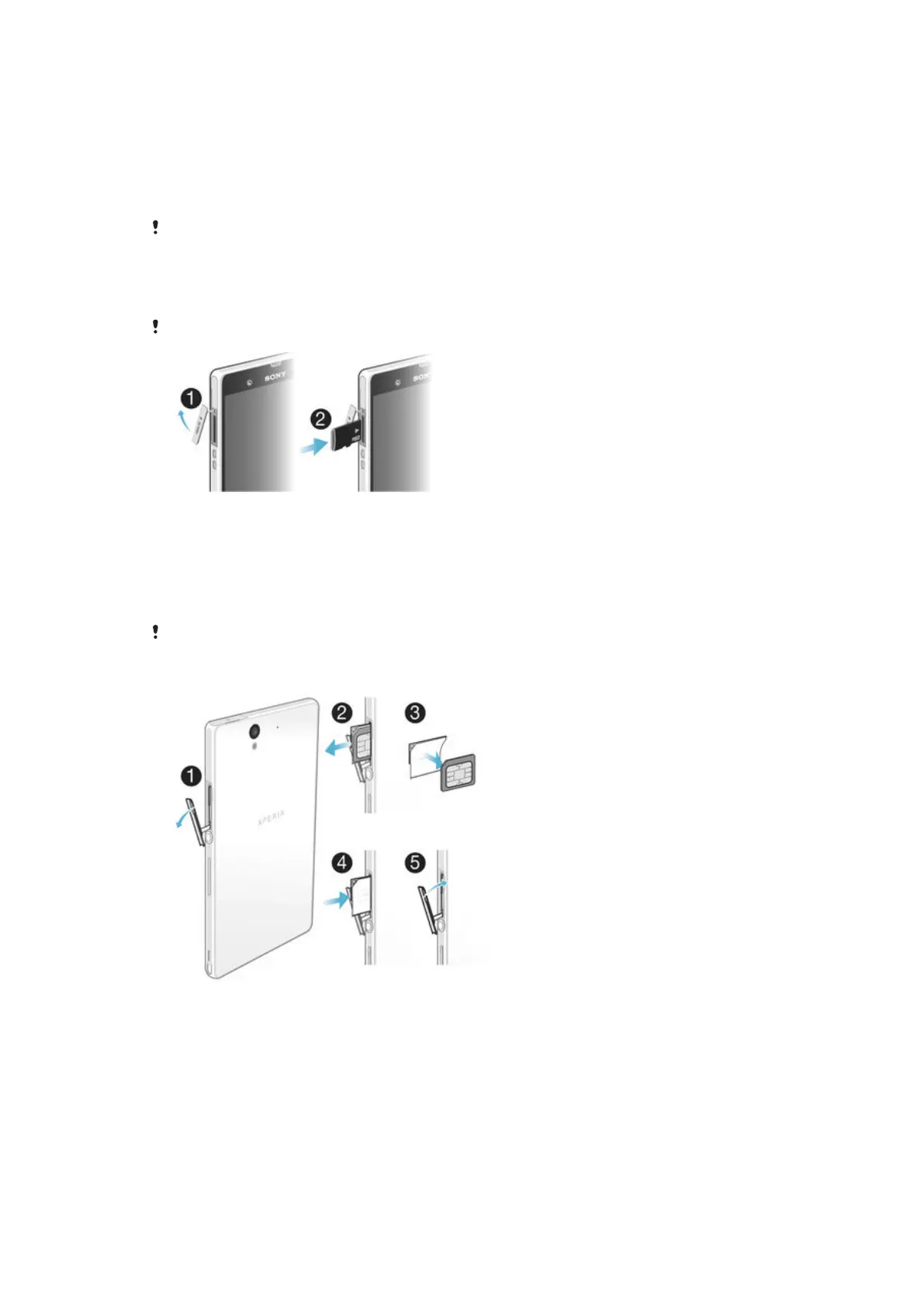
Insert a fingernail into the gap between the micro SIM card slot cover and the
side of the device, then detach the cover.
2
Using a fingernail, pull out the micro SIM card holder.
3
Place the micro SIM card on the holder, with the gold-coloured contacts on the
micro SIM card facing outwards.
4
Insert the micro SIM card holder back into the device.
5
Re-attach the micro SIM card slot cover.
Inserting the micro SIM card without the SIM card holder could damage your micro SIM card
or your phone, and Sony does not warrant and will not be responsible for any damages
caused by such action.
To insert the memory card
Do not insert a micro SIM card into the memory card slot.
1
To remove the memory card slot cover, insert a fingernail into the gap between
the bottom edge of the cover and the phone, then pull out the cover.
2
Insert the memory card into the memory card slot with the gold-coloured
contacts facing down.
3
Using a fingernail, push the memory card further into the slot until you hear a
locking sound.
4
Push the memory card slot cover back into position so that it is fully latched.
The memory card may not be included at purchase in all markets.
To remove the micro SIM card
1
Remove the cover of the micro SIM card slot.
2
Pull out the micro SIM card holder.
3
Remove the micro SIM card.
4
Insert the micro SIM card holder back into its slot.
5
Re-attach the micro SIM card slot cover.
9
This is an Internet version of this publication. © Print only for private use.


 To Next Page