CCB-WD1
4-735-433-11(1)
GB
9
C:\4735433111\4735433111CCBWD1CEE\01GB-CCBWD1CEE\01GB.indd
DTP data saved: 2017/11/29 16:03
PDF file created: 2017/11/29 16:09
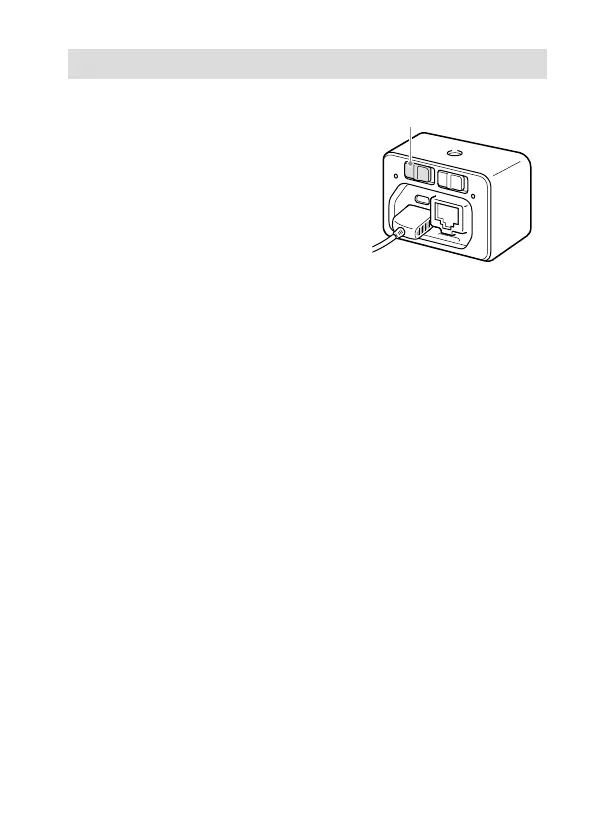
Setting the MASTER/CLIENT (Master/Client) switch
Set the MASTER/CLIENT switch to
“MASTER” if you will be using one
camera.
To use multiple cameras at once,
set the switch on one of the camera
control boxes to “MASTER.” Then,
set the switches on the others to
“CLIENT.”
MASTER/CLIENT switch
When you change the setting
Set the ON/OFF (Power) switch to “OFF” to turn off the product before
changing the setting of the MASTER/CLIENT switch.










 To Next Page