EasyManua.ls Logo

Sony CCD-FX420 - User Manual

Sony CCD-FX420
52 pages
Print Icon
To Next Page IconTo Next Page
Loading...

Table of Contents

Question and Answer IconNeed help?

Do you have a question about the Sony CCD-FX420 and is the answer not in the manual?

Summary

Safety and Compliance Information

General Safety Warnings

Important safety warnings to prevent fire or shock hazards.

Battery Pack Operations

Charging the Battery Pack

Step-by-step guide on charging the battery pack.

Date and Time Settings

Setting the Date and Time

Procedure to set the camcorder's date and time.

Basic Camera Operation

How to Record Video

Step-by-step guide to start recording video.

Zoom and Focus Features

Zooming Features

How to use zoom for different shot types.

Playback Connection

Connecting to TV via RFU Adaptor

How to connect the camcorder to a TV using the RFU adaptor.

Connecting TV with Audio;Video Inputs

How to connect the camcorder to a TV with A/V inputs.

Remote Commander Usage

Using the Remote Commander

Guide to operating the camcorder wirelessly.

Advanced Camera Operations

Alternative Power Sources

Overview of power sources for the camcorder.

Advanced Recording Features

Recording Review and Editing

Rec Review Function

How to review the last recorded scene immediately.

Re-recording and Recording Tips

Re-recording with EDITSEARCH

How to reshoot over previous recordings.

Inserting Scenes into Tapes

Inserting a Scene in the Middle of Tape

How to insert new footage into an existing recording.

Manual Camera Adjustments

Maintaining Focus

How to manually hold focus on a subject.

Backlight Compensation

How to adjust exposure for backlit subjects.

Program AE Modes

Selecting Program AE Mode

How to choose between Portrait, Sports, and High Speed modes.

Fade Effects

Fade-in and Fade-out

How to create gradual appearance/disappearance effects.

Advanced Playback Controls

Playback in Various Speeds

How to play back tapes at different speeds.

Editing Tapes

Connecting for Editing

How to connect for editing tapes using a VCR.

Editing Procedure

Editing Procedure

Step-by-step guide on how to perform editing.

Cleaning and Maintenance

Video Head Cleaning

Instructions for cleaning the video heads.

Precautions and Camcorder Care

Camcorder Operation Precautions

Important precautions during camcorder operation.

Remote Commander and Viewfinder Indicators

Troubleshooting Guide

Problem;Solution Guide

Table for troubleshooting common operational issues.

Troubleshooting Indicators

Technical Specifications

Video Camera Recorder Specifications

Technical details of the camcorder system.

Summary

Safety and Compliance Information

General Safety Warnings

Important safety warnings to prevent fire or shock hazards.

Battery Pack Operations

Charging the Battery Pack

Step-by-step guide on charging the battery pack.

Date and Time Settings

Setting the Date and Time

Procedure to set the camcorder's date and time.

Basic Camera Operation

How to Record Video

Step-by-step guide to start recording video.

Zoom and Focus Features

Zooming Features

How to use zoom for different shot types.

Playback Connection

Connecting to TV via RFU Adaptor

How to connect the camcorder to a TV using the RFU adaptor.

Connecting TV with Audio;Video Inputs

How to connect the camcorder to a TV with A/V inputs.

Remote Commander Usage

Using the Remote Commander

Guide to operating the camcorder wirelessly.

Advanced Camera Operations

Alternative Power Sources

Overview of power sources for the camcorder.

Advanced Recording Features

Recording Review and Editing

Rec Review Function

How to review the last recorded scene immediately.

Re-recording and Recording Tips

Re-recording with EDITSEARCH

How to reshoot over previous recordings.

Inserting Scenes into Tapes

Inserting a Scene in the Middle of Tape

How to insert new footage into an existing recording.

Manual Camera Adjustments

Maintaining Focus

How to manually hold focus on a subject.

Backlight Compensation

How to adjust exposure for backlit subjects.

Program AE Modes

Selecting Program AE Mode

How to choose between Portrait, Sports, and High Speed modes.

Fade Effects

Fade-in and Fade-out

How to create gradual appearance/disappearance effects.

Advanced Playback Controls

Playback in Various Speeds

How to play back tapes at different speeds.

Editing Tapes

Connecting for Editing

How to connect for editing tapes using a VCR.

Editing Procedure

Editing Procedure

Step-by-step guide on how to perform editing.

Cleaning and Maintenance

Video Head Cleaning

Instructions for cleaning the video heads.

Precautions and Camcorder Care

Camcorder Operation Precautions

Important precautions during camcorder operation.

Remote Commander and Viewfinder Indicators

Troubleshooting Guide

Problem;Solution Guide

Table for troubleshooting common operational issues.

Troubleshooting Indicators

Technical Specifications

Video Camera Recorder Specifications

Technical details of the camcorder system.
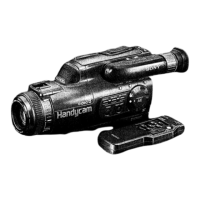
Sony CCD-FX420 Specifications

General IconGeneral
BrandSony
ModelCCD-FX420
CategoryCamcorder
LanguageEnglish

Related product manuals