The provided manual describes the Sony Video Camera Recorder Hi8 CCD-TR805E, a Handycam camcorder designed for capturing video with superior picture and sound quality. It is loaded with advanced features while remaining user-friendly.
Function Description:
The Sony CCD-TR805E is a video camera recorder capable of capturing and playing back video on Hi8 and standard 8mm video cassettes. It supports both SP (standard play) and LP (long play) recording modes, allowing users to choose based on desired recording length, though SP mode offers better playback quality. The camcorder features a built-in stereo/zoom microphone for audio recording, with the option to connect an external stereo microphone.
Key functions include:
- Recording: Users can start and stop recording with a dedicated button, and the camcorder automatically adjusts focus, white balance, and exposure in AUTO LOCK mode.
- Zooming: A power zoom button allows for both telephoto (zoom-in) and wide-angle (zoom-out) shots, with two-speed zooming available. The built-in microphone can be set to "ZOOM MIC" to record sound that "zooms" with the picture, or to a standard stereo setting.
- Playback: Tapes can be played back on a TV or monitored through the viewfinder. The camcorder offers various playback modes, including high-speed picture search and skip scan for quickly locating desired scenes.
- Editing: The camcorder supports editing onto another VTR, allowing users to create video programs by connecting to other 8mm, Hi8, Betamax, VHS, SVHS, VHSC, or SVHSC VTRs. The EDITSEARCH function aids in reviewing recorded scenes and locating specific points for editing.
- Date and Time Recording: The date and time can be recorded with the picture and displayed during playback. The camcorder also includes a "World Clock" function for easy adjustment to different time zones when traveling abroad.
- Superimposing Titles: Users can create and superimpose hand-written messages or illustrations (titles) over their video recordings. Titles can be stored in memory, and users can select from 8 different colors and various display modes, such as scrolling up, scrolling down, or reversing the title with the picture.
Usage Features:
The CCD-TR805E is designed for ease of use with several features to enhance the recording experience:
- Automatic Adjustments: For most shooting conditions, the AUTO LOCK mode provides worry-free operation by automatically adjusting focus, white balance, and exposure, and setting the shutter speed to 1/50.
- Manual Adjustments: For more creative control, users can manually adjust focus, white balance, exposure, and shutter speed. This is particularly useful in challenging lighting conditions or for specific artistic effects.
- Steady Shot Function: This feature helps compensate for camera-shake, providing steadier pictures, especially when zooming in, shooting from a moving vehicle, or recording while moving.
- Viewfinder: The viewfinder can be pulled out and rotated up to 90 degrees for low-position recording, allowing users to monitor the picture without being close to the viewfinder. It also features a lens adjustment ring to fit individual eyesight.
- Remote Commander: A supplied wireless remote commander allows for remote recording and playback, offering convenience and flexibility, especially when operating the camcorder from a distance.
- Power Sources: The camcorder can be powered by a battery pack (NP-55H, NP-55, NP-66H, NP-77, NP-77H, NP-77HD), alkaline batteries (with battery case EBP-77), an AC power adaptor (AC-V30, AC-V55, AC-S10) for house current, or a DC pack (DCP-77) with a car battery cord (DCC-16AE) for in-car use.
- Cassette Insertion: Cassettes are easily inserted by lifting the lid, pressing EJECT, placing the cassette with the window facing out, and then pressing the PUSH mark to close the compartment. A tab on the cassette can be slid to prevent accidental erasure.
- Display Window and Viewfinder Indicators: Various indicators in the viewfinder and on the display window provide essential information such as recording mode, battery status, date/time, focus, white balance, exposure, shutter speed, and warning indicators. The DATA SCREEN button can display these indicators on a connected TV during playback.
Maintenance Features:
Proper maintenance is crucial for the longevity and optimal performance of the camcorder:
- Moisture Condensation Prevention: The camcorder is equipped with a moisture sensor. If moisture condenses inside the unit, indicators will flash, and functions will be limited to cassette ejection. Users are advised to eject the tape, turn off the camcorder, and leave the cassette holder open for about an hour to allow it to dry. To prevent condensation when moving from a cold to a warm place, the camcorder should be placed in a plastic bag and allowed to adapt to room temperature gradually.
- Video Head Cleaning: Periodically cleaning the video heads is recommended to ensure clear pictures. If playback pictures are noisy or hardly visible due to contamination, users should clean the heads with a Sony V8-25CLH cleaning cassette.
- Lens Cleaning: The lens should be cleaned with a soft brush to remove dust and wiped with a soft cloth for fingerprints.
- Viewfinder Cleaning: Dust inside the viewfinder can be removed by pulling out the viewfinder barrel, turning it counterclockwise, and cleaning the surface of the cover with a blower brush.
- Terminal Cleaning: The metal terminals on the battery pack should be kept clean by wiping them with a soft cloth or paper to ensure good contact and prevent shortened battery life.
- Battery Care: Battery packs should be removed from the camcorder after use and stored in a cool place to prevent over-discharging. They should be recharged only when discharged.
- General Care: Avoid exposing the camcorder to extreme temperatures, direct sunlight, strong magnetic fields, mechanical shock, rain, sea water, sand, or dust. When not in use for extended periods, disconnect the power source, remove the tape, and periodically operate the camera and player sections.

 Need help?
 General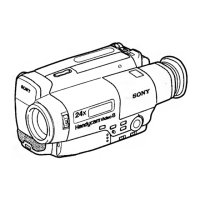







 To Next Page