50
[a] [b] [c] [d] [e] [f]
Enjoying picture
effect
Selecting picture effect
You can make pictures like those of television
with the Picture Effect function.
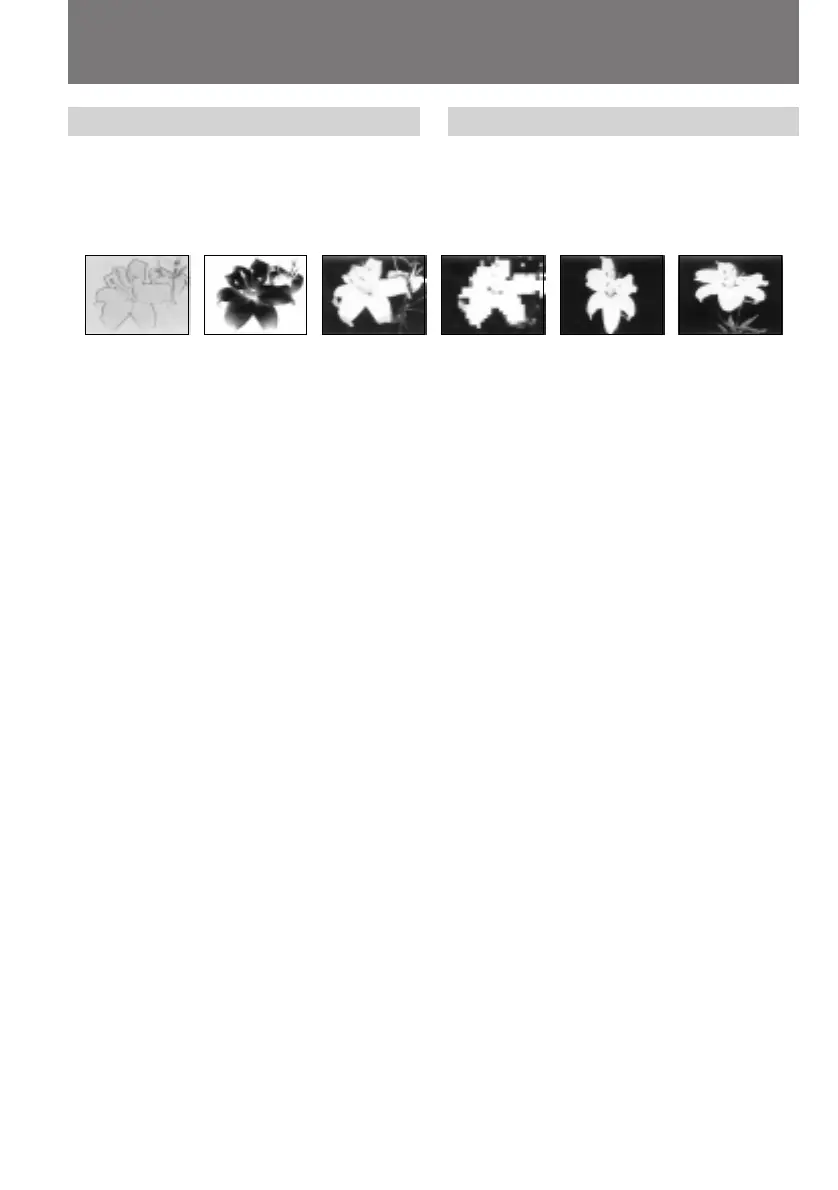
PASTEL [a]
The contrast of the picture is emphasized, and
the picture looks like an animated cartoon.
NEG. ART [b]
The colour and brightness of the picture is
reversed.
SEPIA
The picture is sepia.
B&W
The picture is monochrome (black and white).
SOLARIZE [c]
The light intensity is more clear, and the picture
looks like an illustration.
MOSAIC [d]
The picture is mosaic.
SLIM [e]
The picture expands vertically.
STRETCH [f]
The picture expands horizontally.
Наслаждение эффектами
изображений
Выбор эффекта изображения
Вы можете сделать изображение похожим на
те, что передают по телевидению с помощью
функции эффектов изображения.
PASTEL [a]
Контрастность изображения усиливается, и
изображение выглядит, как мультипликация.
NEG. ART [b]
Цвет и яркость изображения будут
негативными.
SEPIA
Изображение будет в цвете сепия.
B&W
Изображение будет монохроматическим
(черно-белым).
SOLARIZE [c]
Интенсивность света будет более яркой, и
изображение будет выглядеть, как
иллюстрация.
MOSAIC [d]
Изображение будет мозаичным.
SLIM [e]
Изображение расширяется по вертикали.
STRETCH [f]
Изображение расширяется по горизонтали.










 To Next Page