EasyManua.ls Logo

Sony CDP-CX205 - Page 11

Sony CDP-CX205
18 pages
Print Icon
To Next Page IconTo Next Page
To Previous Page IconTo Previous Page
Loading...
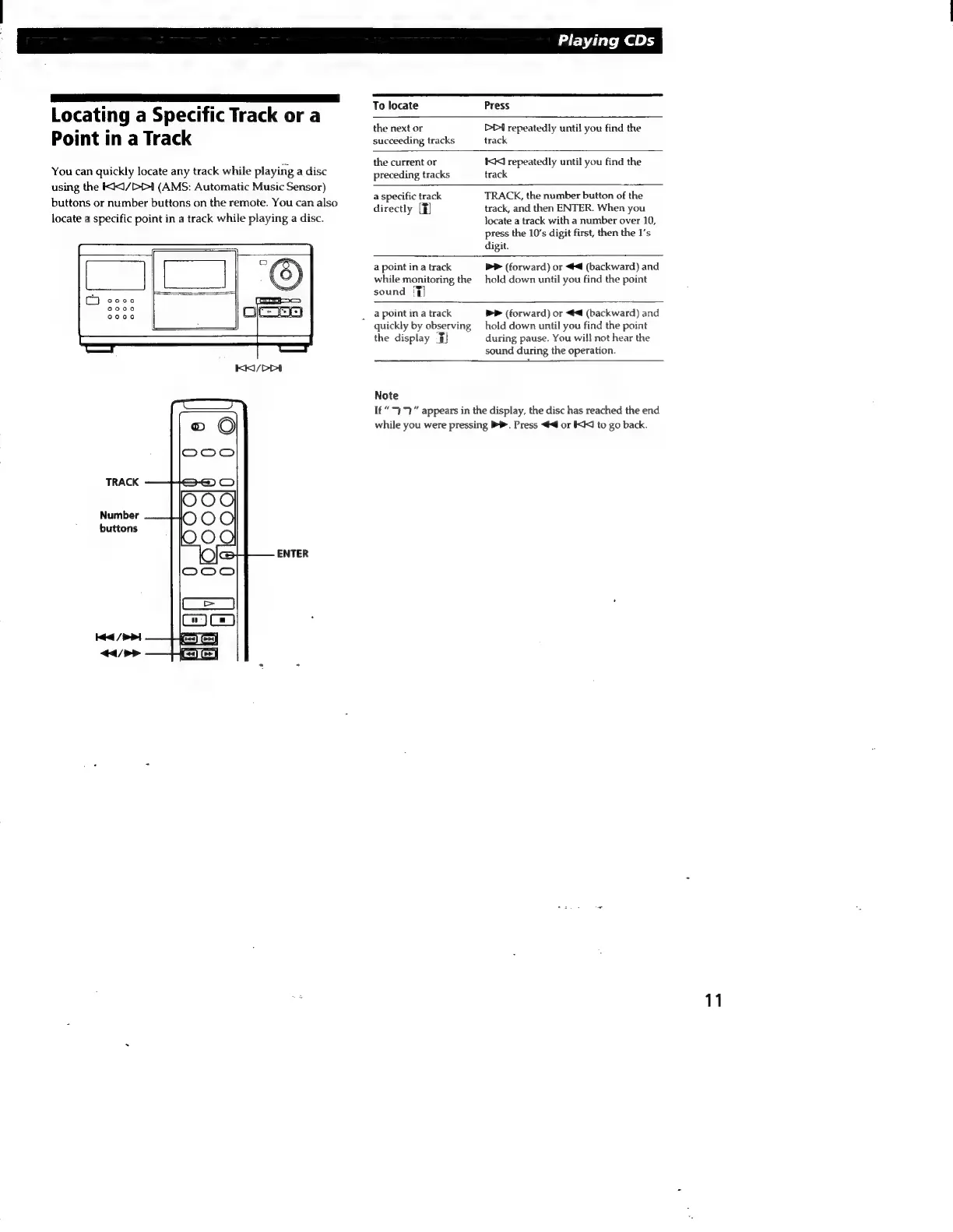
Locating
a
Specific
Track
or
a
Point
in
a
Track
You
can
quickly
locate
any
track
while
playing
a
disc
using
the
IK<1/DD
(AMS:
Automatic
Music
Sensor)
buttons
or
number
buttons
on
the
remote.
You
can
also
locate
a
specific
point
in
a
track
while
playing
a
disc.
TRACK
Number
buttons
ENTER
Playing
CDs
To
locate
Press
the
next
or
succeeding
tracks
the
current
or
preceding
tracks
DD
repeatedly
until
you
find
the
track
KK
repeatedly
until
you
find
the
track
a
specific
track
directly
[F]
TRACK,
the
number
button
of
the
track,
and
then
ENTER.
When
you
locate
a
track
with
a
number
over
10,
press
the
10’s
digit
first,
then
the
1's
digit.
a
point
in
a
track
while
monitoring
the
sound
T)
bP
(forward)
or
<4
(backward)
and
hold
down
until
you
find
the
point
a
point
in
a
track
Ň
guickly
by
observing
the
display
F)
>>
(forward)
or
4
(backward)
and
hold
down
until
you
find
the
point
during
pause.
You
will
not
hear
the
sound
during
the
operation.
Note
1£“
37
appears
in
the
display,
the
disc
has
reached
the
end
while
you
were
pressing
Bb.
Press
<4
or
KK
to
go
back.
11

Related product manuals