EasyManua.ls Logo

Sony CDP-CX205 - Page 10

Sony CDP-CX205
18 pages
Print Icon
To Next Page IconTo Next Page
To Previous Page IconTo Previous Page
Loading...
10
Playing
CDs
|
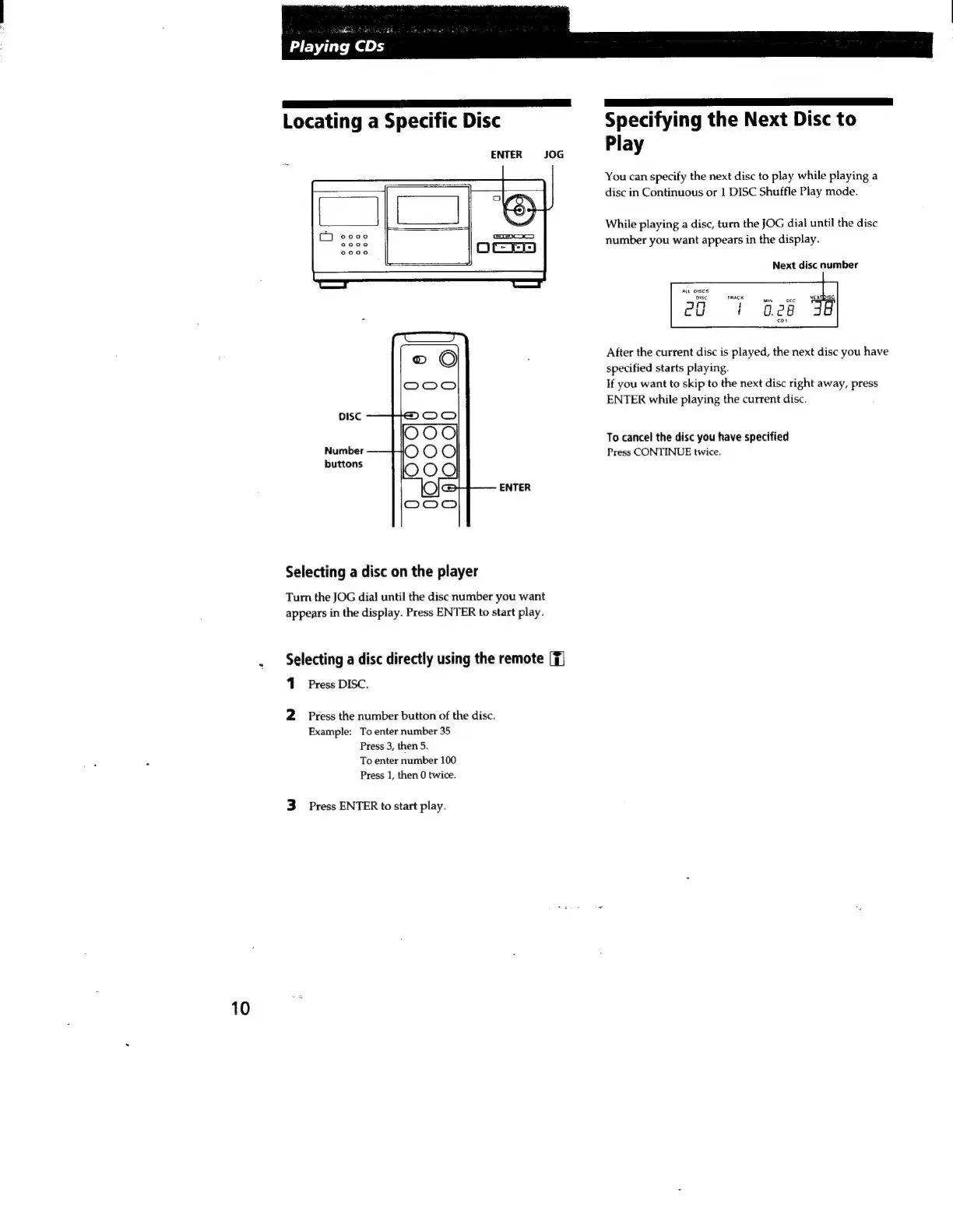
Locating
a
Specific
Disc
ENTER
JOG
DISC
Number
buttons
ENTER
Selecting
a
disc
on
the
player
Turn
the
JOG
dial
until
the
disc
number
you
want
appears
in
the
display.
Press
ENTER
to
start
play.
Selecting
a
disc
directly
using
the
remote
(Tj
1
Press
DISC.
2
Press
the
number
button
of
the
disc.
Example:
To
enter
number
35
Press
3,
then
5.
To
enter
number
100
Press
1,
then 0
twice.
3
Press
ENTER
to
start
play.
Specifying
the
Next
Disc
to
Play
You
can
specify
the
next
disc
to
play
while
playing
a
disc
in
Continuous
or
1
DISC
Shuffle
Play
mode.
While
playing
a
disc,
turn
the
JOG
dial
until
the
disc
number
you
want
appears
in
the
display.
Next
disc
number
ALL
OISCS
t
TRACK
NExTbise
PO
1
028
JB
cpt
After
the
current
disc
is
played,
the
next
disc
you
have
specified
starts
playing.
If
you
want
to
skip
to
the
next
disc
right
away,
press
ENTER
while
playing
the
current
disc.
To
cancel
the
disc
you
have
specified
Press
CONTINUE
twice.

Related product manuals