EasyManua.ls Logo

Sony CDP-CX205 - Page 15

Sony CDP-CX205
18 pages
Print Icon
To Next Page IconTo Next Page
To Previous Page IconTo Previous Page
Loading...
Playing
Discs
in
a
Group
(Block
Play)
You
can
classify
discs
in
advance
by
artists,
category,
etc.
when
inserting
discs
into
the
slots,
and
play
them
only
within
the
group
(called
“block”)
you
specified.
The
player
has
eight
blocks,
and
each
slot
is
assigned
to
one
of
the
blocks
as
shown
below.
n
Block
number
Disc
slot
1
1-25
26-50
51-75
Be)
wl
N
76-160
101-125
126-150
151-175
O
PNG
U
176-200
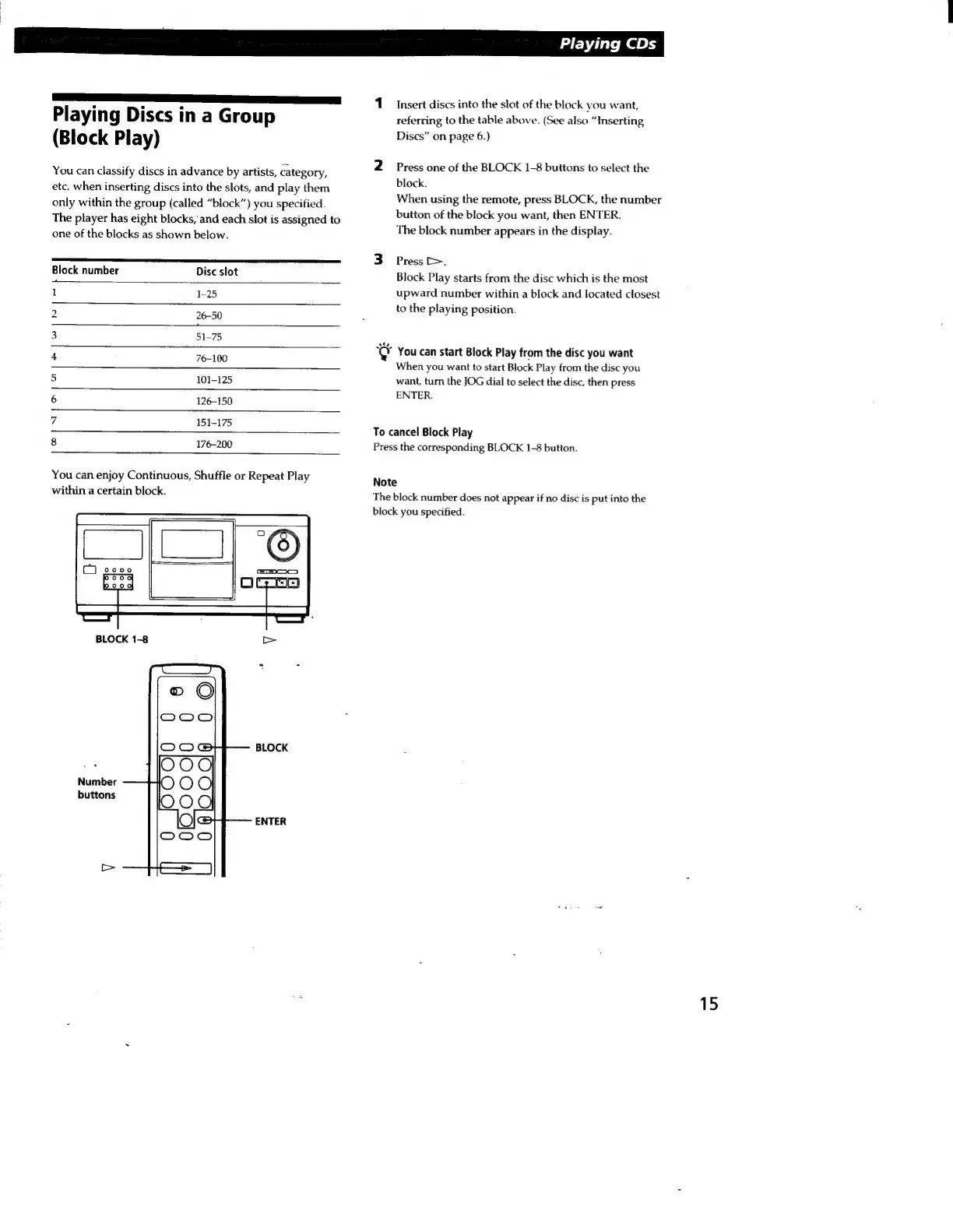
You
can
enjoy
Continuous,
Shuffle
or
Repeat
Play
within
a
certain
block.
BLOCK
Number
buttons
ENTER
Playing
CDs
1
insert
discs
into
the
slot
of
the
block
vou
want,
referring
to
the
table
above.
(See
also
“Inserting,
Discs”
on
page
6.)
2
Press
one
of
the
BLOCK
1-8
buttons
to
select
the
block.
When
using
the
remote,
press
BLOCK,
the
number
button
of
the
block
you
want,
then
ENTER.
The
block
number
appears
in
the
display.
3
Press
>.
Block
Play
starts
from
the
disc
which
is
the
most
upward
number
within
a
block
and
located
closest
to
the
playing
position.
jej
You
can
start
Block
Play
from
the
disc
you
want
When
you
want
to
start
Block
Play
from
the
disc
you
want,
turn
the
JOG
dial
to
select
the
disc,
then
press
ENTER.
To
cancel
Block
Play
Press
the
corresponding
BLOCK
1-8
button.
Note
The
block
number
does
not
appear
if
no
disc
is
put
into
the
block
you
specified.
15

Related product manuals