EasyManua.ls Logo

Sony CDP-CX205 - Page 5

Sony CDP-CX205
18 pages
Print Icon
To Next Page IconTo Next Page
To Previous Page IconTo Previous Page
Loading...
Getting
Started
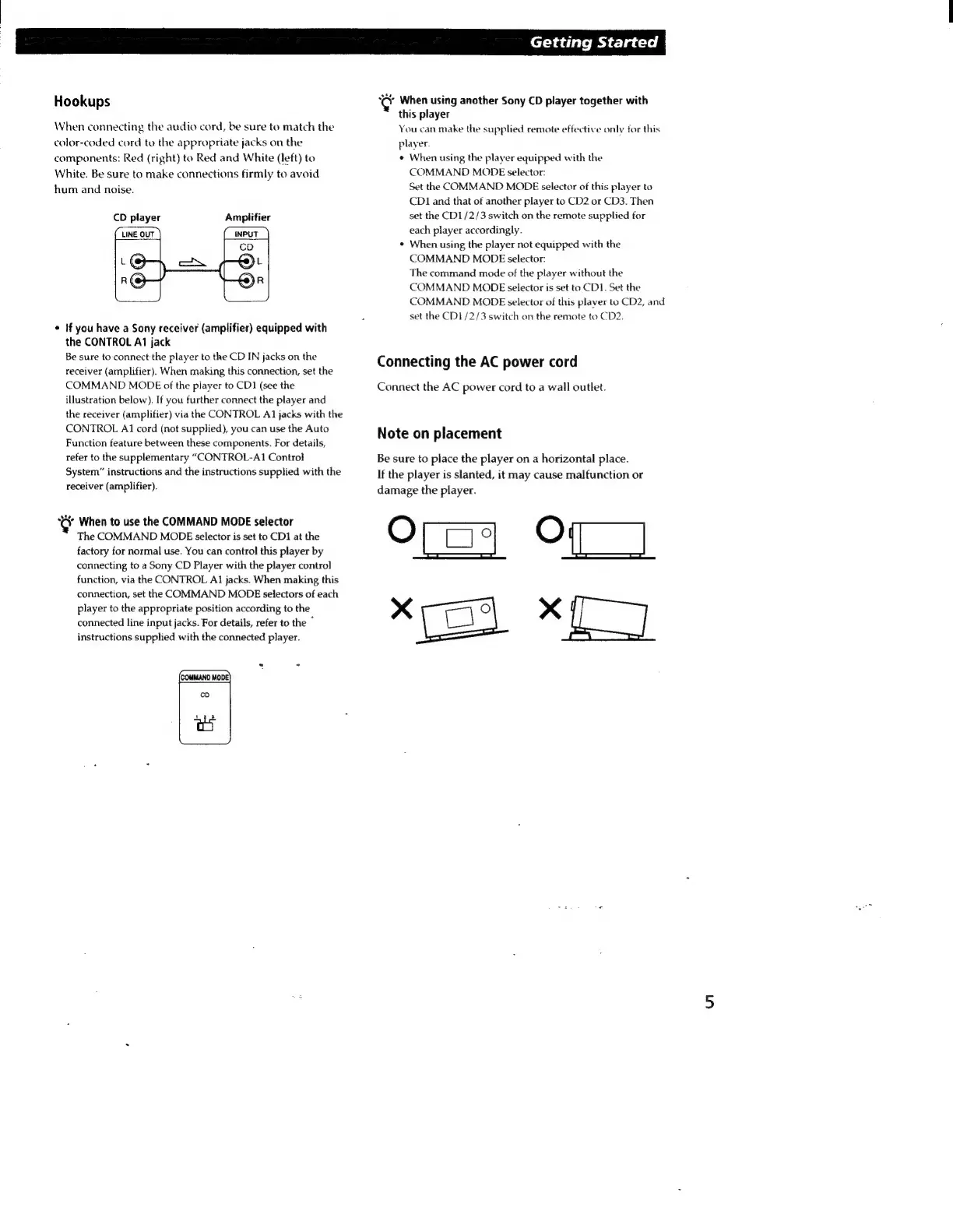
Hookups
When
connecting
the
audio
cord,
be
sure
to
match
the
color-coded
cord
to
the
appropriate
jacks on
the
components:
Red
(right)
to
Red
and
White
(left)
to
White.
Be
sure
to
make
connections
firmly
to
avoid
hum
and
noise.
CD
player
Amplifier
+
If
you
have
a
Sony
receiver
(amplifier)
equipped
with
the
CONTROL
A1
jack
Be
sure
to
connect
the
player
to
the
CD
IN
jacks
on
the
receiver
(amplifier).
When
making
this
connection,
set
the
COMMAND
MODE
of
the
player
to
CDI
(see
the
illustration
below).
If
you
further
connect
the
player
and
the
receiver
(amplifier)
via
the
CONTROL
A1
jacks
with
the
CONTROL
A1
cord
(not
supplied),
you
can
use
the
Auto
Function
feature
between
these
components.
For
details,
refer
to
the
supplementary
“CONTROL-A1
Control
System”
instructions
and
the
instructions
supplied
with
the
receiver
(amplifier).
Key
When
to
use
the
COMMAND
MODE
selector
The
COMMAND
MODE
selector
is
set
to
CD1
at
the
factory
for
normal
use.
You
can
control
this
player
by
connecting
to
a
Sony
CD
Player
with
the
player
control
function,
via
the
CONTROL
A1
jacks.
When
making
this
connection,
set
the
COMMAND
MODE
selectors
of
each
player
to
the
appropriate
position
according
to
the
connected
line
input
jacks.
For
details,
refer
to
the
`
instructions
supplied
with
the
connected
player.
©
When
using
another
Sony
CD
player
together
with
this
player
You
can
make
the
supplied
remote
effective
only
for
this
player.
+
When
using
the
player
equipped
with
the
COMMAND
MODE
selector:
Set
the
COMMAND
MODE
selector
of
this
player
to
CD1
and
that
of
another
player
to
CD2
or
CD3.
Then
set
the
CD1/2/3
switch
on
the
remote
supplied
for
each
player
accordingly.
When
using
the
player
not
equipped
with
the
COMMAND
MODE
selector:
The
command
mode
of
the
player
without
the
COMMAND
MODE
selector
is
set
to
CDI.
Set
the
COMMAND
MODE
selector
of
this
plaver
to
CD2,
and
set
the
CD1/2/3
switch
on
the
remote
to
CD2.
Connecting
the
AC
power
cord
Connect
the
AC
power
cord
to
a
wall
outlet.
Note
on
placement
Be
sure
to
place
the
player
on
a
horizontal
place.
If
the
player
is
slanted,
it
may
cause
malfunction
or
damage
the
player.
om
Of)
114.
dE

Related product manuals