EasyManua.ls Logo

Sony CDP-CX205 - Page 7

Sony CDP-CX205
18 pages
Print Icon
To Next Page IconTo Next Page
To Previous Page IconTo Previous Page
Loading...
Getting
Started
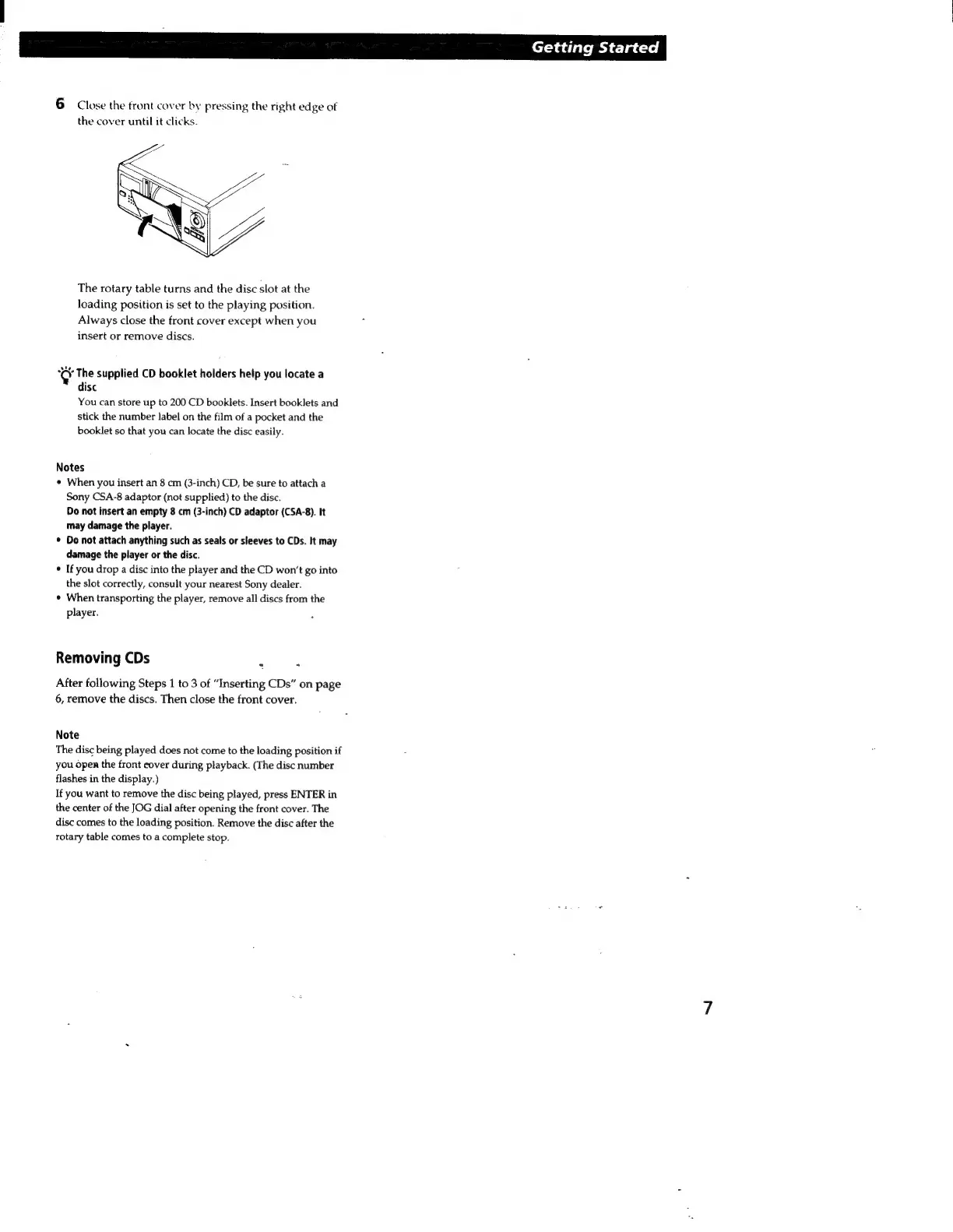
6
Close
the
front
cover
by
pressing
the
right
edge
of
the
cover
until
it
clicks.
The
rotary
table
turns
and
the
disc
slot
at
the
loading
position
is
set
to
the
playing
position.
Always
close
the
front
cover
except
when
you
insert
or
remove
discs.
©
The
supplied
CD
booklet
holders
help
you
locate
a
disc
You
can
store
up
to
200
CD
booklets.
Insert
booklets
and
stick
the
number
label
on
the
film
of
a
pocket
and
the
booklet
so
that
you
can
locate
the
disc
easily.
Notes
s
When
you
insert
an
8
cm
(3-inch)
CD,
be
sure
to
attach
a
Sony
CSA-8
adaptor
(not
supplied)
to
the
disc.
Do
not
insert
an
empty
8
cm
(3-inch)
CD
adaptor
(CSA-8).
It
may
damage
the
player.
Do
not
attach
anything
such
as
seals
or
sleeves
to
CDs.
It
may
damage
the
player
or
the
disc.
If
you
drop
a
disc
into
the
player
and
the
CD
won't
go
into
the
slot
correctly,
consult
your
nearest
Sony
dealer.
When
transporting
the
player,
remove
all
discs
from
the
player.
Removing
CDs
-
`
After
following
Steps
1
to
3
of
“Inserting
CDs”
on
page
6,
remove
the
discs.
Then
close
the
front
cover.
Note
The
disc
being
played
does
not
come
to
the
loading
position
if
you
open
the
front
cover
during
playback.
(The
disc
number
flashes
in
the
display.)
If
you
want
to
remove
the
disc
being
played,
press
ENTER
in
the
center
of
the
JOG
dial
after
opening
the
front
cover.
The
disc
comes
to
the
loading
position.
Remove
the
disc
after
the
rotary
table
comes
to
a
complete
stop.

Related product manuals