EasyManua.ls Logo

Sony CDP-S1 - Page 4

Sony CDP-S1
22 pages
Print Icon
To Next Page IconTo Next Page
To Previous Page IconTo Previous Page
Loading...
SECTION
2
DISASSEMBLY
Note:
Follow
the
disassembly
procedure
in
the
numerical
order
given.
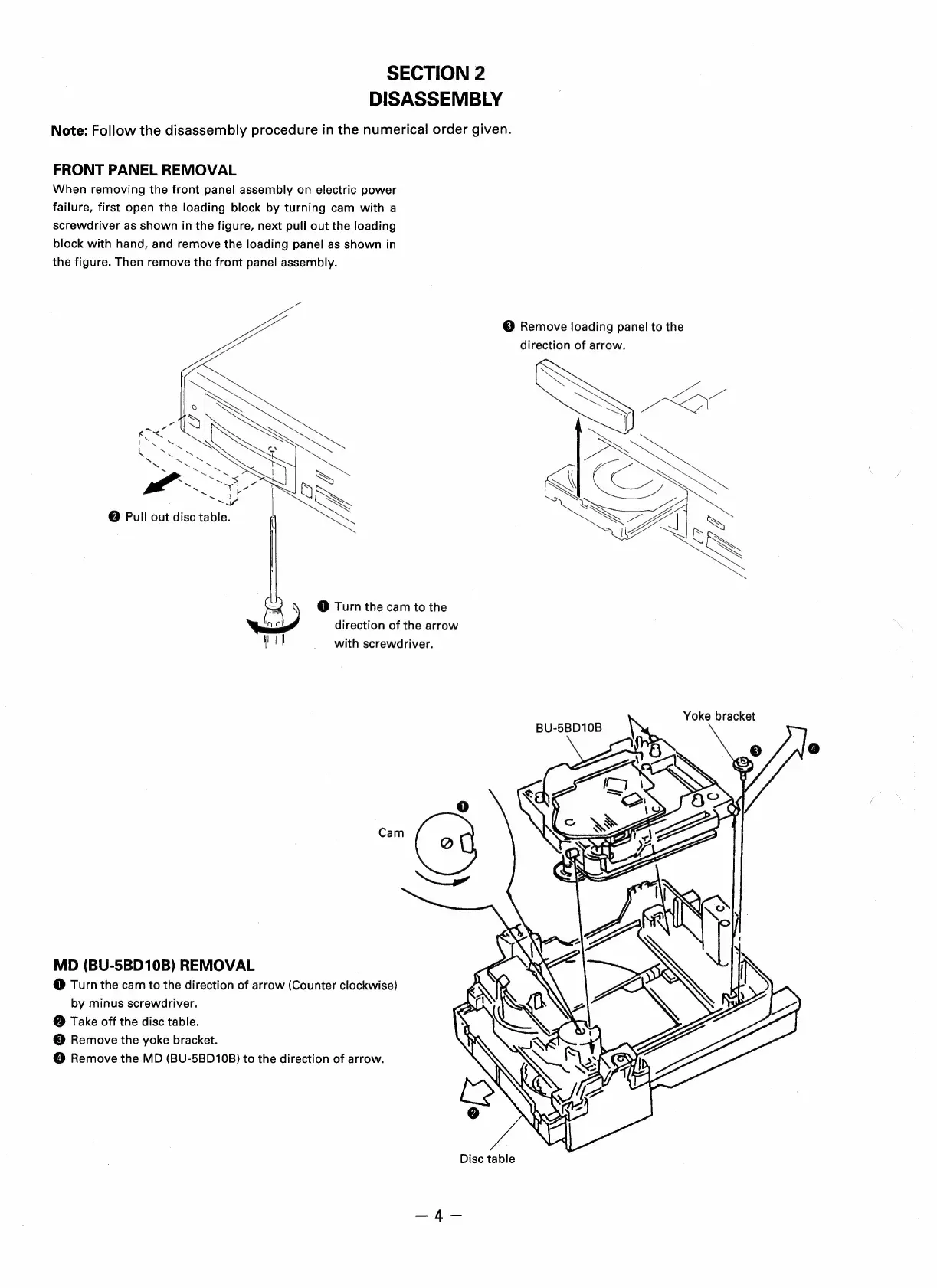
FRONT
PANEL
REMOVAL
When
removing
the
front
panel
assembly
on
electric
power
failure,
first
open
the
loading
block
by
turning
cam
with
a
screwdriver
as
shown
in
the
figure,
next
pull
out
the
loading
block
with
hand,
and
remove
the
loading
panel
as
shown
in
the
figure.
Then
remove
the
front
panel
assembly.
©
Remove
loading
panel
to
the
direction
of
arrow.
iw
Pod
td
i
oN
LCKeS
SF
(
@
Pull
out
disc
table.
.
S
SS
@
Turn
the
cam
to
the
ie?
direction
of
the
arrow
Hl
|
i
_
with
screwdriver.
Yoke
bracket
BU-5BD10B
Se
8
Cam
MD
(BU-5BD10B)
REMOVAL
@
Turn
the
cam
to
the
direction
of
arrow
(Counter
clockwise)
by
minus
screwdriver.
@
Take
off
the
disc
table.
©
Remove
the
yoke
bracket.
@
Remove
the
MD
(BU-5BD10B)
to
the
direction
of
arrow.
Disc
table
—4—

Related product manuals