16
CDX-5V661/5V661A/5V661D/5V661S
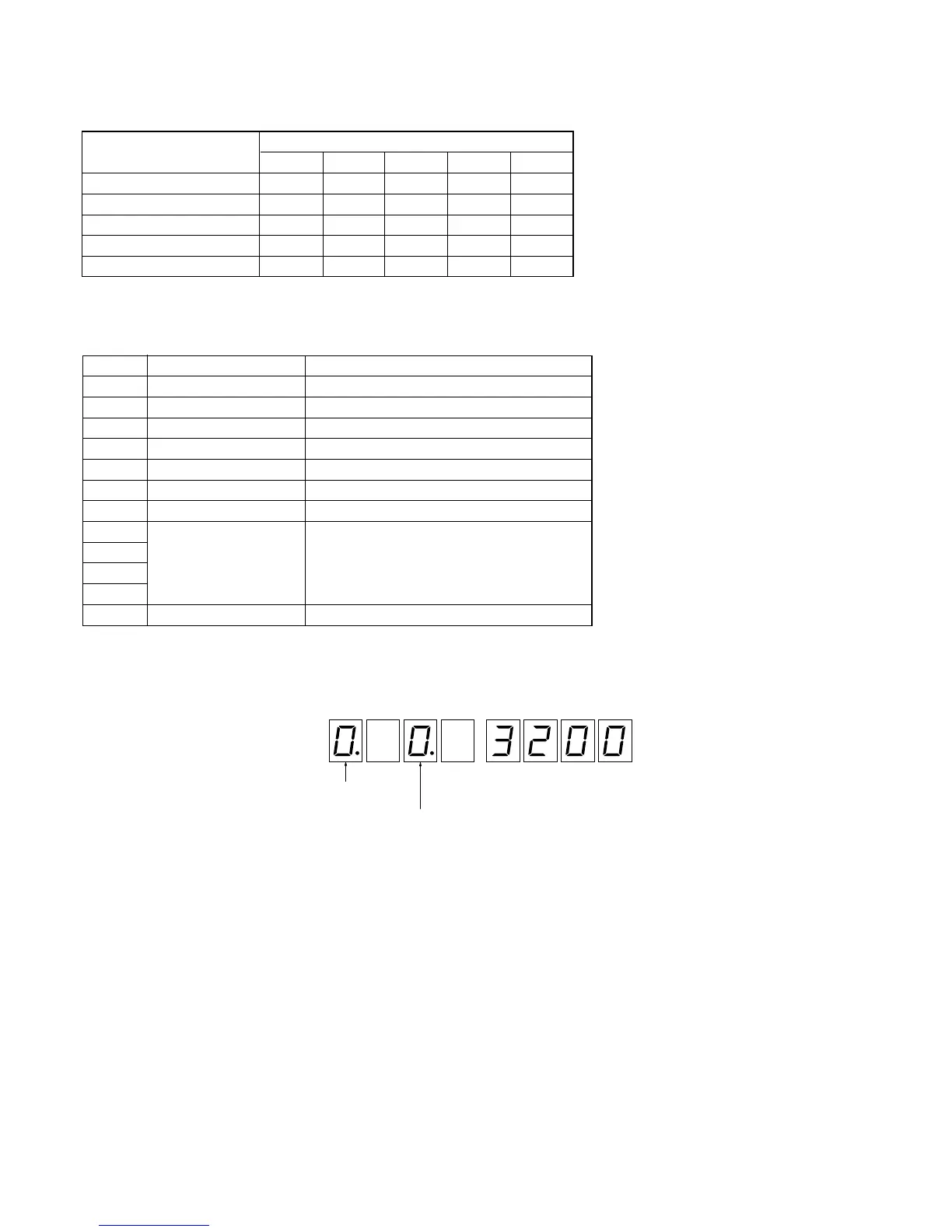
<Selection>
operation mode: rotary switch
display mode: KEY
1
, KEY
2
<Indication>
Seg. 1 Seg. 2 Seg. 3 Seg. 5 Seg. 6 Seg. 7 Seg. 8Seg. 4
LED
indication of the display mode
indication of the operation mode
(when the operation mode is 0.)
Toggle Switch Setting in Each Operation Mode
Mode
Setting of Toggle SW
LINE FL-CDC FL-JIG CTRLV H/U
CDC Flash Rewriting CDC ON OFF ON –
JIG Flash Rewriting JIG OFF ON ––
PANA-BUS Conversion Mode JIG OFF OFF ON JIG
Jig Operation Mode – OFF OFF ON JIG
MC Mode CDC OFF OFF ON JIG
Operation Modes
Each operation mode can be selected with the rotary switch.
Mode Use Description
0 Normal Operation Mode Normal operation mode
1 Special Operation Mode PANA-BUS command check mode (for design)
2 Mecha Check Mode Mechanism manual operation
3 Aging Mode Various aging modes (for design and QA)
4 Production Line Mode Aging/linear position adjustment (for line)
5 LED Check Mode LED PWM Duty adjustment
6 Diag Mode Error history check/clear
7
8
9
A
B
Selection and Indication of Operation Mode and Display Mode


 To Next Page