10
01GB02CD-EUR.fm
CDX-CA650X/CA650V/CA650
3-227-675-11(2)
masterpage:Left
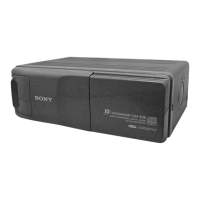
(With optional unit)
1 Press (SOURCE) repeatedly to select
“CD” or “MD.”
2 Press (MODE) repeatedly until the
desired unit appears.
Playback starts.
Display items
When the disc/track changes, any prerecorded
title*
1
of the new disc/track is automatically
displayed (if the Auto Scroll function is set to
“ON,” names exceeding 8 characters will be
scrolled (page 22)).
*1 “NO NAME” indicates there is no Disc Memo
(page 11) or prerecorded name to display.
*2 Only for CD TEXT discs with the artist name.
Notes
• Some characters cannot be displayed.
• For some CD TEXT discs with very many
characters, information may not scroll.
• This unit cannot display the artist name for each
track of a CD TEXT disc.
Tip
When Auto scroll is set to OFF and the disc/track
name is changed, the disc/track name does not scroll.
To Press
Skip discs
– Disc selection
(DISC/PRESET) (+/–)
To Press
Switch display
item
(DISPLAY/PTY)
Scroll display item (S) (SCROLL)
Displayable items
• Music source
• Clock
• Function
Displayable items
• Elapsed playback time
• Disc name*
1
/artist name*
2
• Track title*
1


 To Next Page