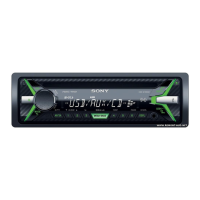
CDX-G1200U/G1201U/G1202U/G1280UM
5
1-2. Display in Destination Setting Mode
Note: The displayed contents of the following fi gure is an example. The
destination code is different depending on the destination of the
product.
Destination code
OP0OP1OP2OP3OP4OP5
6 digits
1-3. Entering the Destination Code
• Method of operation by main unit
1. Rotate the control dial, and select the alphanumeric character
of “0 to F”.
2. The digit advances by pressing the [PUSH ENTER/MENU] or
[> M] button.
The digit returns by pressing the [MODE
] or [m .] but-
ton.
3. The setting is completed by pressing the [PUSH ENTER/
MENU] button at the state of cursor position of “OP0”, then
the display turns off, the initialization operation is done, and
the display returns to the clock display.
• Method of operation by remote commander
(Except AEP, UK and HK models)
Note: The model to which the remote commander is not attached can
also be operated by using the remote commander.
1. Press the [
V
] or [
v
] button, and select the alphanumeric char-
acter of “0 to F”.
2. The digit advances by pressing the [
b
] or [ENTER] button.
The digit returns by pressing the [
B
] button.
3. The setting is completed by pressing the [ENTER] button at
the state of cursor position of “OP0”, then the display turns off,
the initialization operation is done, and the display returns to
the clock display.
1-4. Destination Code
Model Destination OP5 OP4 OP3 OP2 OP1 OP0
CDX-G1200U
US, CND 0 0 9 0 0 2
AEP, UK, HK 0 0 9 0 0 1
E, AUS 3 0 B 8 0 0
EA 209804
AR 30B803
KR 309800
IND 109800
CDX-G1201U
AEP, UK 0 0 9 0 0 1
E30B800
EA 209804
KR 309800
CDX-G1202U
AEP, UK 0 0 9 0 0 1
EA 209804
CDX-G1280UM IND 1 0 9 8 0 0
2. Confi rmation After Destination Setting
Execute the following operation after completing the destination
setting, and confi rm a correct destination was set.
Destination setting checking method:
1. In the state of source off (the clock is displayed on the liquid
crystal display), enter the test mode by pressing the buttons in
order of the [
4] t [5] t [u 6] (press only the [u 6]
button for two seconds).
Clock display
2. In the state in which the software main version is displayed on
the liquid crystal display (refer to the following fi gure), enter
the destination setting value display mode by pressing the [
SCRL DSPL] button twice (software main version t soft-
ware DSP version t destination code).
(Displayed characters/values in the following fi gure are ex-
ample)
Software main version
3. Confi rm the alphanumeric character of 6 digits on the liquid
crystal display is a value correctly input.
Note: The displayed contents of the following fi gure is an example. The
destination code is different depending on the destination of the
product.
Destination code
OP0OP1OP2OP3OP4OP5
6 digits
4. The resetting operation is executed by pressing the [ OFF
SRC] button for 1 second after the confi rming ends, and the
unit returns to the normal condition.
Display after reset



 To Next Page
 Loading...