6
Location of controls and basic operations
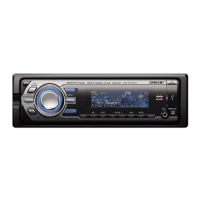
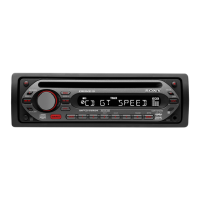
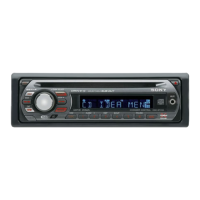
Main unit
Card remote commander
RM-X154
Refer to the pages listed for details. The
corresponding buttons on the card remote
commander control the same functions as those
on the unit.
A MODE button 8, 17
To select the radio band (FM/MW/LW)/
select the unit*
1
.
B OFF button
To power off/stop the source.
C VOL (volume) control dial/SOUND
button 16
To adjust volume (rotate); select sound items
(press).
D Display window
E Disc slot 5
To insert the disc.
F SEEK control dial/ENTER button
To select items (rotate); complete a setting
(press).
CD:
To skip tracks or album/groups: press
(ENTER) repeatedly to select ./> or
“ALBM/GROUP,” then rotate the SEEK
control dial until the desired track or album/
group appears.
Radio:
To tune in stations: press (ENTER)
repeatedly to select “SEEK,” “MANUAL,”
or “PRESET,” then rotate the SEEK control
dial until the desired station appears.
G MENU button
To enter menu.
MODE
SEEK
VOL
+
–
IMAGE
MENU
ANGLE
OFF
REP SHUF PAUSE
6
SOURCE AF/TA1
2534
PUSH SOUND PUSH ENTER
CDX-GT800D
12 3 4 6578
9
qaq; qs qd qf qg
OFF
DSPL/PTY
REP SHUF
MENU LIST
SCRL
SOURCE SOUND
MODE
PAU SE
132
465
ATT
VOL
+
–
+
–
ENTER
q;
wa
7
1
2
qh
qj
qk
w;
ql
qa
ws
wd
wf


 To Next Page