11
Searching by skip items — Jump mode
When many items are in category, you can search the desired item quickly.
1 Push the multi way encoder right, in Quick-BrowZer mode.
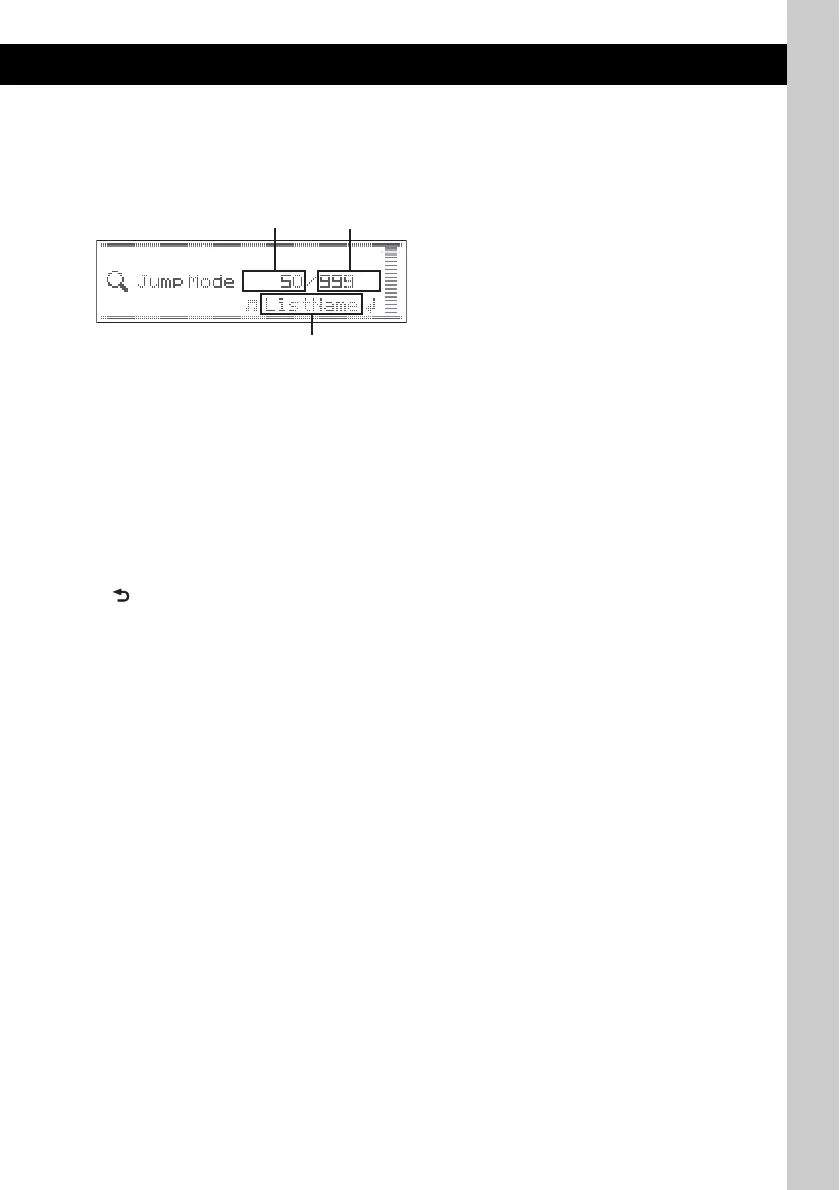
The following display appears.
A Current item number
B Total item number in the current layer
C Item name
2 Rotate the multi way encoder to select the desired item, or one near the desired item.
It skips in steps of 10% of the total item number.
3 Press the multi way encoder.
The display returns to the Quick-BrowZer mode and the selected item appears.
4 Rotate the multi way encoder to select the desired item and press it.
Playback starts if the selected item is a track.
To cancel Jump mode
Push (BACK) or push the multi way encoder left.
B



 To Next Page