EasyManua.ls Logo

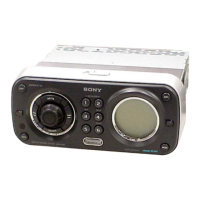
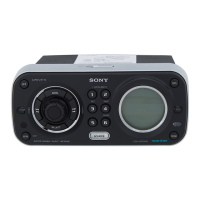
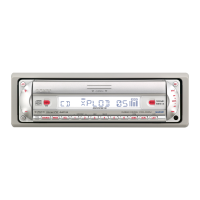
Sony CDX-HR70MW - User Manual

Sony CDX-HR70MW
132 pages
Print Icon
To Next Page IconTo Next Page
Loading...
Operating Instructions
Mode d’emploi
Manual de instrucciones
Bedienungsanleitung
Gebruiksaanwijzing
Istruzioni per l’uso
©
2006 Sony Corporation
A-CN5-100-11 (1)
US
FR
ES
DE
NL
To cancel the demonstration (DEMO) display, see page 12.
Pour annuler la démonstration (DEMO), reportez-vous à la page 13.
Para cancelar la pantalla de demostración (DEMO), consulte la página 13.
Zum Deaktivieren der Demo-Anzeige (DEMO) schlagen Sie bitte auf Seite 13 nach.
Om de demonstratie (DEMO) te annuleren, zie pagina 13.
Per annullare la dimostrazione (DEMO), vedere pagina 13.
IT
FM/AM
Compact Disc Player
CDX-HS70MW/CDX-HS70MS
FM
/
MW
/
LW
Compact Disc Player
CDX-HR70MW/ CDX-HR70MS

Table of Contents

Other manuals for Sony CDX-HR70MW

Question and Answer IconNeed help?

Do you have a question about the Sony CDX-HR70MW and is the answer not in the manual?

Summary

About Water Resistancy

Getting Started

Unit Reset and Remote Prep

How to reset the unit and prepare the card remote commander for first-time use.

Clock Setting and Disc Insertion

Step-by-step guides for setting the unit's clock and inserting discs.

Disc Ejection Procedure

Instructions on how to properly eject a disc from the unit.

Controls and Operations Overview

Main Unit Controls

Detailed identification and explanation of controls on the main unit's front panel.

Card Remote Commander

CD Playback Features

Radio Reception Features

Other Functions and Settings

Supported File Formats

AAC and ATRAC CD Formats

Maintenance Procedures

Technical Specifications

Troubleshooting Guide

General and Playback Troubleshooting

Troubleshooting steps for general issues like no power, no sound, and CD/MD playback problems.

Radio Troubleshooting

Radio Reception & RDS Issues

Solutions for poor radio reception, station tuning, and RDS functionality problems.

Error Messages and Displays

Common Error Codes

Explanations for error messages like BLANK, ERROR, FAILURE, LOAD, SEEK, NO AF, NO DISC, NO INFO, NO MAG, NO MUSIC, NO TP.

Disc Read and Operation Errors

Explanations for error messages like NOT READ, NOTREADY, OFFSET, READ, RESET related to disc handling.

Product Support and Troubleshooting

Consult Manual and Contact Support

Instructions to consult troubleshooting, reset the unit, and contact customer support.

Summary

About Water Resistancy

Getting Started

Unit Reset and Remote Prep

How to reset the unit and prepare the card remote commander for first-time use.

Clock Setting and Disc Insertion

Step-by-step guides for setting the unit's clock and inserting discs.

Disc Ejection Procedure

Instructions on how to properly eject a disc from the unit.

Controls and Operations Overview

Main Unit Controls

Detailed identification and explanation of controls on the main unit's front panel.

Card Remote Commander

CD Playback Features

Radio Reception Features

Other Functions and Settings

Supported File Formats

AAC and ATRAC CD Formats

Maintenance Procedures

Technical Specifications

Troubleshooting Guide

General and Playback Troubleshooting

Troubleshooting steps for general issues like no power, no sound, and CD/MD playback problems.

Radio Troubleshooting

Radio Reception & RDS Issues

Solutions for poor radio reception, station tuning, and RDS functionality problems.

Error Messages and Displays

Common Error Codes

Explanations for error messages like BLANK, ERROR, FAILURE, LOAD, SEEK, NO AF, NO DISC, NO INFO, NO MAG, NO MUSIC, NO TP.

Disc Read and Operation Errors

Explanations for error messages like NOT READ, NOTREADY, OFFSET, READ, RESET related to disc handling.

Product Support and Troubleshooting

Consult Manual and Contact Support

Instructions to consult troubleshooting, reset the unit, and contact customer support.

Sony CDX-HR70MW Specifications

General IconGeneral
TunerYes
Display TypeLCD
CD-R/RW PlaybackYes
MP3 PlaybackYes
Preamp OutputYes
BluetoothNo
Channels4
WMA PlaybackYes
AAC PlaybackYes
Detachable FaceYes
Remote ControlYes
USB PortNo
Aux InputYes
iPod CompatibilityNo
TypeCD Player
Tuner BandsFM/AM
Preamp Outputs3

Related product manuals