20
CD changer
Selecting the changer
1 Press (SOURCE) repeatedly until “CD”
appears.
2 Press (MODE) repeatedly until the desired
changer appears.
Playback starts.
Skipping albums and discs
1 During playback, press (1)/(2) (ALBUM –/
+).
Repeat and shuffle play
1 During playback, press (3) (REP) or (4)
(SHUF) repeatedly until the desired setting
appears.
To return to normal play mode, select “ OFF”
or “SHUF OFF.”
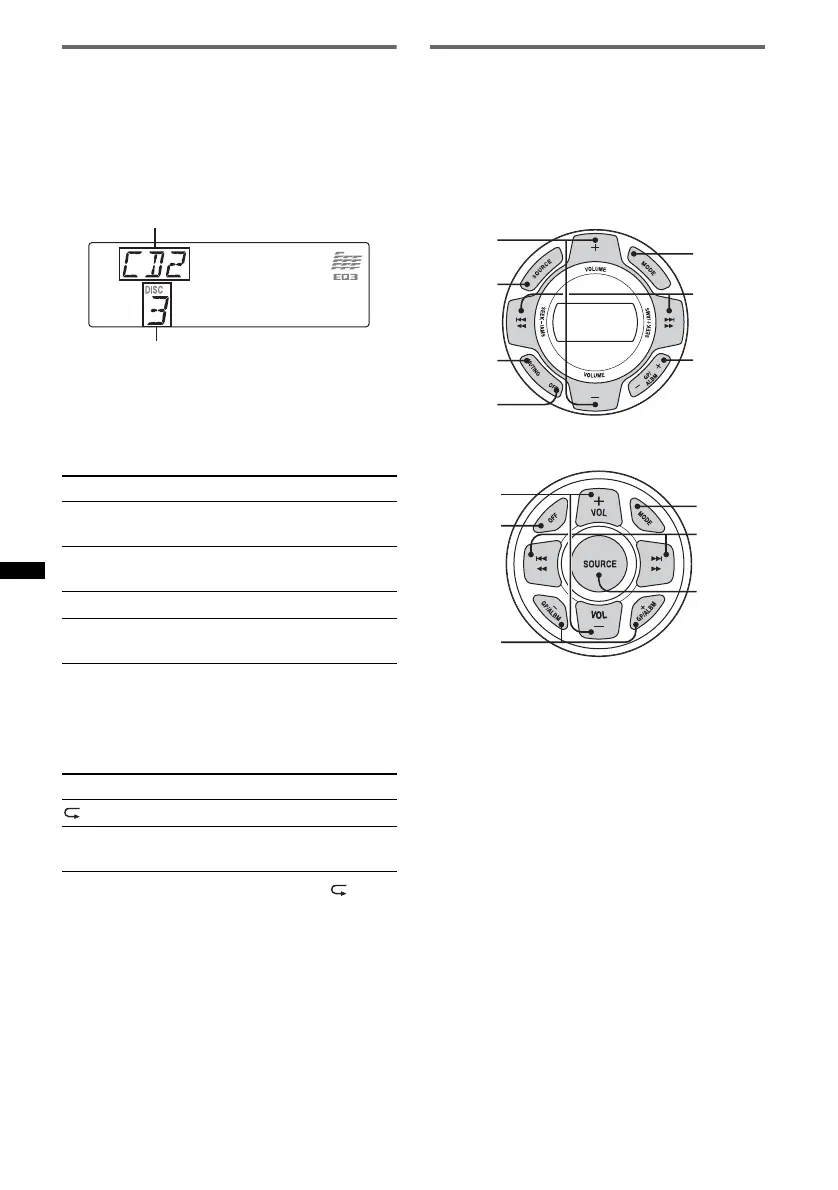
Marine remote commander
RM-X60M/X11M
Location of controls
The corresponding buttons on the marine remote
commander control the same functions as those
on this unit.
RM-X60M
RM-X11M
The following controls on the marine remote
commander require a different operation from
the unit.
• VOLUME (VOL) +/– button(s)
The same as the control dial on the unit.
• GP/ALBM –/+ button(s)
The same as (1)/(2) (ALBUM –/+) on the
unit.
• MUTING button
To attenuate the sound. (The same as (ATT) on
the card remote commander.)
To skip Press (1)/(2) (ALBUM –/+)
album and release (hold for a
moment).
album
continuously
within 2 seconds of first
releasing.
discs repeatedly.
discs
continuously
then, press again within 2
seconds and hold.
Select To play
DISC disc repeatedly.
SHUF
CHANGER
tracks in the changer in random
order.
Unit number
Disc number
MODE
VOLUME
+/–
SOURCE
MUTING
(ATT)
OFF
GP/ALBM
–/+
SEEK –/+
MODE
VOL +/–
OFF
GP/ALBM
–/+
SEEK –/+
SOURCE



 To Next Page