
 Need help?
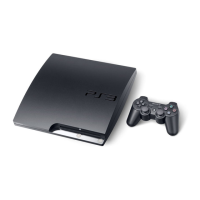
Do you have a question about the Sony CECH-3006A and is the answer not in the manual?
Information about epilepsy triggers from light patterns and flashing lights.
Game usage tips to minimize the risk of seizures.
Details on the limited license for the included system software.
Compliance requirements for national export control legislation.
Guidelines for safe operation of electrical devices and handling.
Advice for safe system usage, including breaks and environmental factors.
Safety advice specific to the DUALSHOCK®3 wireless controller.
Guidelines for proper ventilation and safe AC power cord usage.
Warnings against modifying the system and notes on network functionality.
Precautions for moisture condensation, cleaning, and exterior care.
Notes on disc compatibility, proper handling, storage, and cleaning.
Instructions for cleaning system connectors and vents.
Accessing detailed information via the online user's guide.
Finding latest info on system software, products, and support.
Accessing options and control panels within the XMB menu.
Identification of PS3™ system front/rear parts and controller components.
Cautions regarding system placement, ventilation, and operation notices.
Methods for connecting the PS3™ system to a television.
Steps to resolve issues when no video is displayed on the screen.
Connecting the system via Ethernet cable and AC power cord.
Following on-screen prompts for language, time, and user settings.
Visual comparison of HD and SD resolution output on screens.
Steps to take if video is not displayed after connecting.
Supported audio channels based on PS3™ output connectors.
Diagrams illustrating connections via HDMI and optical cables.
Step-by-step instructions for powering the PS3™ system on and off.
Understanding power indicator lights and important operational notices.
How to pair the controller and assign a number for use.
Using the controller wirelessly and charging its battery.
How to view the controller's remaining battery charge.
Instructions for inserting and playing Blu-ray, DVD, and CD discs.
How to stop playback and eject a disc from the system.
List of file formats playable or viewable on the PS3™ system.
Important notices regarding USB device handling and data safety.
Information on game compatibility and how to start playing games.
Adjusting controller settings and how to quit a game.
How saved data is stored for PS3™ and PlayStation® games.
Steps to create and assign slots for virtual memory cards for PS1 saves.
Diagram illustrating the components needed for a wired network connection.
Diagram illustrating the components needed for a wireless network connection.
Step-by-step guide to setting up a wired internet connection.
Step-by-step guide to setting up a wireless internet connection.
Selecting an access point and adjusting wireless LAN settings.
Setting up encryption and security for the wireless network.
How to specify Ethernet data transfer rate and operation mode.
Methods for obtaining an IP address when connecting to the Internet.
How to set the DNS server.
How to enable or disable Universal Plug and Play (UPnP).
How to access and navigate websites using the PS3™ browser.
Steps to create a PSN account for online services.
Various methods for updating the PS3™ system software.
How to view the currently installed system software version.
How to enter text and explanations of on-screen keyboard keys.
How to set parental controls for games, BD, DVD, and Internet browser.
Cautions, notices, and backup procedures for replacing the hard disk.
Steps for backing up data in single or selected operations.
Detailed instructions for safely removing the hard disk drive.
Important precautions for handling the hard disk to prevent damage.
Specifications for compatible replacement hard disks.
Procedures for downloading and reinstalling system software.
How to restore data in single or selected operations from backup.
Transferring data, restoring default settings, and deleting data.
Steps for deleting personal information before disposing of the system.
Troubleshooting steps for power problems and lack of picture.
Solutions for screen size mismatch, color issues, no sound, and music playback.
Troubleshooting steps for network connection failures and errors.
Resolving DNS, IP timeout, PPPoE, and web page display errors.
Troubleshooting for disc recognition, ejection, and USB device problems.
Steps for fixing controller non-functionality, abnormal behavior, or lack of vibration.
Troubleshooting controller battery charging and life issues.
Addressing system noise, forgotten passwords, freezing, and power indicator issues.
Reasons for content recognition failure and system warmth.
Detailed technical specifications for the PlayStation®3 system.
Detailed technical specifications for the DUALSHOCK®3 wireless controller.
Lists of compatible Blu-ray, DVD, and CD formats.
Information on region codes and supported disc playback.
Notes on playing DVD discs, copyright protection, and playback issues.
Precautions and information regarding the wireless controller battery.
Steps for safely removing the battery from the wireless controller.
Recommendations for storing and disposing of wireless controllers.
 General
| Brand | Sony |
|---|---|
| Model | CECH-3006A |
| Category | Handheld device |
| Language | English |

 To Next Page
