Need help?
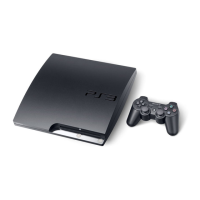
Do you have a question about the Sony CECH-3012A and is the answer not in the manual?
Information on epileptic seizures triggered by flashing lights and gaming advice.
Guidelines for safe operation of electrical devices, including warnings and instructions.
Warning against unauthorized modification and potential risks like laser radiation or electrical shock.
Recommendations for safe usage, including breaks, avoiding discomfort, and keeping away from children.
Instructions for connecting the PS3™ system to a TV using various cable types.
Instructions for connecting to the internet via Ethernet cable and AC power cord.
Step-by-step guide to initial system setup after turning on the PS3™ system.
Guide to adjusting video output settings for HD resolutions on a TV.
Steps to pair the controller with the system and assign a controller number.
Instructions for wireless use, charging the controller, and checking battery level.
Step-by-step guides for configuring wired and wireless network settings.
How to select an access point, scan networks, and configure wireless security settings.
Safety precautions, notices on formatting, backup, and warranty for hard disk replacement.
Steps for installing a new hard disk and reinstalling system software.
Guide to reinstalling system software and downloading updates.
Troubleshooting steps for power and picture issues like system not turning on or no/distorted picture.
Steps to resolve issues with the wireless controller not functioning, operating abnormally, or not vibrating.
 General
| Brand | Sony |
|---|---|
| Model | CECH-3012A |
| Category | Handheld device |
| Language | English |


 To Next Page