24
Playing content
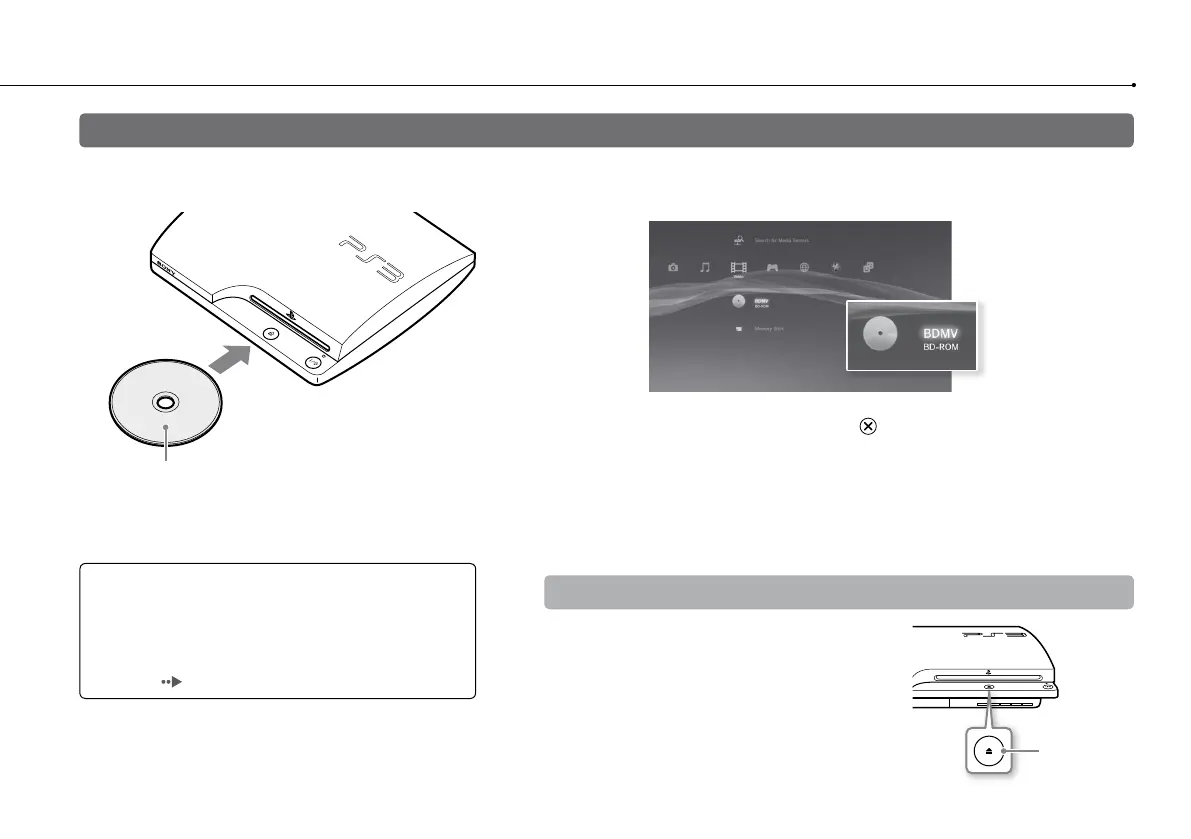
1 Insert the disc.
Insert the disc with the
label side facing up.
2 An icon is displayed in the XMB
™
menu, and playback of the
disc begins.
If the disc does not automatically start, select the icon for the disc from the
XMB
™
menu, and then press the
button.
Ejecting a disc
Stop playback, and then press the eject button.
Eject button
Notices
Do not insert multiple discs or foreign objects into the
disc slot, because this may cause the system to
malfunction.
Discs that are not compatible with the system cannot be
played. (
page 48)
Blu-ray Disc™ (BD)/DVD/CD



 To Next Page