29
Adjusting network settings
GB
Adjusting network settings (wired)
1 Connect an Ethernet cable (sold separately) to the system.
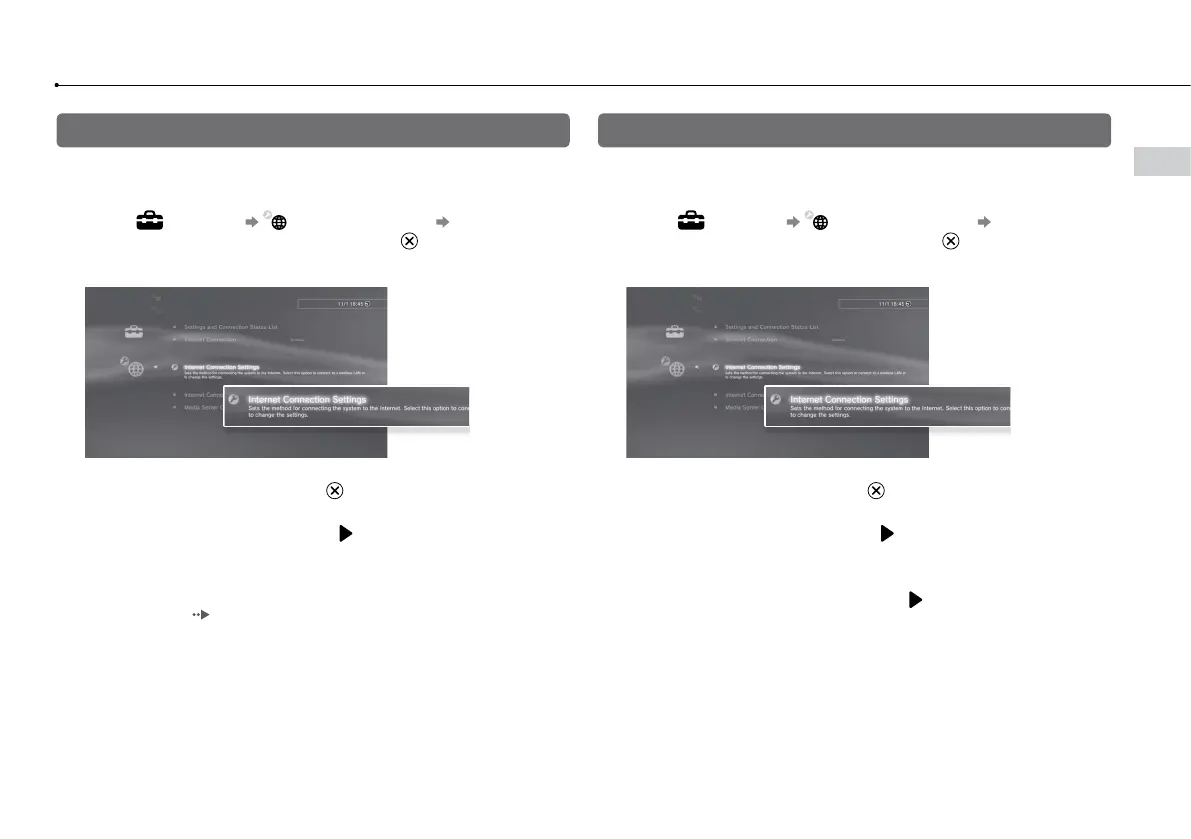
2 Select (Settings) (Network Settings) [Internet
Connection Settings], and then press the button.
A confirmation message about the Ethernet cable is displayed.
3 Select [OK], and then press the button.
4 Select [Easy], and then press the button.
Basic settings are adjusted automatically, and a list of the settings is
displayed. If the list is not displayed, you must adjust custom settings. Refer
to the instructions supplied by your Internet service provider to adjust the
custom settings (
page 31).
5 Perform the Internet connection test.
If the connection is successful, you will be able to connect to the Internet.
Adjusting network settings (wireless)
1 Check that an Ethernet cable is not connected to the system.
2 Select (Settings) (Network Settings) [Internet
Connection Settings], and then press the button.
A confirmation message about the Ethernet cable is displayed.
3 Select [OK], and then press the button.
4 Select [Easy], and then press the button.
Basic settings are adjusted automatically.
5 Select [Wireless], and then press the button.







 To Next Page