7
GB
Getting Started
Part names and functions
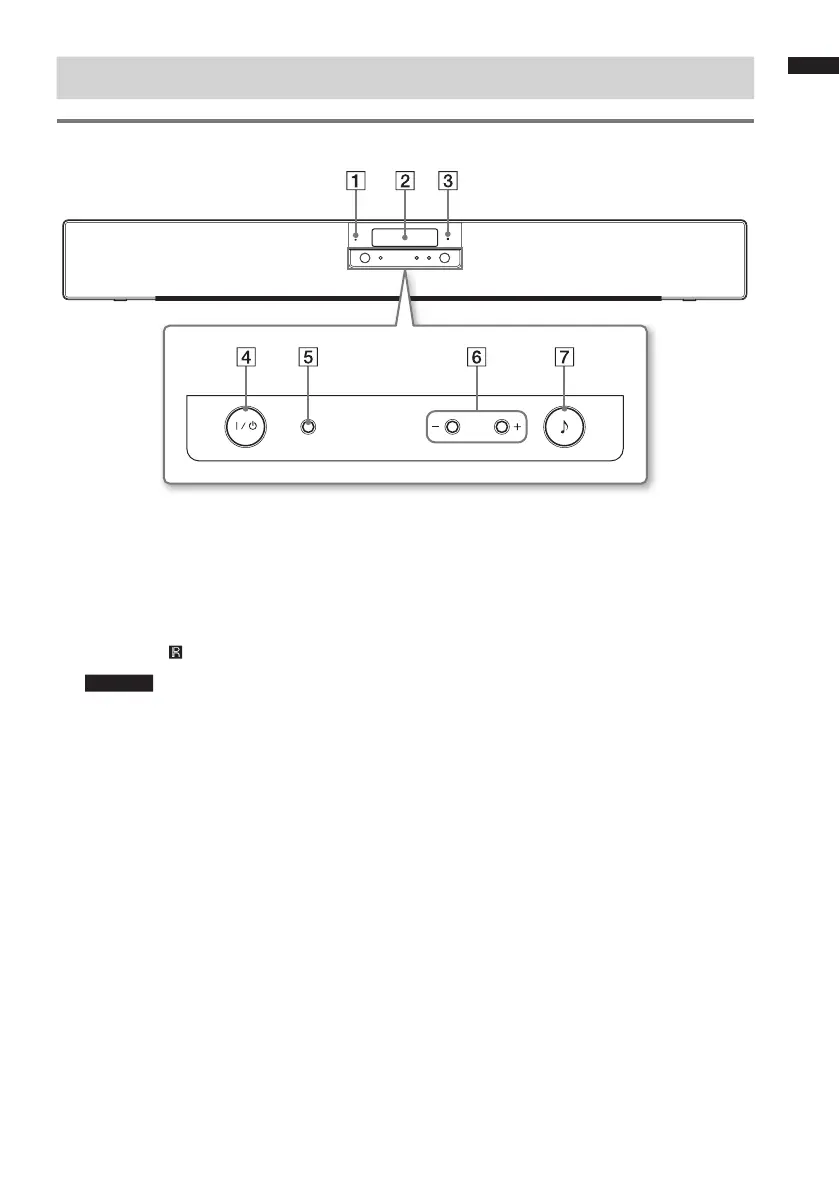
Front
VOLINPUT
A POWER indicator
Lights as follows:
Green: The system is turned on.
No light: The system is turned off.
B Display
C IR receiver
Caution
• Do not expose the IR receiver to direct sunlight
or excessive light, or the remote control may
not work.
D Power button
E INPUT button
Press to select the input source.
Press the INPUT button repeatedly to switch
between digital input and analogue input.
F VOL + button / VOL – button
G Sound field button
Press to select the sound eld.
Every time you press the button, the sound
eld changes cyclically as follows:
DYNAMIC t STEREO t VIVID t
STD t DYNAMIC…


 To Next Page