The CD Player14
EN
CFD-121.E.G_3-858-850-1X.CED.CEK.CEH.EE1.E12.E23.EA
Playing tracks
repeatedly
(Repeat Play)
You can play tracks repeatedly in
normal, shuffle or program play modes
(see page 15 ).
1 Set FUNCTION to CD.
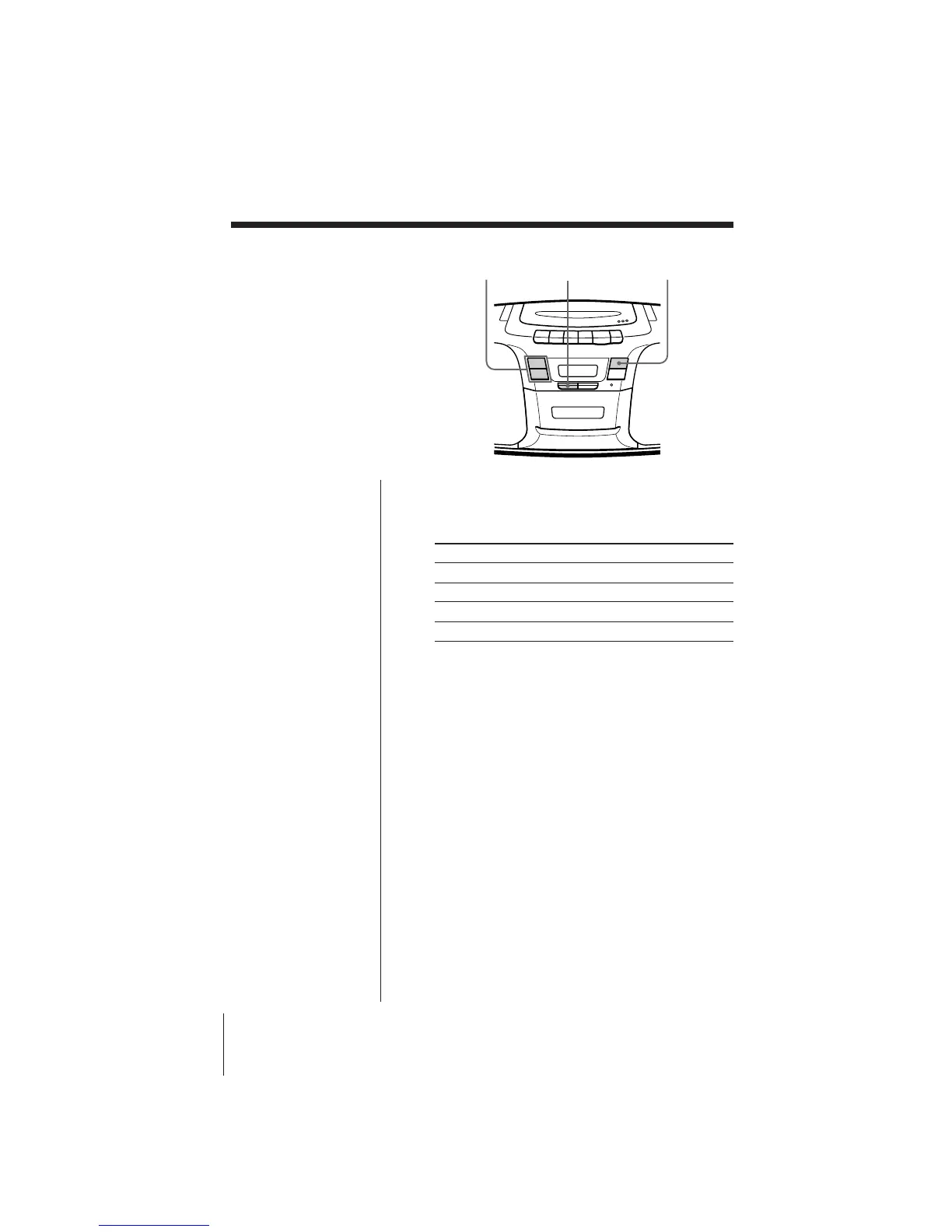
2 Press MODE until the repeat mode you want
appears in the display.
To repeat Select
a single track REP 1
all tracks REP ALL
tracks in random order SHUF REP
programed tracks PGM REP
3 Do either of the following to start repeat play:
• When you’ve selected REP1, select the track by
pressing + or = and press ^.
• When you’ve selected REP ALL and SHUF REP,
press ^.
• When you’ve selected PGM REP, program
tracks (see step 3 on page 15), then press ^.
To cancel Repeat Play
Press MODE until “REP” disappears in the display.
+ / =
MODE
^


 To Next Page