EasyManua.ls Logo

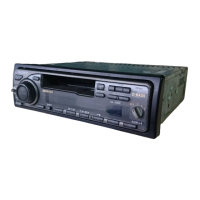
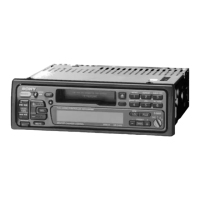
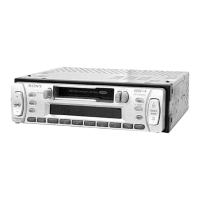
Sony XR-C33R - User Manual

Sony XR-C33R
132 pages
Print Icon
To Next Page IconTo Next Page
Loading...
2000 Sony Corporation
FM/MW/LW
Cassette
Car Stereo
XR-C33R
XR-3100R
For installation and connections, see the supplied installation/connections
manual.
Informace o instalaci a zapojení naleznete v přiložené příručce Instalace /
zapojení.
Szczegóły dotyczące instalacji i podłączeń, proszę sprawdzić w dostarczonym,
osobnym podręczniku
Kurma ve bağlantı işlemleri için ünite beraberindeki Kurma/Bağlantılar kılavuzuna
bakınız.
Перед установкой и подсоединениями прочитайте прилагаемую
инструкцию по установке и подсоединению.
3-043-533-41 (1)
Operating Instructions
Návod k obsluze
Instrukcje Obsługi
Kullanım kılavuzu
Инструкция по эксплуатации
GB
CZ
TR
PL
RU

Table of Contents

Other manuals for Sony XR-C33R

Question and Answer IconNeed help?

Do you have a question about the Sony XR-C33R and is the answer not in the manual?

Sony XR-C33R Specifications

General IconGeneral
Display TypeLCD
Cassette PlayerYes
Channels4
Built-in AmplifierYes
MP3 PlaybackNo
WMA PlaybackNo
USB PortNo
Aux InputNo
BluetoothNo

Summary

Operating Instructions

Welcome!

Optional Accessory: Rotary Commander

Details about the optional rotary commander accessory.

Maintaining Sound Quality

Precautions

Notes on Cassettes

Cassette Care Guidelines

Proper handling and storage of cassette tapes to ensure optimal playback.

Using Cassettes Over 90 Minutes

Recommendations and warnings regarding the use of long cassette tapes.

Location of Controls

Getting Started

Resetting the Unit

Procedure to reset the unit before first use or after battery replacement.

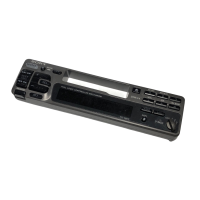
Detaching and Attaching the Front Panel

Steps to remove and reattach the front panel for security and protection.

Setting the Clock

Cassette Player Operation

Listening to a Tape

How to insert a cassette and start playback automatically.

Tape Winding and Track Locating

Methods for fast-winding tapes and using AMS to skip tracks.

Changing Display Items

Cycling through display options like tape, frequency, and clock.

Playing Tapes in Various Modes

Radio Operation

Automatic Station Memorization (BTM)

Using Best Tuning Memory (BTM) to automatically store strongest stations.

Memorizing Desired Radio Stations

Receiving Memorized Stations

Monaural Mode for Poor FM Reception

RDS (Radio Data System)

Overview of RDS Functions

Introduction to Radio Data System features for FM stations.

Displaying Station Names

How station names appear in the display when receiving RDS data.

Changing RDS Display Items

Cycling through display options for RDS information.

Automatic Programme Retuning (AF)

Listening to Regional Programmes

Local Link Function (UK Only)

Traffic Announcements (TA)

Presetting Traffic Announcement Volume

Receiving Emergency Announcements

Presetting RDS Stations with AF;TA Data

Locating Stations by Programme Type

Automatic Clock Setting

Other Functions

Rotary Commander Labelling

Attaching appropriate labels to the rotary commander based on mounting.

Using the Rotary Commander

Rotary Commander Operations

Adjusting Sound Characteristics

Modifying bass, treble, balance, and fader settings.

Attenuating Sound and Changing Operative Direction

Temporarily reducing volume and reversing commander control direction.

Changing Sound and Display Settings

Boosting Bass Sound (D-bass)

Optional CD;MD Unit Control

Playing CDs or MDs

Selecting and starting playback from connected CD or MD units.

Displaying CD;MD Information

Cycling through display options like disc name, artist name, and track name.

Automatic Disc Name Scrolling

Enabling automatic scrolling for long disc/track names on CD TEXT or MD.

Locating Tracks and Switching Discs

Repeat Playback Modes

Shuffle Play (Random Order)

Additional Information

Maintenance and Fuse Replacement

Guidance on maintaining the unit, including fuse replacement procedures.

Cleaning Connectors and Dismounting Unit

Specifications

Troubleshooting Guide

CD;MD Unit Error Displays

Related product manuals