21
EN
Additional Information
CFD-121.E.G_3-858-850-1X.CED.CEK.CEH.EE1.E12.E23.EA
Symptom
The tape does not record.
The audio is weak/The audio
quality is poor.
The sound is distorted.
Remedy
• Make sure the tape is inserted properly.
• Make sure the safety tab of the cassette is
in place.
• Clean the heads, pinch roller and capstan
(See page 22).
• Demagnetize the heads using a
demagnetizer (see page 22).
• The TYPE II (high position) or TYPE IV
(metal) tape is being used. Use TYPE I
(normal) tape only.
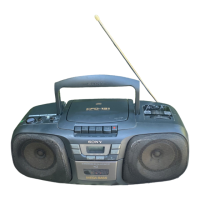
Tape Player
After trying the above remedies, if you still have problems, unplug the AC power cord and
remove all the batteries. After all the indications in the display disappear, plug the power cord
and insert the batteries again. If the problem persists, please consult your nearest Sony dealer.


 To Next Page